Chilat Doina
January 28, 2026
Ever wondered how some Amazon listings look like a glossy magazine spread while others are just a wall of text? The secret is Enhanced Brand Content, or EBC.
While Amazon officially calls it A+ Content now, the name EBC has stuck around in the seller community, and for good reason. It’s the tool that lets brand-registered sellers completely transform their product descriptions from a boring text block into a visually stunning, story-driven experience.
Think of a standard Amazon page like a simple classified ad. It lists the facts: dimensions, materials, maybe a few features. It gets the job done, but it doesn't exactly get your pulse racing.
Now, picture that same product showcased with gorgeous lifestyle photos, detailed close-ups, and a compelling story about why your brand exists. That's the leap you make with EBC. It’s about moving from simply listing a product to truly presenting it.
This feature lets you swap out that plain text description field with a custom-built layout using a mix of images and text modules. Instead of forcing shoppers to read a dense paragraph, you can guide them through a visual journey that answers their questions and builds a genuine connection to your brand.
At its core, EBC is all about one thing: boosting your conversion rate. It's that simple.
By presenting information in a much more digestible and attractive way, you preemptively tackle a customer's hesitations and doubts. This layer of polish and professionalism helps you stand out in a sea of competitors, justify a higher price point, and build the kind of trust that brings customers back.
Before Amazon rolled this out around 2016, sellers were stuck with the basics. It was tough to differentiate your brand on anything other than price and reviews. EBC changed the game, giving sellers in the Amazon Brand Registry program the power to inject rich media right into their listings. Not sure if you qualify? We've got a full guide on the Amazon Brand Registry requirements you can check out.
EBC is the difference between telling a customer your product is high-quality and showing them with detailed imagery, comparison charts, and a story that actually resonates.
This is exactly why the top sellers I know treat EBC as a non-negotiable. It’s an investment in your digital shelf space, turning casual browsers into confident buyers by giving you direct control over your brand’s narrative right at the point of purchase.
Let's break down just how big of a difference this makes.
Here’s a quick comparison to see the transformation in action:
FeatureStandard Product ListingEBC / A+ Content ListingDescriptionPlain text block, basic HTMLCustom modules with images & rich textVisual AppealLow, limited to main product imagesHigh, magazine-style layoutBrand StorytellingVery limited, hard to conveyCentral feature, dedicated modulesCustomer EngagementPassive, text-heavyActive, visually guided experienceConversion ImpactBaseline performancePotential to increase conversions by 3-10%Information DeliveryDense and often unreadScannable, digestible with charts/graphics
As you can see, it's not just a minor facelift. It’s a fundamental upgrade to how you communicate value and build trust on the platform.
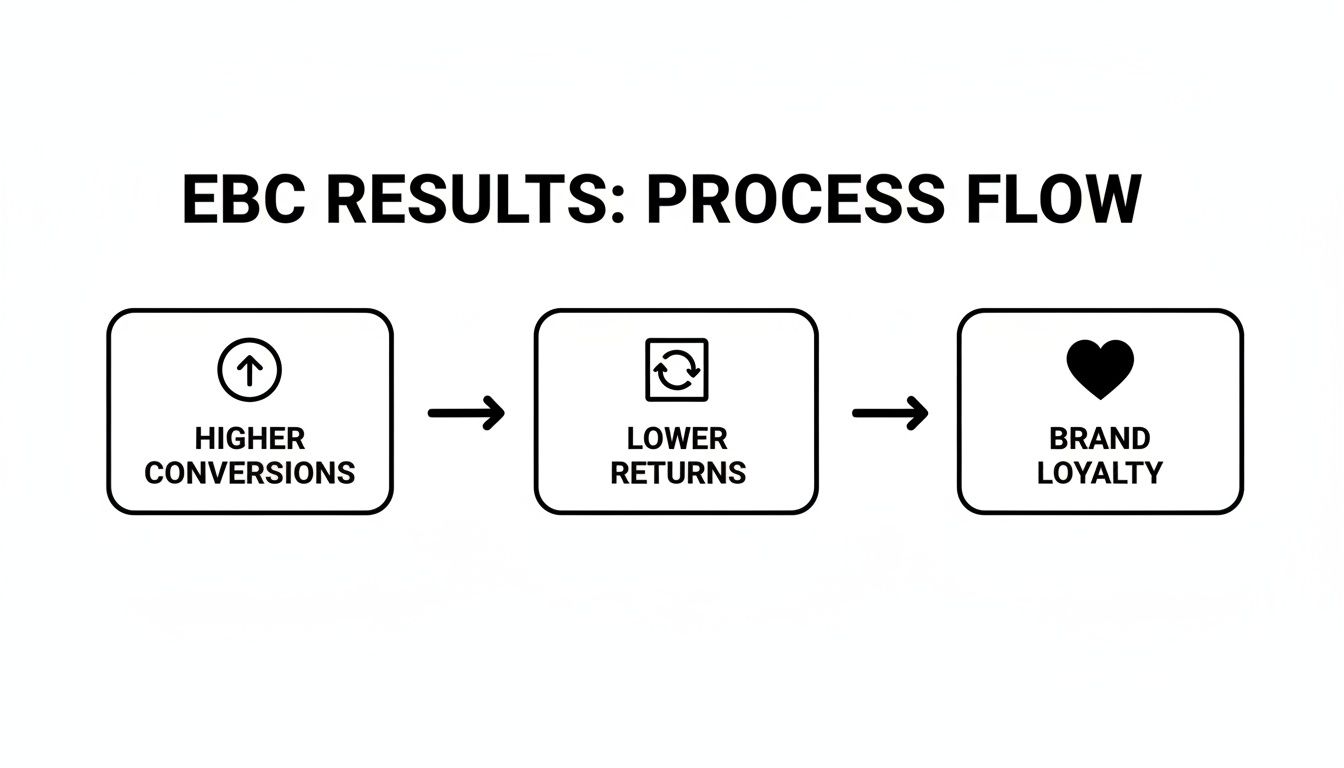
Let’s be honest: creating beautiful Enhanced Brand Content takes time and money. So, is it just about making your product page look pretty? Absolutely not. It’s one of the sharpest strategic moves you can make, and it pays off in three key ways: higher conversions, lower returns, and a brand that people actually remember.
When you nail EBC, your listing stops being a static sales page and becomes your best salesperson—one that works 24/7 to grow your business.
Think of it this way: a standard product page just presents a product. A page with well-crafted EBC sells it. You're telling a story, answering the unspoken questions a shopper has, and tackling their hesitations before they can even bubble up. This is how you build confidence and get people to click "Add to Cart" without a second thought.
This isn't just theory; the numbers back it up. Good EBC can lift conversion rates by an average of 5-10%. For brands in highly visual categories like beauty or electronics, we've seen that jump as high as 20-30%. And because you're doing a better job of showing off your product's premium features, brands often see a 15% bump in average order value. You can find more details on these metrics and learn how top brands leverage EBC for growth.
At its core, EBC is about convincing a shopper that your product is the best fix for their problem. It does this by creating an experience that’s worlds away from a dry, bulleted list of features.
High-quality lifestyle photos let customers see the product in the real world, helping them picture it in their own lives. That little bit of imagination creates an emotional connection, which is a massive driver for purchases. Likewise, smart graphics can break down a complex feature into a simple, easy-to-grasp benefit, making a technical product feel way less intimidating.
EBC basically shortens the sales cycle. By giving customers all the info they need in an engaging way, you clear up any doubt and empower them to make a confident purchase decision, right then and there.
This spike in conversions creates a snowball effect. More sales mean a higher sales velocity, which is a huge signal to Amazon's A9 search algorithm. When the algorithm sees your product flying off the virtual shelves, it considers it more relevant and rewards you with better organic rankings. This kicks off a powerful growth loop: EBC drives sales, which improves your rank, which brings in more traffic, which leads to even more sales.
Product returns are the silent killer of profit for so many Amazon sellers. It’s not just the lost sale; you’re also on the hook for shipping, restocking, and dealing with potentially damaged goods. A huge chunk of these returns happens for one simple reason: the product didn't match what the customer expected.
This is where EBC steps in as your best line of defense.
When customers are well-informed, they make smarter choices. That leads directly to happier customers and, most importantly, lower return rates. Some data even suggests that solid EBC can slash returns by up to 12%, protecting your profit margins and keeping your account health in the green.
On a marketplace as crowded as Amazon, EBC is your number one tool for building a brand that sticks. This is your chance to share your mission, your values, and what makes you different. That story is what turns your product from a generic commodity into something people actually feel connected to.
By keeping your branding consistent across all your EBC—using your colors, fonts, and tone of voice—you create a professional and trustworthy vibe. Over time, that consistency builds real brand recognition and loyalty. Customers who trust you are far more likely to buy from you again, tell their friends about you, and even choose you over a slightly cheaper competitor. That kind of brand equity is an priceless long-term asset that protects you from price wars and fuels sustainable growth.
Alright, we’ve covered the "why" behind Enhanced Brand Content. Now it’s time to roll up our sleeves and get into the "how." Building your first EBC page can feel a little daunting, but once you know your way around Amazon Seller Central, the process is surprisingly straightforward.
Think of this as your roadmap to taking full control of your brand’s narrative right on the product detail page.
But before you can upload a single image, you have to get through the gatekeeper: Amazon Brand Registry. This is the non-negotiable first step. It’s Amazon's way of verifying that you're the legitimate owner of your brand, and it unlocks a whole suite of powerful selling tools, including the A+ Content Manager where all the EBC magic happens.
With over 500,000 brands enrolled in Brand Registry by mid-2025, it’s clear this is standard operating procedure for serious sellers. Once you’re in, you can build, upload, and tweak your content whenever you need to.
Once your brand is officially registered, head over to your Seller Central dashboard. You'll find the A+ Content Manager tucked under the 'Advertising' tab. This is your creative canvas.
Think of it as a drag-and-drop builder for your product story. Amazon gives you a set of pre-designed "modules"—like building blocks—that you piece together to tell a compelling story.
You’ll start by searching for the ASIN you want to work on. This is where you begin transforming a standard, text-heavy listing into something visually engaging.
Amazon offers a whole menu of modules, each with a different job. Some are simple text-and-image combos, perfect for calling out key features. Others are more complex, like comparison charts that let you elegantly upsell or cross-sell by showing your products side-by-side. The trick is picking the right modules for the story you want to tell.
Your goal isn't to cram every possible module onto the page. It's about hand-picking a few that work together to create a seamless, persuasive narrative that guides a shopper from casual interest to a confident purchase.
Putting your content together is a step-by-step process. Here’s a quick rundown of what you’ll do inside the A+ Content Manager:
Nothing’s more frustrating than spending hours on a beautiful design only to have it rejected. To make sure your EBC gets approved on the first try, steer clear of these common mistakes:
By following this playbook and avoiding these simple slip-ups, you'll be well on your way to publishing powerful EBC that makes your brand look incredible and, more importantly, drives sales.
Knowing how to technically build an EBC page is one thing. Crafting one that actually persuades shoppers and drives sales? That's a whole different ballgame. This is where the art of selling meets the science of conversion.
A top-tier EBC page doesn't just throw information at a customer; it takes them on a journey. Think of yourself as a visual storyteller. Your job is to guide the shopper from initial curiosity to total confidence, making the "Add to Cart" click feel like the most natural next step. This takes a smart mix of eye-catching design, powerful images, and copy that hits all the right notes.
The structure of your EBC is everything. A jumbled mess of images and text will just confuse people and send them running. But a logical, well-paced flow? That builds momentum and makes the sale. The goal is to create a clear visual path that’s easy to scan and digest.
Kick things off with a big, bold hero image or banner that perfectly captures your product's vibe. From there, use different modules to spotlight the key benefits, show the product in the wild, and proactively answer any questions a shopper might have.
A layout that consistently works well follows this kind of flow:
Pro Tip: Design for mobile first. Seriously. Over 60% of Amazon's traffic is browsing on their phones, where all those carefully arranged modules will just stack one on top of the other. What looks amazing on a desktop has to make just as much sense on a tiny screen.
Thinking strategically about which modules to use is key. Your choices should directly support your storytelling goals.
Here's a quick guide to help you pick the right tools for the job:
Module TypePrimary GoalBest Used ForHero Image/BannerGrab attention instantlyIntroducing the product, setting a brand tone, and making a strong first impression.Image with Text OverlayHighlight key featuresCalling out specific product details or benefits directly on a high-quality image.Comparison ChartDifferentiate and upsellComparing models in your product line to guide customers to the right purchase.Four Image & TextShowcase multiple benefitsBreaking down core selling points into easily digestible, scannable sections.Standard Text ModuleTell a deeper storySharing your brand's origin, mission, or detailed product usage instructions.Image GalleryProvide visual varietyShowing the product from multiple angles or in different lifestyle contexts.
Using a mix of these modules allows you to build a narrative that addresses customer questions, highlights value, and builds confidence step-by-step.
This is probably the most common mistake sellers make: they just list features. Your customer doesn't care that your blender has a 1,200-watt motor. They care that it can obliterate ice for a perfect margarita in five seconds flat. It's the classic shift from what it is to what it does for them.
The best EBC copy follows the same rules as great copywriting for websites that convert. You have to translate every single feature into a real-world benefit.
For instance, instead of just stating:
Flip it into a benefit:
See the difference? One is a boring spec; the other solves a problem and paints a picture. Great copy doesn't just describe your product—it shows the customer a better version of their life with your product in it. For a deeper dive, check out our guide on conversion rate optimization best practices.
Your images do the emotional heavy lifting. Your main product photos show what the item is. Your EBC images need to show what the customer's life will be like with it.
Try to focus on three main types of visuals:
At the end of the day, your images and your words need to be telling the same story. Every single element on your EBC page should have one clear purpose: to convince the shopper that your product is the absolute best solution for them.
Theory is great, but the best way to really get the power of Enhanced Brand Content is to see it in action. By breaking down how top-tier brands use EBC, we can stop talking in abstracts and start building a concrete playbook of what actually works.
These brands aren’t just filling space with pretty pictures. Every module is deliberate, every photo tells a story, and every word is chosen to persuade. They treat their EBC as prime digital real estate, a space they’ve designed to completely dominate their categories.
Let’s dig into the playbooks of three different types of brands to see how they mold EBC to fit their specific goals. Think of these as a clear, visual guide you can steal from for your own products.
Imagine you're selling a high-tech drone loaded with a dozen complex features. A wall of text listing specs like "gyro-stabilization" and "4K video resolution" is guaranteed to make most shoppers’ eyes glaze over. The smart tech brands know this, and they use EBC to make the complex simple and the technical feel tangible.
Their secret weapon? The comparison chart module. This is hands-down the most effective tool for guiding a customer to the right purchase.
Instead of just telling you their product is better, they show you. It turns the upsell into a helpful recommendation instead of a pushy sales pitch. It’s a masterful way to educate and convert all at once.
For beauty and wellness brands, the product itself is often secondary to the feeling it promises. A face cream isn't just a mix of ingredients; it's the promise of confidence, radiance, and a moment of self-care. The best beauty brands are masters at selling this aspiration through their EBC.
Their playbook is built around stunning, high-impact lifestyle imagery. You’ll see far fewer sterile, product-on-white-background shots and way more images that evoke a genuine experience.
They use imagery not just to show the product, but to transport the customer into a world where they are already experiencing the benefits. It’s about selling the result, not the item.
With EBC, sellers can create a scrollable, magazine-like experience that tells a compelling brand story, highlights features in detail, and builds deep trust with shoppers. It’s what allows 7- and 8-figure founders to use the kind of lifestyle imagery, comparison tables, and usage videos that set their DTC and Amazon brands miles apart from generic listings. You can discover more insights about how top founders use Enhanced Brand Content on SpeedCommerce.com.
In crowded markets like home goods, trust is everything. A customer looking for a new set of cookware or organic cotton sheets wants to know they're buying from a brand that actually cares about quality and stands behind its products. This is where EBC becomes an incredibly powerful trust-building tool.
These brands often lead with a module dedicated entirely to their brand story.
They use a mix of text and images to share their "why." Maybe it’s a family-owned business, a deep commitment to sustainable materials, or a founder’s obsession with solving a common household problem. This narrative gives a soul to an otherwise generic product. By sharing their mission and values, they build an authentic connection that price-slashing competitors simply can't touch.
So, you’ve built out your Enhanced Brand Content. That’s a huge first step, but the job’s not quite done.
The best sellers on Amazon treat their EBC less like a one-time project and more like a living, breathing asset that needs constant attention. It's all about ditching the "set it and forget it" mentality and adopting a data-driven approach. Every single element is an opportunity for testing and improvement.
This is where you turn a good product page into an unbeatable one. By systematically testing different headlines, images, and layouts, you start to learn exactly what makes your audience tick—and what drives them to hit that "Add to Cart" button.
Amazon actually gives you a powerful, built-in feature for this called Manage Your Experiments. This tool lets you run A/B tests (or split tests) directly on your A+ Content. You can create two different versions of your EBC, show them to different shoppers, and see which one comes out on top.
To get the most out of your EBC, it's really helpful to get comfortable with different testing methods like A/B testing and multivariate testing. This is how you make decisions based on real customer behavior, not just a gut feeling.
Here’s a simple way to run an effective test:
The goal here isn't just to find a single "winner." It's to build a cycle of continuous improvement. These small wins compound over time, steadily pushing your conversion rates higher and higher.
When you're in the Manage Your Experiments dashboard, the most important metric to watch is Unit Session Percentage. This is basically your conversion rate—it tells you the percentage of sessions that ended in a sale. A lift here is the clearest sign that your new EBC is working harder for you.
Think about the scale of the opportunity. In 2023, Amazon reported that over 1 million ASINs were using EBC, which contributed to an eye-watering $500+ billion in gross merchandise value. With Amazon's platform reaching over 20 countries and 300 million active users, optimizing your content isn't just a good idea; it's critical for grabbing your slice of the pie.
By keeping a close eye on your metrics and constantly refining your approach, you ensure your brand is always performing at its absolute best.
Even after you get the hang of what EBC is and how to build it, a few specific questions almost always pop up. Let's clear up the most common points of confusion so you can move forward with confidence.
First things first: the name. For years, sellers knew this feature as EBC (Enhanced Brand Content), while vendors—the brands selling wholesale directly to Amazon—called it A+ Content. Functionally, they were pretty much the same thing.
Eventually, Amazon rolled them into a single tool inside Seller Central and officially named it the A+ Content Manager. So, while the old-timers and many in the community still say "EBC," they're talking about what's now officially known as A+ Content. The terms are basically interchangeable.
Once you know EBC is just A+ Content, the next question is usually about the different levels. Any brand-registered seller gets access to what's now called Basic A+ Content. This is your workhorse, giving you plenty of solid modules like comparison charts and different image-and-text layouts.
But there's also an invite-only, souped-up version called Premium A+ Content (or A++, as some call it). This is where you get the really slick, high-impact modules that can make a page look like a custom-built website.
Premium unlocks features like:
Getting access isn't something you can just request; it's earned. To qualify for Premium A+, Amazon requires that you have an A+ Brand Story published on all the ASINs in your catalog and have gotten at least 15 Basic A+ Content projects approved in the last 12 months. Once you hit those targets, Amazon typically grants you access automatically.
So you've built your masterpiece and hit "submit." What now? Your content goes into Amazon's review queue. Their official line is that it can take up to seven business days for approval.
In reality, it’s all over the map. I’ve seen simple pages with just a few images and text blocks get the green light in 24-48 hours. But if you’re submitting something complex, or if it’s Q4 when everyone is swamping the system, expect it to take the full seven days or even longer.
The single best way to speed things up is to get it right the first time. A rejection sends you straight to the back of the line, resetting the clock. Comb through your copy and get rid of any forbidden language like "best on the market," "money-back guarantee," or any shipping-related promises. Make sure every single image is high-resolution and meets their specs.
At Million Dollar Sellers, we know that mastering details like this is what separates the top 1% of sellers from the rest. Our private community is built for elite e-commerce founders to share the exact strategies that are scaling their businesses to 8- and 9-figures. If you’re a serious seller who is ready to stop guessing and start growing, see what a network of proven operators can do for you. Apply to join MDS today.
Join the Ecom Entrepreneur Community for Vetted 7-9 Figure Ecommerce Founders
Learn MoreYou may also like:
Learn more about our special events!
Check Events