Chilat Doina
October 9, 2026
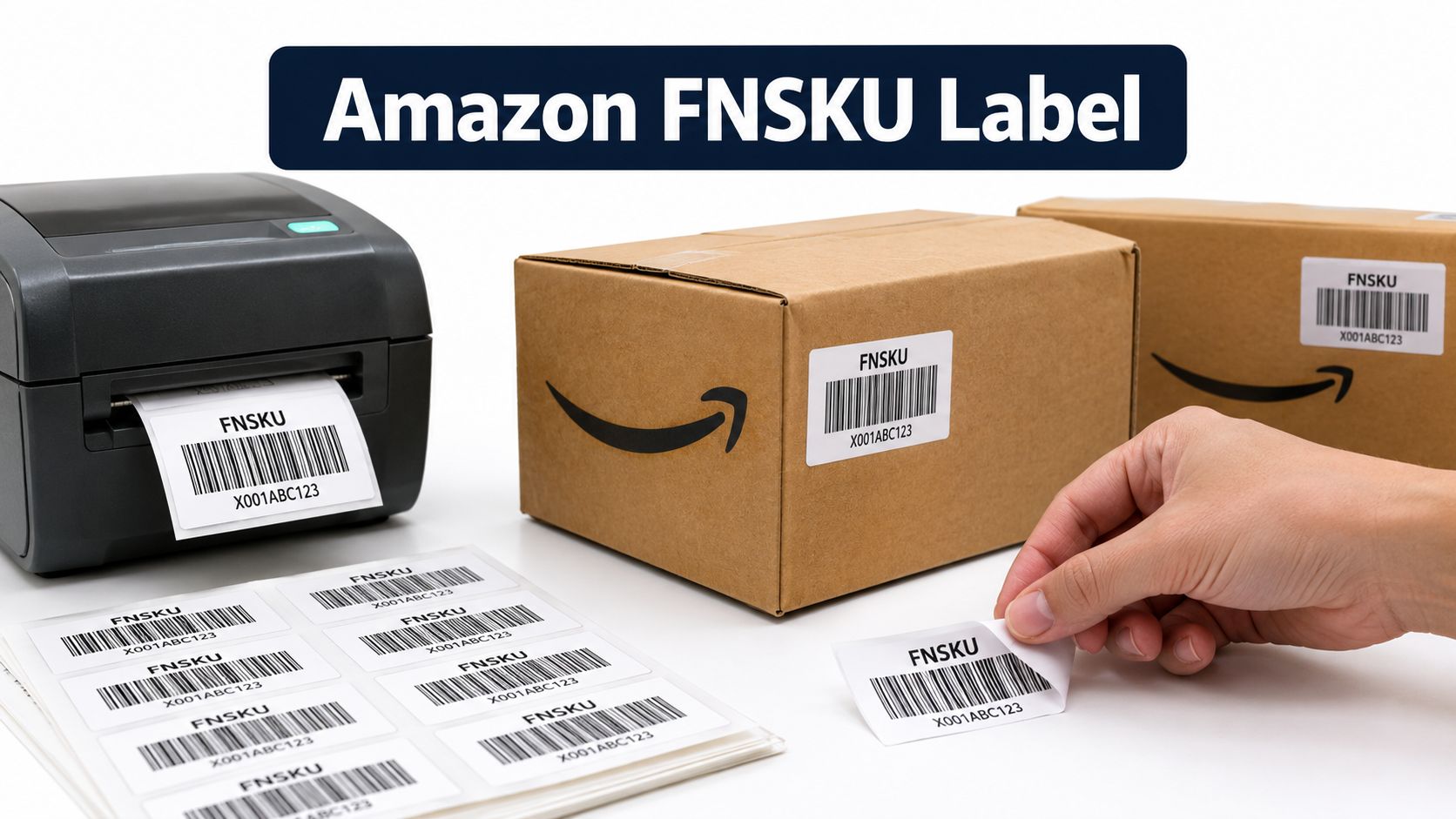
The cartons are sealed, the carrier is waiting, and someone in the prep area is holding two labels that look equally plausible. One is the manufacturer's UPC or EAN. The other is an Amazon FNSKU label generated in Seller Central. Choosing the wrong one can create receiving problems, misassigned inventory, or extra relabeling work long after the shipment leaves your warehouse.
An Amazon FNSKU label isn't just another barcode to print before dispatch. It's an operating choice that determines how Amazon identifies your units, whether your inventory stays tied to your seller account, and how easily your team can investigate a failed receipt. The right process starts with the SKU and fulfillment configuration, not the label printer.
An FNSKU, short for Fulfillment Network Stock Keeping Unit, is Amazon's seller-specific barcode for inventory stored and fulfilled through Fulfillment by Amazon. It links a physical unit to a particular seller's offer and SKU inside Amazon's fulfillment network. A UPC, EAN, ISBN, or JAN identifies a product in broader retail systems, while the FNSKU adds the seller-level identity Amazon needs for its own inventory controls.
Amazon identifies its Amazon barcodes by beginning with the letter “X.” The label also includes product-identifying information such as the FNSKU or ASIN and the product name. Amazon specifies minimum clear space of 0.25 inch on the sides and 0.125 inch on the top and bottom of the barcode in its FBA barcode guidance.
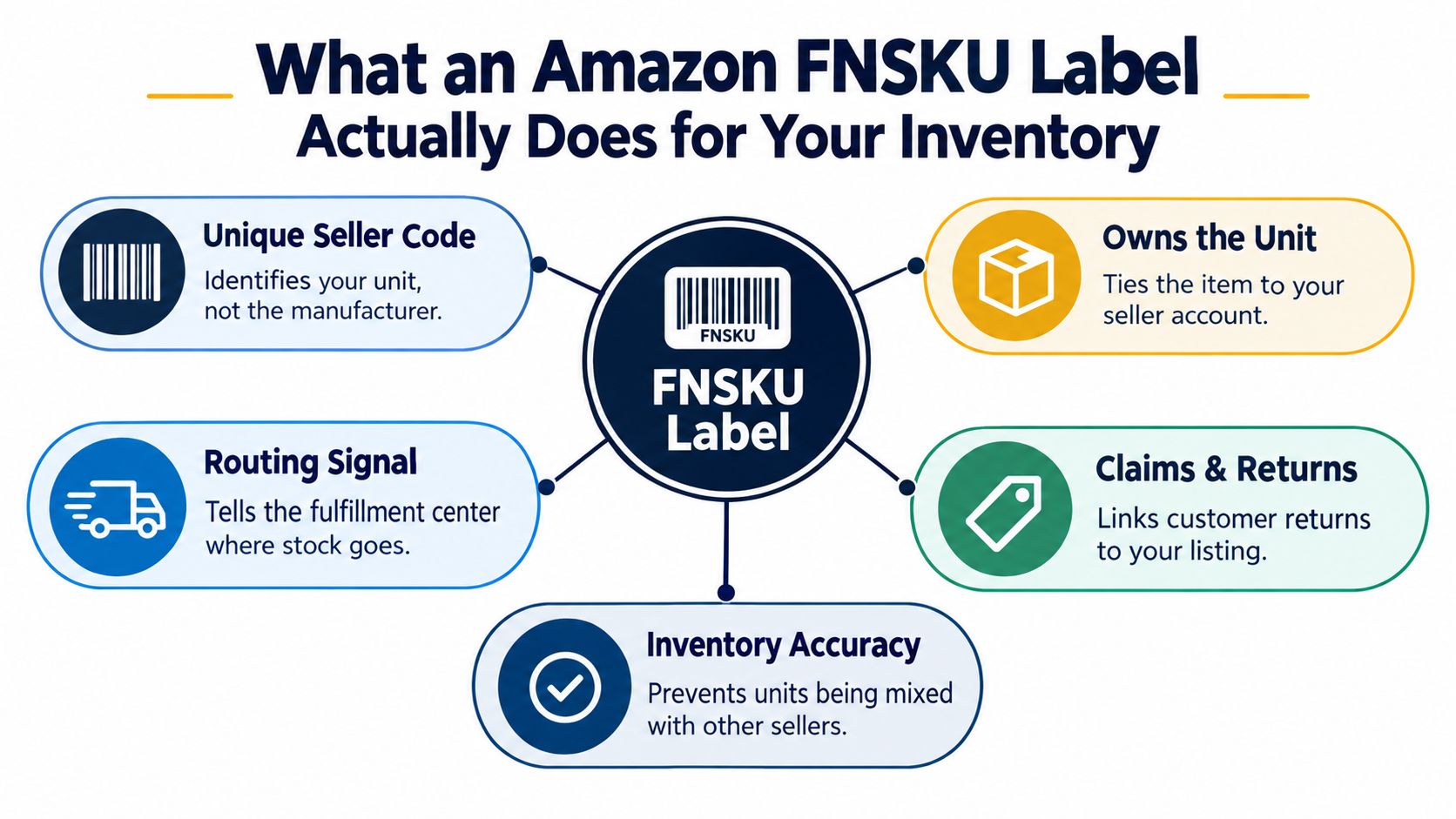
When a fulfillment-center associate scans the label, Amazon isn't merely confirming that the product is, for example, a particular kitchen tool or book. The scan tells Amazon which seller's inventory unit it is and which offer should receive the inventory event.
That distinction supports several downstream activities:
An ASIN identifies the product detail page. A manufacturer barcode identifies the product in the retail ecosystem. The FNSKU identifies your inventory relationship to that product inside FBA.
Practical rule: Explain the FNSKU to a warehouse manager this way: “The manufacturer barcode identifies what the product is. The FNSKU identifies whose FBA inventory this unit belongs to.”
That seller-specific connection is why an FNSKU often matters most when several sellers offer identical products. It gives Amazon an inventory-control signal that a shared retail barcode alone doesn't provide. It also means a label error is not cosmetic. If the wrong seller's FNSKU is applied, the physical unit can be connected to the wrong offer before anyone notices.
FNSKU labeling isn't automatically the correct answer for every ASIN. Amazon supports two barcode-tracking paths, subject to product eligibility, account settings, and seller status. An eligible product may use manufacturer-barcode tracking. A product that isn't eligible must use an Amazon barcode, generally an FNSKU, when it's sent to FBA.
Start the decision with the inventory risk, not the cost of a label.
A manufacturer barcode can reduce prep work because the product already carries its retail identifier. The trade-off is that the barcode is shared at the product level, so Amazon's operational handling can involve inventory associated with the same product identifier across sellers. That can be acceptable for a tightly controlled retail product, but it deserves more scrutiny where authenticity, supplier changes, returns, or seller accountability matter.
An FNSKU adds a seller-specific layer. It can support clearer ownership records and a more controlled receiving workflow, but it also creates a relabeling task for every qualifying unit. If packaging changes frequently, the brand has several suppliers, or inventory moves through multiple marketplaces, the label specification becomes another version-controlled production asset.
Amazon's barcode policy change, effective March 31, 2026, requires resellers, including authorized resellers, to use Amazon barcodes when sending inventory to fulfillment centers, even when the product already carries a manufacturer barcode. Amazon's barcode policy guidance identifies an exception for eligible brand owners acting as brand representatives in Amazon Brand Registry.
Those eligible brand owners may continue using manufacturer barcodes without Amazon stickers when Amazon's conditions are met. The stated conditions include a new-condition product, a single scannable UPC, EAN, or ISBN matching one ASIN, and association with a Brand Registry-enrolled brand where the seller has the brand-representative role.
Use this decision sequence for each new ASIN:
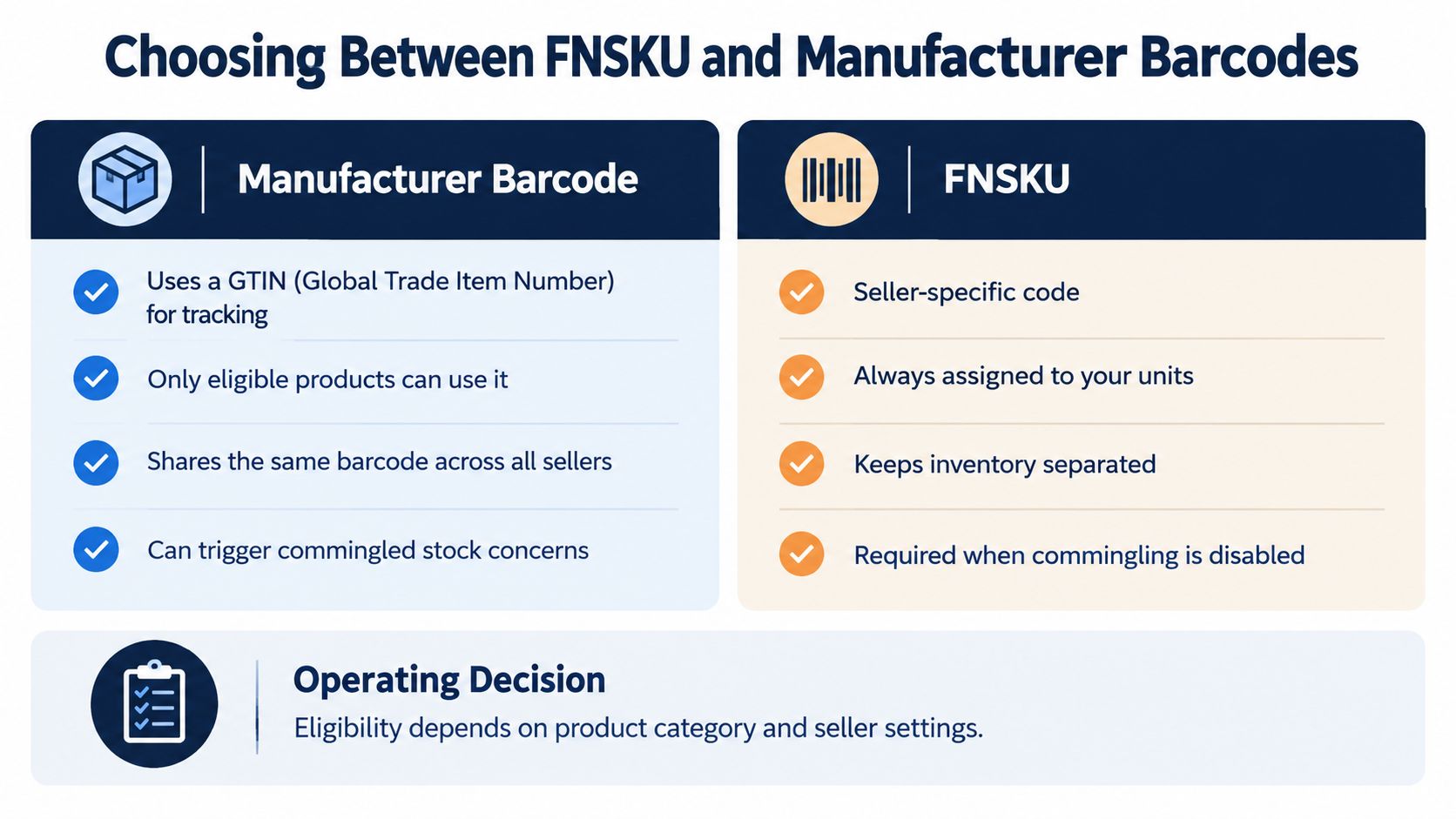
The practical answer is rarely “use FNSKU everywhere” or “use the cheapest existing barcode.” It's a SKU-level operating decision. Compare the control gained from seller-specific identification with the labor, packaging, and change-management burden it introduces.
Amazon generates the label through the inventory and inbound workflow. The exact screen layout can change, but the working path is straightforward: create or select the FBA shipment in Send to Amazon, confirm the SKU and quantity, then use the option to print SKU labels for the units that require Amazon barcodes.
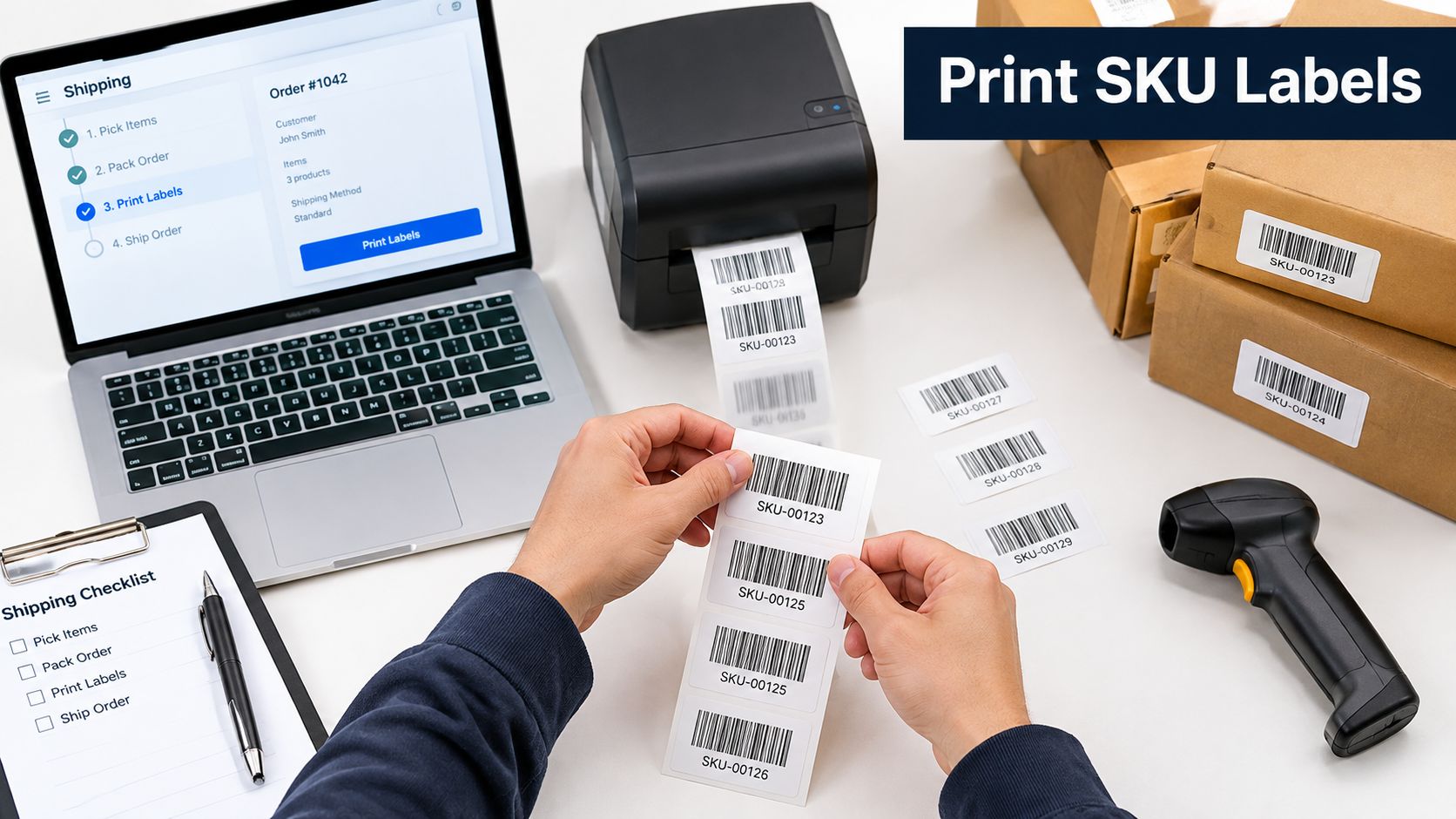
Use this sequence before handing the PDF to a prep operator:
Operators who are new to the navigation can use this Seller Central walkthrough as a reference for the wider account interface. For the label itself, the key control is the SKU match, not the appearance of the product page.
The generated document is a label file for unit identification. It isn't the shipment appointment paperwork, carton content record, or product detail page. Printing the wrong document can leave a team with a neat-looking page that Amazon cannot use to identify each individual unit.
Keep a label version with the prep instructions for every SKU. If the seller SKU, offer, packaging, or barcode choice changes, stop the line and verify whether the current label remains valid. Never overwrite an old file without preserving the relationship between the file, the SKU, the ASIN, and the shipment.
A short visual walkthrough can help new team members recognize the workflow and the physical application process:
A printed barcode can still fail at the receiving dock. Amazon's requirements focus on whether the label remains readable, visible, and correctly associated with the unit through transportation and handling.
Amazon requires every unit to carry a scannable barcode, and the label must remain readable for at least 24 months, as stated in its unit-label requirements. The label should use black print on a white, non-reflective background, with adequate margins, and it should sit on a flat surface rather than a curve or corner.
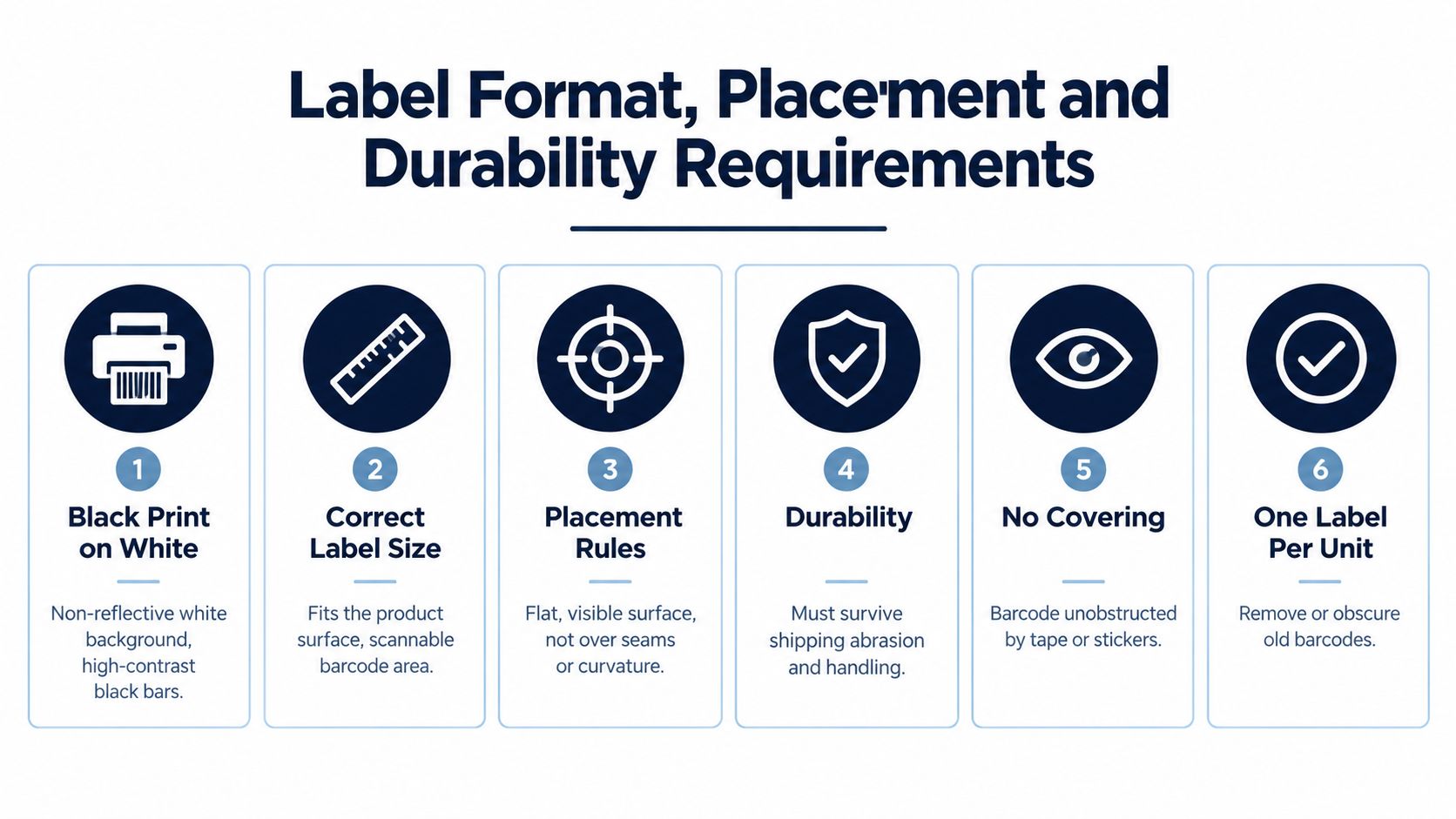
Use Amazon's clear-space requirements as floor requirements, not decoration. The barcode needs room around it so a scanner can distinguish the bars from surrounding text, edges, tape, and graphics. If the product surface is small, redesign the application point or place the label on suitable outer packaging rather than squeezing it across a seam.
The most common physical failure modes are predictable:
Quality control checkpoint: Scan the packaged unit, not just the clean label sheet. The package surface, tape, shrink-wrap, and surrounding artwork are part of the barcode system.
Amazon also states that the correct FNSKU must be applied to each unit. A label on the outer carton doesn't replace the unit label, and an old barcode peeking around the edge of an applied label should be treated as a defect. A warehouse team can use this actionable quality control guide to formalize inspection ownership, sampling, and release criteria.
For broader packaging and preparation context, keep the Amazon label requirements guide alongside the SKU-specific work instruction. The operator applying the label should know both what to place and what must be hidden.
Amazon gives sellers two practical ways to get an Amazon barcode onto a unit. The seller, factory, or 3PL can print and apply it before shipment. Alternatively, the seller can purchase Amazon's print-and-apply service for a per-item fee, allowing Amazon to label eligible units at the fulfillment center.
The choice is about control, labor, and failure recovery, not convenience alone.
| Factor | Self-Labeling | Amazon Partner Labeling |
|---|---|---|
| Control | Your team controls the SKU match, placement, and inspection before dispatch. | Amazon applies the label after receiving the inventory. |
| Per-item charge | Uses your own labor, materials, equipment, or 3PL charges. | Amazon charges a per-item fee for the service. |
| Best fit | Stable packaging, repeatable prep, and teams that can scan and reconcile units. | Eligible units arriving without a usable barcode or operations that intentionally outsource prep. |
| Main risk | A wrong label can travel through the entire inbound shipment. | The unit may require handling at the fulfillment center before it becomes fully identifiable. |
| Receiving impact | Correctly labeled units arrive ready for standard identification. | Labeling occurs after receipt, so the inventory process includes an additional Amazon handling step. |
| Operational record | Your team can retain a scan log and carton reconciliation record. | Your process depends more heavily on Amazon's service eligibility and handling workflow. |
Self-labeling is usually the stronger default for a controlled brand with stable packaging. It lets the warehouse catch a wrong FNSKU, a covered barcode, or a weak adhesive before the shipment leaves. It also works well when a factory or 3PL already has a barcode scanner and a documented release process.
Amazon's service can make sense when units arrive without a scannable barcode, when applying labels in-house would require a temporary process, or when the business deliberately wants to avoid unit-level prep. Confirm eligibility and the applicable fee in Seller Central before committing. Amazon's guidance permits sellers to print and apply labels themselves or purchase its print-and-apply service, so the decision should be made per SKU rather than adopted account-wide.
A useful rule is simple: pay Amazon when the avoided handling cost and error risk exceed your internal prep burden, but self-label when seller-level control is central to the SKU's risk profile.
Most labeling guides end when the sticker touches the product. That's where the important failure analysis begins. A shipment can leave your warehouse looking compliant and still arrive with labels that Amazon can't scan, labels tied to the wrong offer, or units that can't be added to the intended inventory record.
Amazon warns that missing barcode labels can prevent fulfillment-center identification and can make units ineligible for inventory addition or claims. Its guidance also requires the correct FNSKU on each unit, with other visible barcodes generally covered.
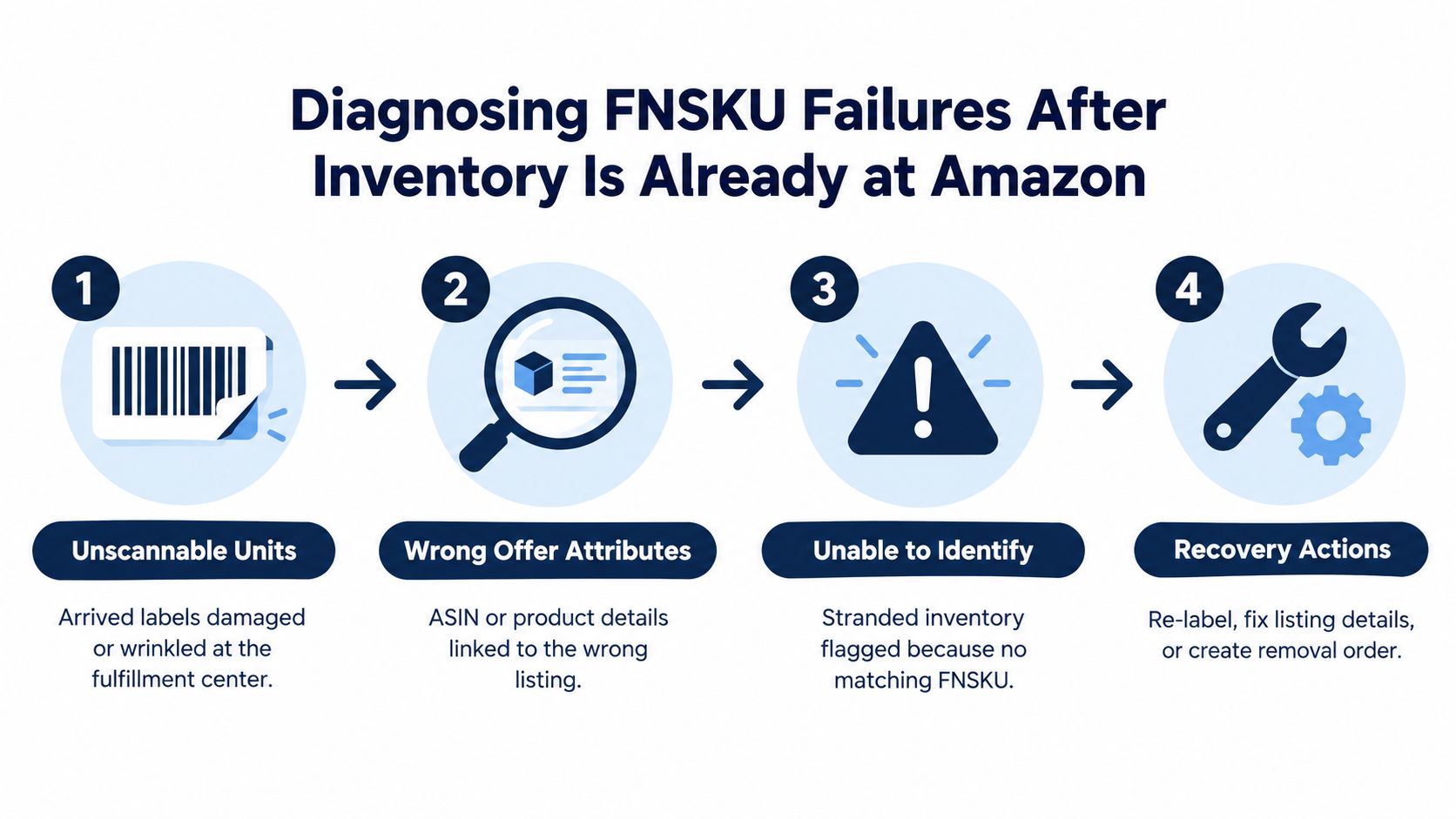
Start in Manage Inventory and review the affected SKU's status and inventory details. Then use the relevant inventory event detail reports and inbound shipment records to compare what the warehouse sent with what Amazon received. The symptom usually points toward the first investigation path.
Don't ask a 3PL to “check the labels” as a single undifferentiated task. Give it a control system with named checkpoints and records.
Owner-level standard: A shipment isn't ready because every unit has a sticker. It's ready when the team can prove that the label, SKU, packaging version, and carton record agree.
This approach also makes recovery faster. If Amazon reports a problem, your team can isolate the affected production lot, identify the responsible operator or supplier step, and decide whether to relabel, correct the listing details, or create a removal order. Without those records, every carton becomes a manual investigation.
Hand this checklist to the prep team or 3PL:
For a repeatable handoff, convert this list into a controlled standard operating procedure framework. Revisit the barcode decision whenever your seller status, packaging, supplier network, or fulfillment configuration changes.
The FNSKU choice is one part of a broader FBA operating system. Million Dollar Sellers provides peer-based strategy sharing, founder discussions, and vetted service recommendations for established e-commerce operators managing issues such as inventory control and fulfillment execution. Visit Million Dollar Sellers to learn how its private community can connect you with practical operating perspectives from other serious sellers.
Join the Ecom Entrepreneur Community for Vetted 7-9 Figure Ecommerce Founders
Learn MoreYou may also like:
Learn more about our special events!
Check Events