Chilat Doina
October 30, 2025
If you want to improve sales on Amazon, you have to get your product listing right. This is so much more than just filling out a few fields. It’s about building a digital storefront that actually stops a shopper in their tracks, answers their questions before they even ask, and convinces them to hit that "Add to Cart" button.
Think of your product detail page as the most important piece of digital real estate you own on Amazon. It's where your keyword strategy and customer psychology have to work together perfectly. Getting this right is the absolute foundation for any real, sustainable growth.
So many sellers just treat their listings like a data-entry chore. But the top performers? They know it's strategic merchandising. That mindset shift is everything, especially in a marketplace this crowded where you have about two seconds to grab someone's attention.
And the opportunity is massive. Roughly 60% of all paid units sold on Amazon come from third-party sellers. These are people just like you who figured out how to tap into Amazon’s huge customer base and world-class logistics.
First things first: you have to get inside your customer's head. You need to know the exact words and phrases they're typing into that search bar when they’re looking for a product like yours. Don't guess. Use data.
This isn't a "one and done" task. Keyword research is something you have to keep coming back to, refining and updating to stay relevant.
Once you've got your list of keywords, it's time to weave them into copy that persuades. Your title is your first impression—it has to grab attention and scream relevance. Make sure it includes your brand name, what the product is, and a key feature or benefit.
The bullet points are where the real selling happens. Don't just list a bunch of dry features. You need to translate those features into real-world benefits.
Key Insight: Never just say "durable material." That's boring. Instead, explain why it matters: "Built with tear-resistant nylon so you can travel worry-free without your bag falling apart on you." See the difference? You’re connecting a feature directly to a customer's need.
For a much deeper look at how to dial in every single part of your page, check out our complete guide on listing optimization on Amazon.
People buy with their eyes. It doesn't matter how great your copy is if your product photos are blurry, poorly lit, or just plain unprofessional. Your images need to be high-resolution and show the product from every conceivable angle.
Amazon even gives you the technical specs you need to follow.
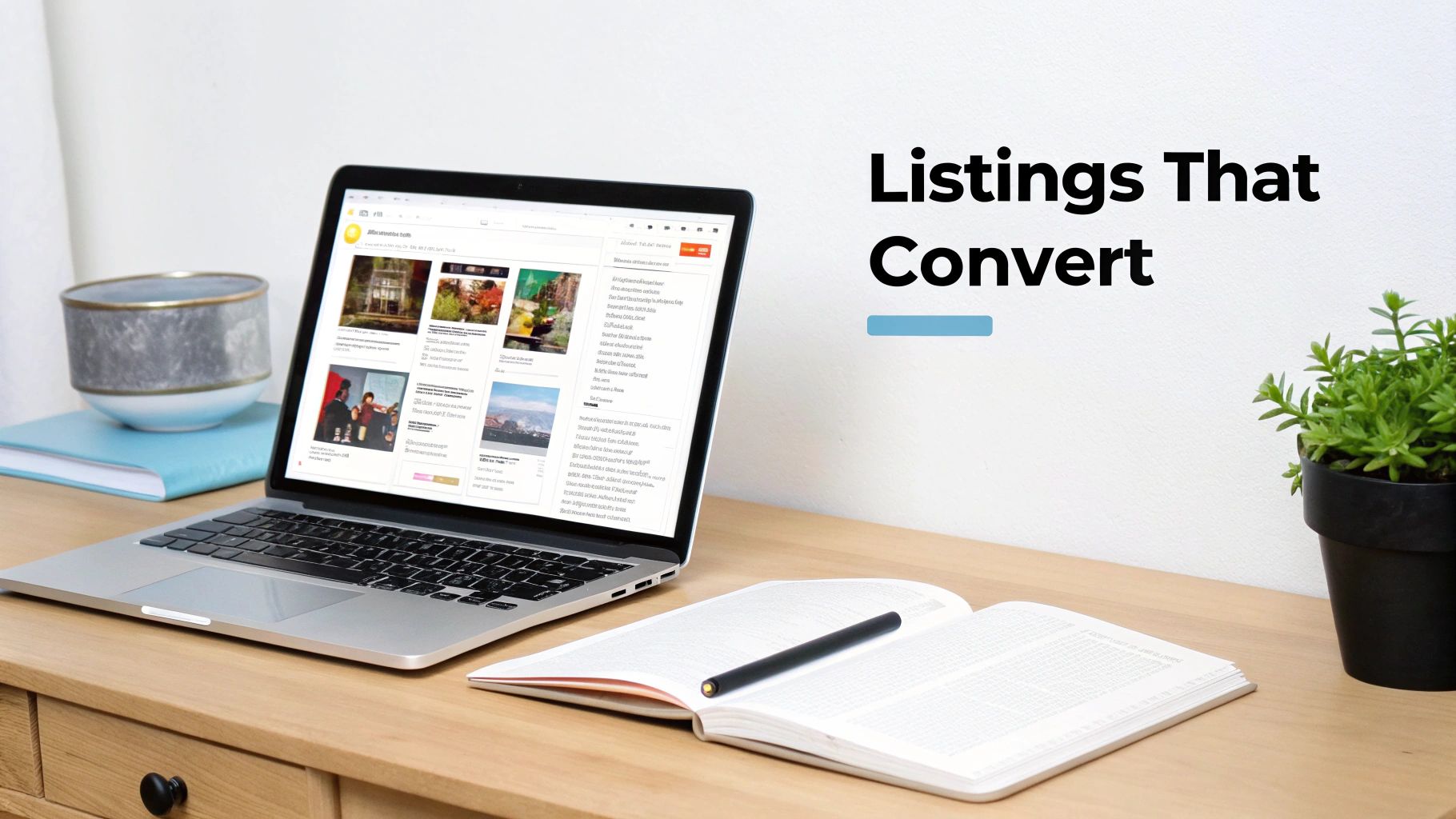
Basics like using a pure white background and making sure the product fills at least 85% of the frame aren't just suggestions; they're table stakes for looking like a serious brand.
And if you’re brand-registered, A+ Content is your secret weapon. It lets you add beautiful images, comparison charts, and brand story modules to create a rich, almost magazine-like experience right on the page. This is your chance to answer any lingering questions, tell your brand’s story, and ultimately, get more people to buy.
To help you pull this all together, here’s a quick-reference checklist outlining the essential elements for a fully optimized product detail page. Think of this as your pre-flight check before you launch a new product or refresh an existing one.
A quick-reference checklist outlining the essential elements for a fully optimized product detail page designed to improve discoverability and conversion rates.
ElementKey ObjectiveBest Practice ExampleProduct TitleCapture attention & signal relevance with top keywords.Brand Name + Main Keyword + Key Feature + Size/Color (e.g., "Zenith Labs Waterproof Hiking Backpack 40L for Men & Women")Bullet Points (5)Translate features into benefits; overcome objections."Benefit-driven: Keeps your gear bone-dry with a PVC-coated ripstop nylon, so you can hike confidently in any weather."Product Images (7+)Showcase quality, use, and scale visually.1 main image on white background, 3 lifestyle shots, 2 infographics with features, 1 video showing the product in action.Product DescriptionTell a deeper story and include long-tail keywords.Use short, scannable paragraphs and storytelling to connect with the shopper's needs and aspirations.A+ ContentIncrease conversion with a rich brand experience.Use comparison charts to show why your product is superior to competitors; include a brand story module to build trust.Backend KeywordsImprove discoverability for hidden search terms.Fill the "Search Terms" field with synonyms, Spanish terms, and common misspellings that don't fit in the main listing.
Following this checklist doesn’t guarantee success, but it dramatically improves your odds by ensuring you’ve covered all the fundamental bases of a high-converting Amazon listing.
Let's be blunt: a perfectly optimized listing is great, but it's only half the battle. If shoppers can’t find your product, it doesn’t matter how slick your A+ Content is. Relying on organic search alone to grow your sales is a slow, painful grind. If you really want to move the needle, you have to get proactive and drive targeted traffic yourself.
This is where Amazon’s advertising platform becomes your best friend.
Seriously, stop thinking of Amazon Ads as just an expense. It's a strategic investment in visibility and, more importantly, sales velocity. When you get it right, it kicks off a powerful feedback loop: ads drive sales, sales boost your organic rank, and a higher organic rank brings in even more sales. It's all about kickstarting that momentum.
The Amazon Ads dashboard can feel like you're trying to fly a 747 on your first day. It's a lot. But you don't need to overcomplicate things at the start. For almost every product, a simple, proven structure is the way to go: launch two core Sponsored Products campaigns—one automatic and one manual.
This two-pronged attack lets you explore new opportunities with the auto campaign while you double down on proven winners with the manual one. Let the data from your auto campaign be the brains behind your manual campaign's strategy.
Quick pro tip: A common rookie mistake is to kill the automatic campaign once the manual one is up and running. Don't do it. Keep it active, just with a smaller budget. It will keep unearthing new, long-tail keywords you would’ve never thought of, feeding fresh intel into your entire strategy.
Look, just staring at your Advertising Cost of Sale (ACoS) is a trap. It's an incomplete picture. ACoS only tells you how much you spent on ads relative to the sales generated directly from those ads. It's important, sure, but it misses the bigger story.
This is why experienced sellers live and die by Total Advertising Cost of Sale (TACoS). The formula is simple: divide your total ad spend by your total revenue (from both ads and organic sales). TACoS shows you how your ad spend is actually influencing your entire sales ecosystem.
A TACoS that trends downward over time? That's the holy grail. It means your ad spend isn't just generating direct sales; it's also lifting your organic rank, leading to a bigger slice of "free" sales. That's the ultimate goal.
Once your campaigns are live, the real work begins. Optimization isn't a one-and-done task; it's a constant process of refining and tweaking to make sure you’re not just lighting money on fire.
Negative Keyword Targeting
Your Search Term Report is your single most valuable tool here. Make a habit of digging into it regularly. Find out what search terms actually triggered your ads in the automatic campaign. Did you sell a premium leather wallet but got a bunch of clicks from people searching for "cheap fabric wallet"? Add "cheap fabric" and "cloth" as negative keywords, immediately.
This simple action is absolutely critical. It stops Amazon from showing your ad to the wrong people, which prevents wasted clicks and funnels your budget only toward shoppers who are actually likely to buy. For a much deeper dive on this, exploring advanced Amazon PPC strategies can give you a serious competitive edge.
Bid Management
Please, don't just "set it and forget it." Your bidding strategy needs to be alive and breathing.
By actively managing your campaigns like this, you graduate from just spending money on ads to making calculated investments that directly drive your Amazon business forward.
After you’ve dialed in your listings and ads, the single biggest thing that impacts customer happiness is how fast and reliably they get their hands on your product. On Amazon, fast shipping isn't a perk—it’s the price of admission. Your fulfillment method is a massive strategic choice that directly hits your conversion rates, your reviews, and ultimately, your ability to improve sales on Amazon.
Let’s be honest, the Prime badge is one of the most powerful conversion drivers on the entire platform. Shoppers don't just prefer it; they actively filter for it and will often completely ignore products that don't have it. This reality puts the choice between Fulfillment by Amazon (FBA) and Fulfillment by Merchant (FBM) right at the heart of your entire operation.
Fulfillment by Amazon is your most direct route to that coveted Prime badge. It's a simple arrangement: you ship your inventory to Amazon's massive warehouses, and they take it from there. They handle the storage, picking, packing, shipping, and even the customer service and returns. This lets you step back from the logistical headaches and focus on growing your business.
The impact here is huge. Nearly half of all products sold across most of Amazon's marketplaces are shipped through the FBA program. Amazon’s logistics are a finely tuned machine, and tapping into that network means faster, more reliable deliveries. That translates directly to happier customers and, you guessed it, more sales. You can dig into some of Amazon's own seller statistics to see just how big this ecosystem is.
Of course, this level of convenience isn’t free. FBA fees can feel a bit complex at first, but they generally break down into a few key areas:
Before you jump in, it's critical to run the numbers for your specific products. Use Amazon's FBA Revenue Calculator to get a clear picture of your actual net profit per unit. For a lot of sellers, the boost in sales from the Prime badge more than covers these costs, but you have to do the math.
This decision is a lot like choosing an advertising goal. You have to align your operational strategy with your business objectives.
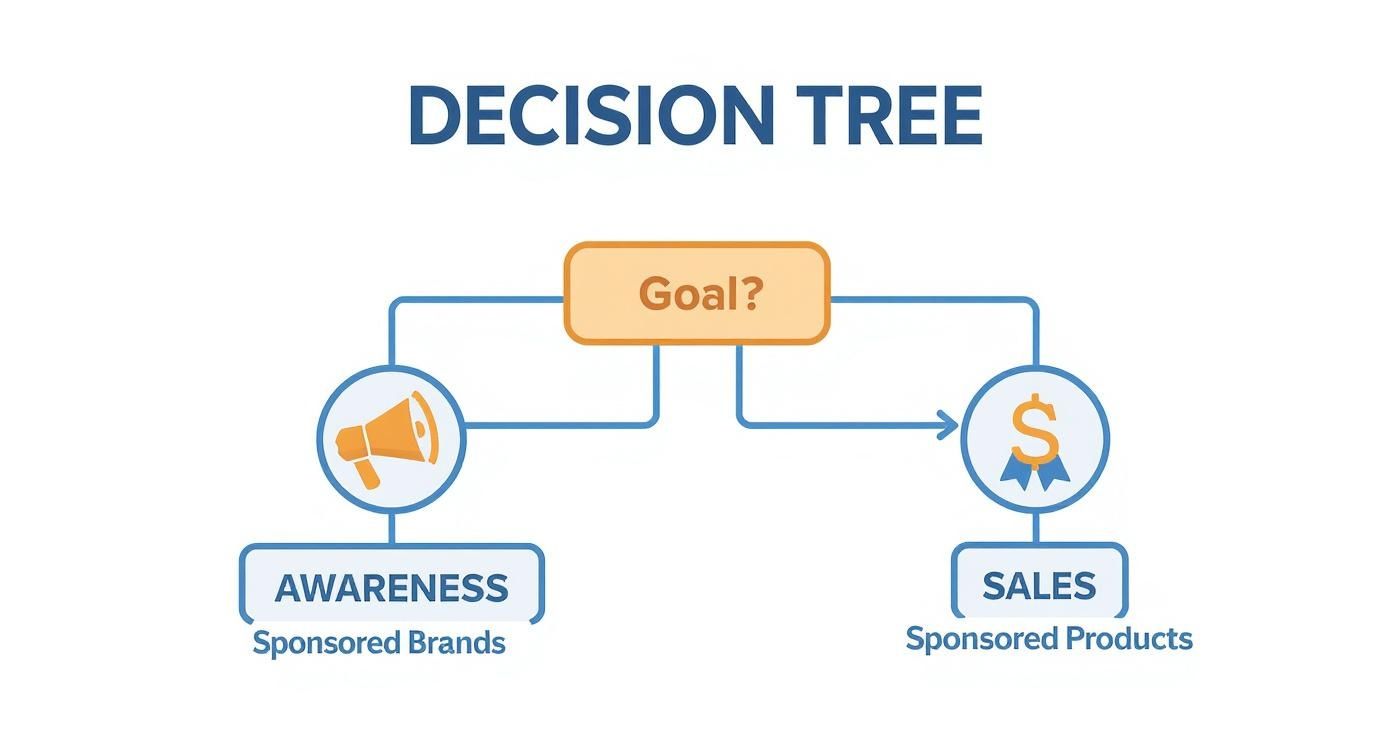
Just as the infographic lays out a path based on your advertising objective, your fulfillment choice needs to match what your business can handle and what kind of experience you want to give your customers.
Choosing Fulfillment by Merchant (FBM) means you're in the driver's seat. You store your own inventory, and you're responsible for shipping every single order directly to the customer. This approach gives you total control over your fulfillment and packaging, which can be a huge plus for building a unique brand experience or for products that need special care.
For sellers who want that Prime badge but aren't sold on FBA, there's the Seller Fulfilled Prime (SFP) program. But be warned: it's not for the faint of heart. Amazon's performance standards for SFP are incredibly high and notoriously difficult to maintain.
You’re expected to consistently offer nationwide, two-day delivery at your own expense. On top of that, you have to maintain a 99% on-time shipment rate and keep your order cancellation rate below 0.5%. If you slip up, you can lose that Prime badge in an instant.
So, when does FBM make sense? It's often the go-to choice for businesses selling:
Deciding between FBA and FBM is one of the most important operational choices you'll make as an Amazon seller. It affects everything from your profit margins and workload to your customer's experience. This table breaks down the key differences to help you figure out which path best aligns with your business goals.
FactorFulfillment by Amazon (FBA)Fulfillment by Merchant (FBM)Prime EligibilityAutomatic. Your products get the Prime badge, a major conversion booster.Requires qualifying for Seller Fulfilled Prime (SFP), which has very strict performance metrics.LogisticsHands-off. Amazon handles all storage, packing, shipping, and returns.Hands-on. You are responsible for all storage, packing, and shipping logistics.Customer ServiceHandled by Amazon's 24/7 customer service team.You are responsible for handling all customer inquiries and issues.FeesIncludes fulfillment fees, monthly storage fees, and potential long-term storage fees.No Amazon fulfillment fees, but you bear all costs for storage, packing materials, and shipping.ControlLess control over packaging and the unboxing experience.Full control over branding, packaging inserts, and the overall customer experience.Best ForHigh-volume sellers, standard-sized products, and those prioritizing growth and scale over control.Sellers with oversized/heavy items, low-volume products, or a strong desire for brand control.
Ultimately, whether you choose the convenience of FBA or the control of FBM, your execution is what matters. A happy customer who gets their order quickly and correctly is far more likely to leave a glowing review and come back for more. Your fulfillment strategy isn't just about moving boxes; it's a cornerstone of building long-term customer loyalty.
https://www.youtube.com/embed/kf14OViDYYI
Your pricing strategy is one of the most powerful levers you can pull to drive sales. But it’s a delicate balance, isn't it? Price too high, and you’ll get buried by competitors and lose the Buy Box. Price too low, and you might get the sale, but your profit margins will vanish.
A static, "set it and forget it" price is a recipe for stagnation on Amazon. The market moves too fast.
Dynamic pricing is all about responding to the market in real time. It's about staying competitive and attractive to shoppers without starting a destructive race to the bottom. This is where intelligent tools and strategic promotions really come into play.
Let's be honest, automated repricing software can feel a little scary. The biggest fear is that you'll hand control over to a robot that will slash your prices to pennies just to win the Buy Box. And if you use it thoughtlessly, that can absolutely happen.
But when you configure it with smart rules, a repricer becomes a tireless assistant that keeps you competitive 24/7. It's all about setting intelligent boundaries, not just telling the software to "beat the lowest price."
Here’s how you set up the guardrails:
This approach lets you stay in the game without giving away your profits. It’s about being competitive, not just being the cheapest.
Beyond your day-to-day pricing, Amazon gives you a powerful arsenal of promotional tools. When you use them strategically, you can create massive sales spikes, clear out old inventory, and give a new product the launch velocity it needs to start ranking organically.
Each promotional tool has a specific job. Think of them as different tools in your toolbox.
Then you have the big guns, like Lightning Deals. These are time-sensitive promotions featured on Amazon's highly-trafficked "Today's Deals" page. They're perfect for moving a huge volume of inventory in a very short period—ideal for clearing out seasonal stock or generating a massive sales spike to influence your Best Seller Rank.
Key Takeaway: Promotions aren't just about discounting. They are strategic tools to influence shopper behavior, increase visibility, and drive sales velocity. A well-timed coupon can be the difference between a shopper scrolling past your product and clicking through to buy.
Events like Prime Day are the Super Bowl for Amazon sellers. These strategic sales events generate billions, with U.S. Prime Day 2024 sales reaching $14.2 billion—that’s an 11.8% increase over 2023. Leveraging these moments by participating in deals and having your listings fully optimized is a massive opportunity you can't afford to miss. For a deeper dive, check out these in-depth Amazon statistics to really understand the scale of these events.

On Amazon, your product’s reputation is everything. You can have the most dialed-in listing and a perfectly targeted ad campaign, but if shoppers land on your page and see a handful of reviews—or worse, a low star rating—it’s game over.
Social proof is the ultimate currency, and it has a direct, measurable impact on your conversion rate.
A steady flow of authentic, positive reviews is one of the most powerful ways you can improve sales on Amazon. It sends a clear signal to potential buyers that your product is a safe bet, trusted by people just like them. It’s a green light for both customers and Amazon’s algorithm, telling them your product delivers on its promises.
This isn’t just about feeling good about your product. It’s about building a system that fosters trust and fuels your momentum. In 2024, Amazon's worldwide net sales hit about $638 billion, serving over 310 million annual shoppers. Standing out in a marketplace that massive requires more than just a good product; it demands a stellar reputation.
Amazon is incredibly strict about how sellers solicit reviews, and for good reason. They need to protect the integrity of the entire system. Trying to game it with incentives or manipulative language is a fast track to getting your account shut down.
Luckily, Amazon gives us a fully compliant way to ask for feedback: the "Request a Review" button.
You’ll find this button within the order details page in Seller Central. When you click it, Amazon sends a standardized, neutral email to the buyer asking for both a product review and seller feedback. It's a simple, one-click process that keeps you completely within the rules.
But let's be realistic—manually clicking this button for every single order is a tedious nightmare. This is where automation tools become a lifesaver. Many third-party services can automatically trigger this request for you at the optimal time after an order is delivered, ensuring you never miss an opportunity.
No matter how great your product is, negative reviews are going to happen. It's inevitable. A package gets delayed, a customer misunderstands a feature, or maybe someone was just having a bad day. That one-star review can feel like a punch to the gut.
How you respond is what truly matters.
Key Insight: A negative review is not just a problem; it's a public customer service opportunity. Your response is visible to every future shopper and can demonstrate your brand's commitment to customer satisfaction.
Here’s a simple but effective process for managing negative feedback:
Often, a customer who has a positive support interaction will voluntarily update or remove their negative review. You can never ask them to do this, but providing exceptional service makes it a natural outcome.
Beyond encouraging direct customer reviews, you can also learn how to find influencers on Amazon to leverage their audience for product endorsements. And for a complete breakdown of compliant review generation, check out our detailed guide on https://milliondollarsellers.com/blog/how-to-get-reviews-on-amazon.
Jumping into the Amazon game can feel like you're trying to solve a puzzle with a million pieces. Everyone has questions. This is where we break down some of the most common ones we hear from sellers, giving you straight answers to help you make smarter moves.
Getting to the top of Amazon's search results isn't about one magic trick. It’s a mix of playing by the algorithm's rules, driving sales, and keeping customers happy. Amazon's A9 algorithm loves to see listings that don't just match a search term, but also have a rock-solid history of turning clicks into sales.
Think of it like this—you need to pull three main levers:
If I had to bet on one thing, it's your product's review count and its overall star rating. In a marketplace packed with options, social proof is the ultimate decider. A potential customer can love your product, but seeing hundreds of glowing reviews is what gives them the confidence to click "Add to Cart."
Face it, a product with a 4.7-star rating and 1,000 reviews will crush a similar one with a 4.2-star rating and just 50 reviews, even if the second one is a bit cheaper. Investing in a consistent, white-hat strategy to generate authentic reviews isn't an expense; it's a direct investment in your bottom line.
This is the classic "it depends" question. The timeline really hinges on where you're starting from, how tough your category is, and how much effort you're putting in. But you can generally expect to see progress in a few distinct phases.
One hundred percent—if you have a strategy. Just switching on ads and hoping for the best is a fast way to burn through cash. But when you use them to drive laser-targeted traffic, discover what keywords actually convert, and juice your sales velocity, Amazon Ads deliver an incredible return.
Here's the key: Stop thinking of Amazon Ads as just another cost. It's a data-gathering machine and a catalyst for the sales algorithm. Every sale you get from an ad boosts your organic ranking, which leads to more "free" sales down the road. The real metric to watch is your Total Advertising Cost of Sale (TACoS).
To get a complete picture of growing your business, check out these actionable strategies to improve sales on Amazon. They dig into the performance-first mindset you need to make your advertising dollars work for you.
The opportunity is massive and only getting bigger. By 2024, analysts project Amazon's sales will soar to $491.65 billion, owning over 40% of the entire U.S. e-commerce market. The numbers don't lie, and they're climbing every year.
At Million Dollar Sellers, we bring together top e-commerce entrepreneurs who are done with the basics and are laser-focused on scaling to 7, 8, and even 9 figures. If you're ready to grow faster with a network of operators who have already been there, learn more about joining our exclusive community.
https://milliondollarsellers.com
Join the Ecom Entrepreneur Community for Vetted 7-9 Figure Ecommerce Founders
Learn MoreYou may also like:
Learn more about our special events!
Check Events