Chilat Doina
December 8, 2025
A successful e-commerce product launch doesn't happen by accident. It's the result of meticulous planning, cross-functional alignment, and flawless execution. Skipping a single step, from pre-launch audience building to post-launch review analysis, can mean the difference between a bestseller and an inventory write-off. That's why top 7-, 8-, and 9-figure founders rely on a comprehensive product launch checklist template to de-risk their launches and ensure every critical task is managed.
This guide cuts through the noise to bring you the 12 best product launch checklist template resources available today. We've compiled battle-tested templates from platforms like Asana, Notion, and monday.com, designed specifically for e-commerce brands. Whether you're a DTC founder, an Amazon seller, or managing an omnichannel strategy, the right template brings order to the chaos of a launch.
Each entry provides a detailed breakdown, including:
We focus on practical implementation, sharing screenshots and direct links to help you find and deploy the perfect product launch checklist template for your team. This resource is built to help you move from planning to execution quickly, equipping you with a structured framework for a repeatable, scalable, and successful launch every single time.
For teams already managing their work in a dedicated project management platform, Asana’s native templates are a game-changer. Rather than importing a foreign file, you can directly duplicate their purpose-built Product Launch Template into your workspace. This approach provides an immediate, structured framework covering all critical launch phases, from pre-launch planning to post-launch analysis, all within the Asana environment your team already knows.
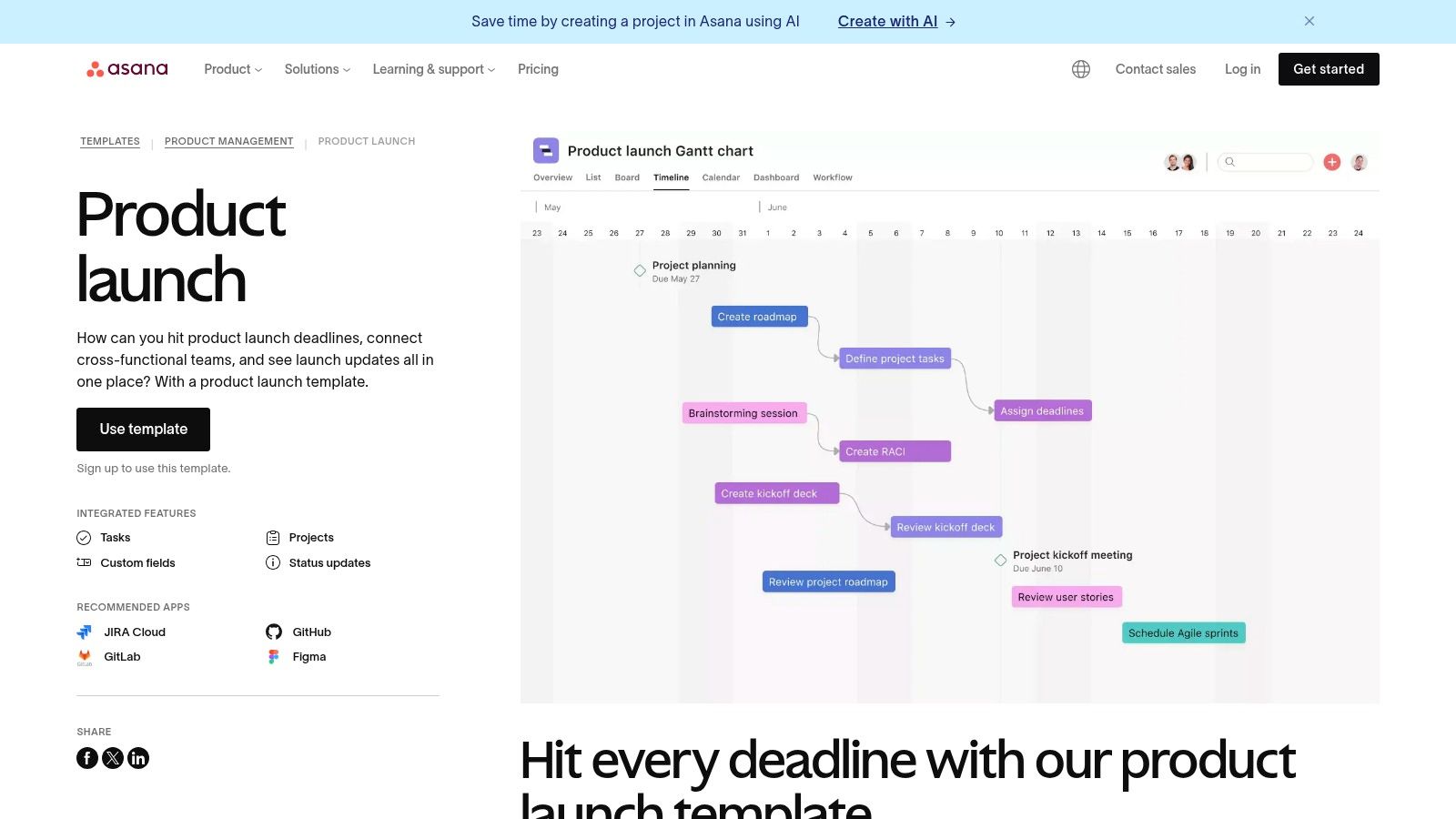
Asana excels at managing complex, cross-functional projects, making it ideal for omnichannel launches involving marketing, sales, product, and support teams. Its key differentiator is the ability to visualize the project in multiple formats like Timeline (Gantt), Board (Kanban), and List views, catering to different team members' preferences without altering the core data. Automated dependency tracking is a standout feature; when one task is delayed, all dependent tasks are automatically rescheduled, providing a real-time, accurate project timeline.
To get started, simply navigate to Asana’s template library and select the "Product Launch" template. The template comes pre-populated with standard sections like Planning, Development & QA, Go-to-Market Strategy, and Launch Day. You can then customize tasks, assign them to team members, set deadlines, and establish dependencies.
Link: Asana Product Launch Template
ClickUp offers a highly adaptable Product Launch Checklist Template designed for teams that crave both structure and granular control. This isn't just a list; it's a comprehensive workspace that integrates marketing and product development tasks seamlessly. By providing a single source of truth, it helps prevent the communication silos that often derail complex launches, especially for omnichannel e-commerce brands coordinating between their DTC site, Amazon store, and social campaigns.
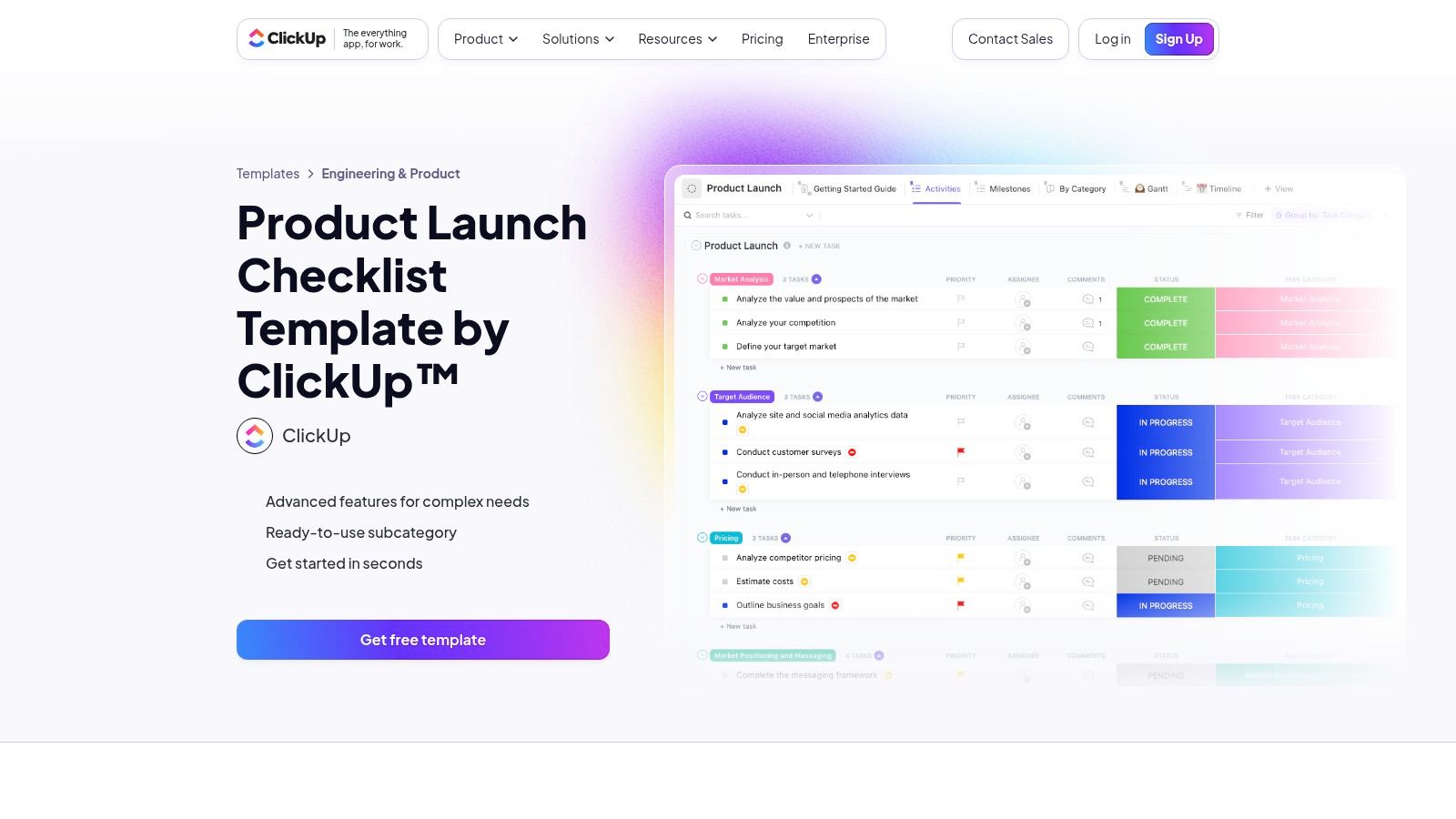
The platform’s strength lies in its deep customization. Unlike more rigid tools, ClickUp allows you to create custom statuses like "For Review" or "Pending Approval" and custom fields to track anything from budget allocation to target audience segments. This flexibility is complemented by six pre-built views, including Gantt, Timeline, and a dedicated Milestones view, allowing different teams to visualize progress in the format that best suits their workflow. Features like dependency warnings and time tracking are built-in, providing clarity on how the launch is progressing against its timeline.
To use the template, find the "Product Launch Checklist" in ClickUp's template center and apply it to a new Space, Folder, or List. The template comes pre-loaded with tasks and milestones, which can be immediately assigned and scheduled. The real power comes from setting up automations; for example, you can automatically notify the marketing lead when a product photography task is marked as "Complete." This level of detail makes it an excellent product launch checklist template for managing intricate dependencies.
Link: ClickUp Product Launch Checklist Template
For teams that prioritize visual clarity and high-level reporting, monday.com offers a powerful and flexible solution. Its Product Marketing Launch Template serves as an excellent starting point, allowing you to build out a comprehensive product launch checklist template that is both detailed for the team and easily digestible for leadership. It moves beyond a simple checklist, transforming your launch plan into a dynamic, interactive workspace.
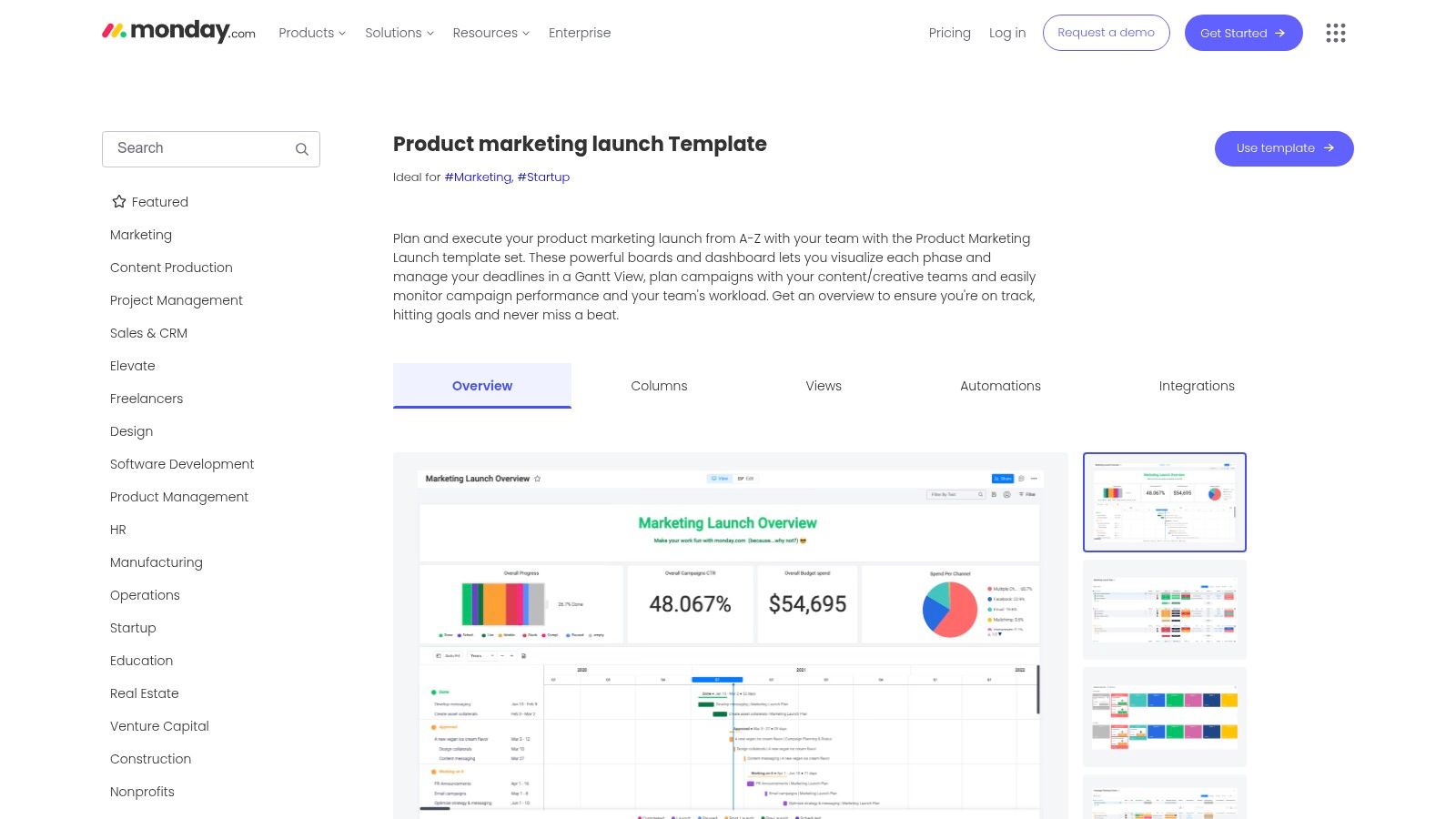
The platform's key strength lies in its customizable boards and visual dashboards. You can easily switch between a Gantt view to track dependencies and timelines, a Kanban board for sprint management, or a standard table for a quick overview. This adaptability makes it ideal for managing varied launch campaigns. Automations are another standout, letting you set up rules that trigger notifications in Slack or create tasks based on status changes, reducing manual overhead.
To start, you can find the "Product Marketing Launch" template in monday.com’s template center and add it to your workspace. The template is pre-configured with groups for launch phases and columns for owners, status, and deadlines. Customizing it is straightforward: add columns for effort/impact scoring, link boards for feature releases, and build a high-level dashboard that pulls key metrics like task completion and budget tracking into one view for executive updates.
Link: monday.com Product Marketing Launch Template
For solo founders and agile teams seeking maximum flexibility, Notion’s template marketplace offers a uniquely customizable approach. Unlike rigid project management tools, Notion allows you to build a launch hub from the ground up by duplicating an official or community-made product launch checklist template directly into your workspace. This transforms a simple checklist into an integrated wiki, task manager, and document repository all in one place.
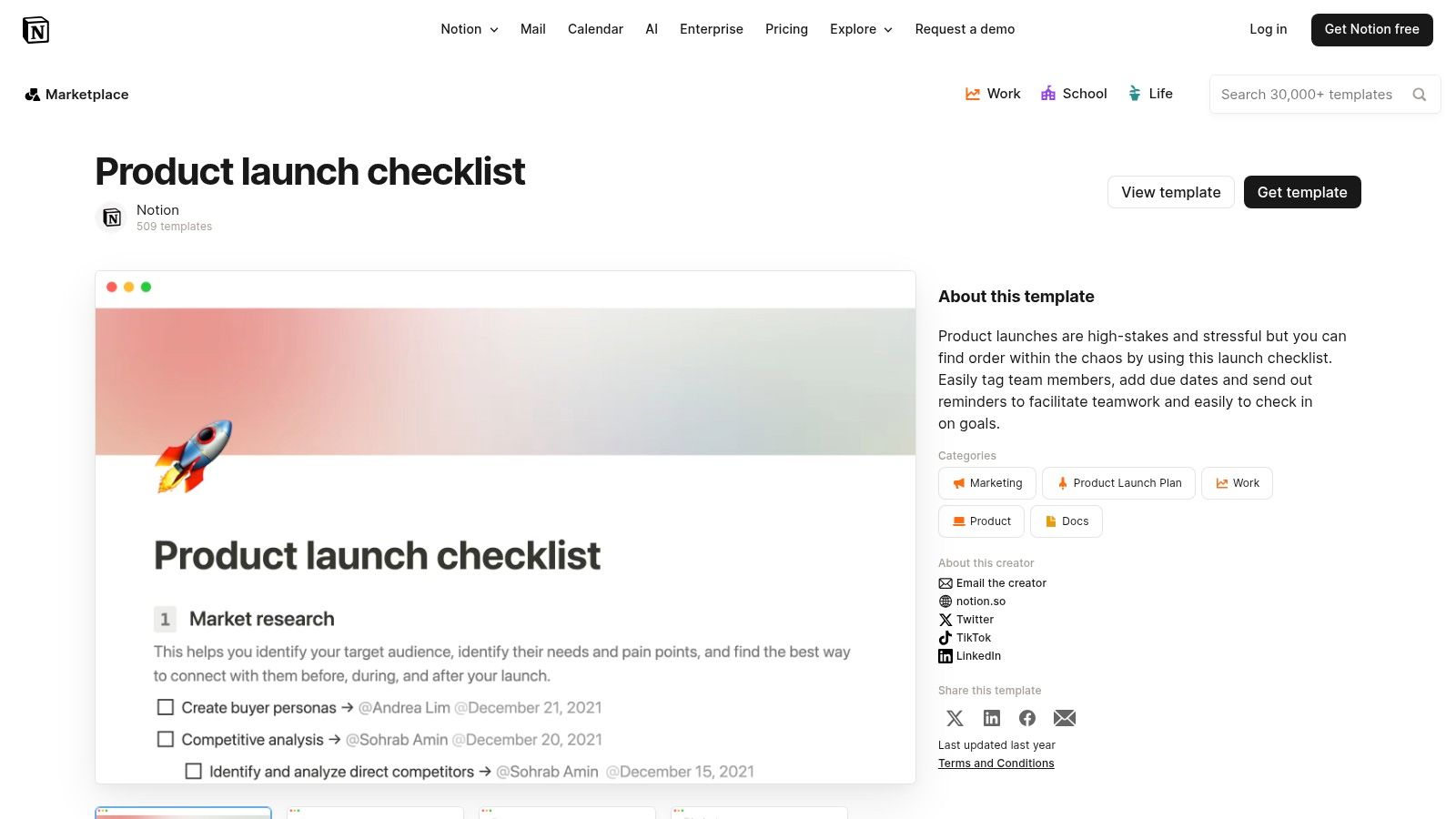
Notion’s key advantage is its modular, database-driven structure. You can start with a basic checklist and enhance it with custom properties like priority, task owner, and due dates. The ability to link databases means you can connect your launch tasks directly to marketing assets, product specs, and customer feedback. This creates a single source of truth that is both powerful and incredibly easy to tailor to your specific launch process, making it a standout option for centralizing all launch-related information.
To begin, browse the Notion template gallery for a product launch template that fits your needs; user ratings and reviews can help guide your choice. Once you find one, simply click "Duplicate" to add it to your private workspace. From there, you can modify database properties, add or remove tasks, and create linked pages for different launch components like your go-to-market plan or content calendar.
Link: Notion Product Launch Checklist Template
Airtable elevates the concept of a checklist into a powerful, relational database, making it ideal for teams managing highly complex launches with many interconnected moving parts. Instead of a static list, Airtable provides a flexible Product Launch Checklist Base that acts as a dynamic hub. This allows you to link tasks not just to people and dates, but also to marketing assets, product features, and customer feedback, creating a single source of truth for the entire launch.

Its core strength lies in its database flexibility. You can create different views like Kanban, Timeline, or Calendar from the same core data without duplicating information. For an e-commerce brand launching multiple SKUs, this means you can track the launch status of each product, connect them to specific marketing campaigns, and then build a high-level dashboard for executive reporting, all from one interconnected base. The ability to create custom data relationships is what sets it apart from more traditional project management tools.
To start, you can copy the "Product Launch" base from Airtable’s template gallery into your workspace. The template is designed to be immediately functional but is also infinitely customizable. You can add new fields for tracking budgets, linking to design files in a cloud drive, or creating a relational link to a separate team directory base. This makes it a scalable solution that grows with your launch complexity.
Link: Airtable Product Launch Checklist
For teams that live and breathe spreadsheets, Smartsheet offers a powerful yet familiar approach to launch planning. Instead of complex project management software, it provides a curated collection of free, downloadable product launch checklist templates in formats like Excel, Google Sheets, PDF, and its own native Smartsheet format. This makes it an incredibly accessible starting point for teams who prefer the grid-based logic of a spreadsheet for organizing tasks.
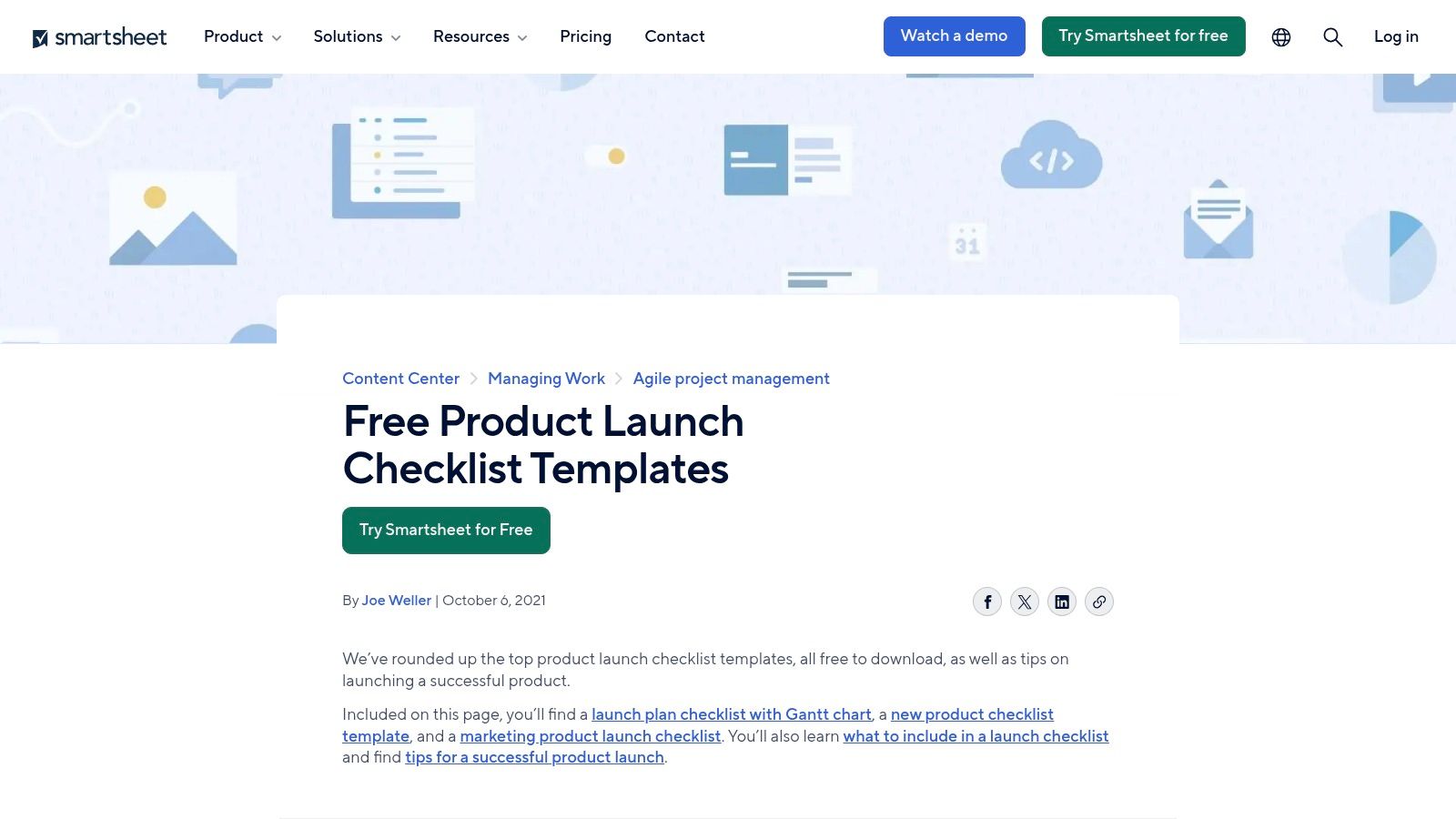
Smartsheet’s key advantage is its blend of spreadsheet functionality with project management power. The templates often include Gantt-style timelines with dependencies, assigned owners, and priority levels, offering more structure than a basic checklist. This is ideal for e-commerce managers who need a clear, chronological view of their launch but want to avoid the steep learning curve of a new platform. The collection also includes specialized templates for marketing campaigns and event planning, providing tailored resources for different facets of a launch.
Getting started is as simple as visiting their resource page and downloading the template that best fits your needs. You can choose a standard product launch plan or a more specific marketing launch checklist. Once downloaded as an Excel or Google Sheets file, you can immediately begin customizing it with your specific tasks, deadlines, and team assignments, leveraging your existing spreadsheet skills.
Link: Smartsheet Product Launch Checklists
For teams that thrive on visual, collaborative brainstorming, Miro offers a dynamic alternative to traditional list-based checklists. Instead of a rigid project plan, Miro’s community-driven Miroverse provides countless Product Launch Plan templates that function as infinite digital whiteboards. This approach is perfect for kickoff workshops and aligning cross-functional teams visually before committing to a task-management tool. It transforms the planning process from a static document into a live, interactive workspace.
Miro's core strength is its ability to centralize brainstorming, strategy, and task organization in one visual hub. Using elements like sticky notes, cards, and connectors, teams can map out dependencies, flesh out go-to-market strategies, and build a shared understanding of the launch scope in real-time. This visual clarity is instrumental in early-stage planning and is a great precursor to more detailed project management, aligning well with broader product innovation strategies. It ensures every stakeholder sees the same big picture, reducing misalignment down the line.
To begin, search the Miroverse template library for "Product Launch Plan" or "Feature Launch." Choose a template that fits your team's workflow and add it to your board. You can then invite marketing, sales, product, and leadership to a real-time or asynchronous collaboration session. The board can be used to define key milestones on a visual timeline, assign owners to high-level initiatives, and attach relevant documents or mockups directly to the canvas.
Link: Miro Product Launch Plan Template
For teams whose product launch success is heavily tied to marketing execution, HubSpot's resource library is an invaluable asset. Rather than a single project management tool, HubSpot offers a comprehensive Go-to-Market Kit that includes a downloadable product launch checklist template (Excel/PDF/Google Sheets). This approach is ideal for teams who want to build a robust marketing and sales strategy to support their launch, integrating it with their CRM from day one.

HubSpot's key differentiator is its emphasis on the entire go-to-market motion, not just project tasks. The templates provide guidance on messaging, branding, and defining key performance indicators. Beyond campaign execution, a strong GTM strategy, facilitated by tools like HubSpot, requires understanding core branding elements, such as the hidden psychology of product names to truly connect with your audience. Their resources are excellent for non-technical teams, focusing on clear, actionable marketing best practices and examples. Creating strong brand guidelines is a crucial step in this process.
To access the resources, you visit HubSpot’s marketing blog post on product launch checklists. From there, you can download the entire kit, which includes the checklist and other GTM collateral. The templates are ready to be used in common spreadsheet software, making them highly accessible. The checklist is structured around marketing pillars like Content Creation, Social Media Promotion, Email Marketing, and Sales Enablement.
Link: HubSpot Product Launch Checklist & Kit
For teams who think and plan visually, Lucid’s collaborative canvas offers a unique approach to launch planning. Developed with Product School, their Product Launch Checklist Template isn’t just a static list; it's a dynamic visual workspace. It allows you to map out your entire launch strategy using diagrams, flowcharts, and sticky notes, providing a big-picture view that linear documents often miss. This makes it exceptionally useful for brainstorming and aligning cross-functional teams before drilling down into specific tasks.
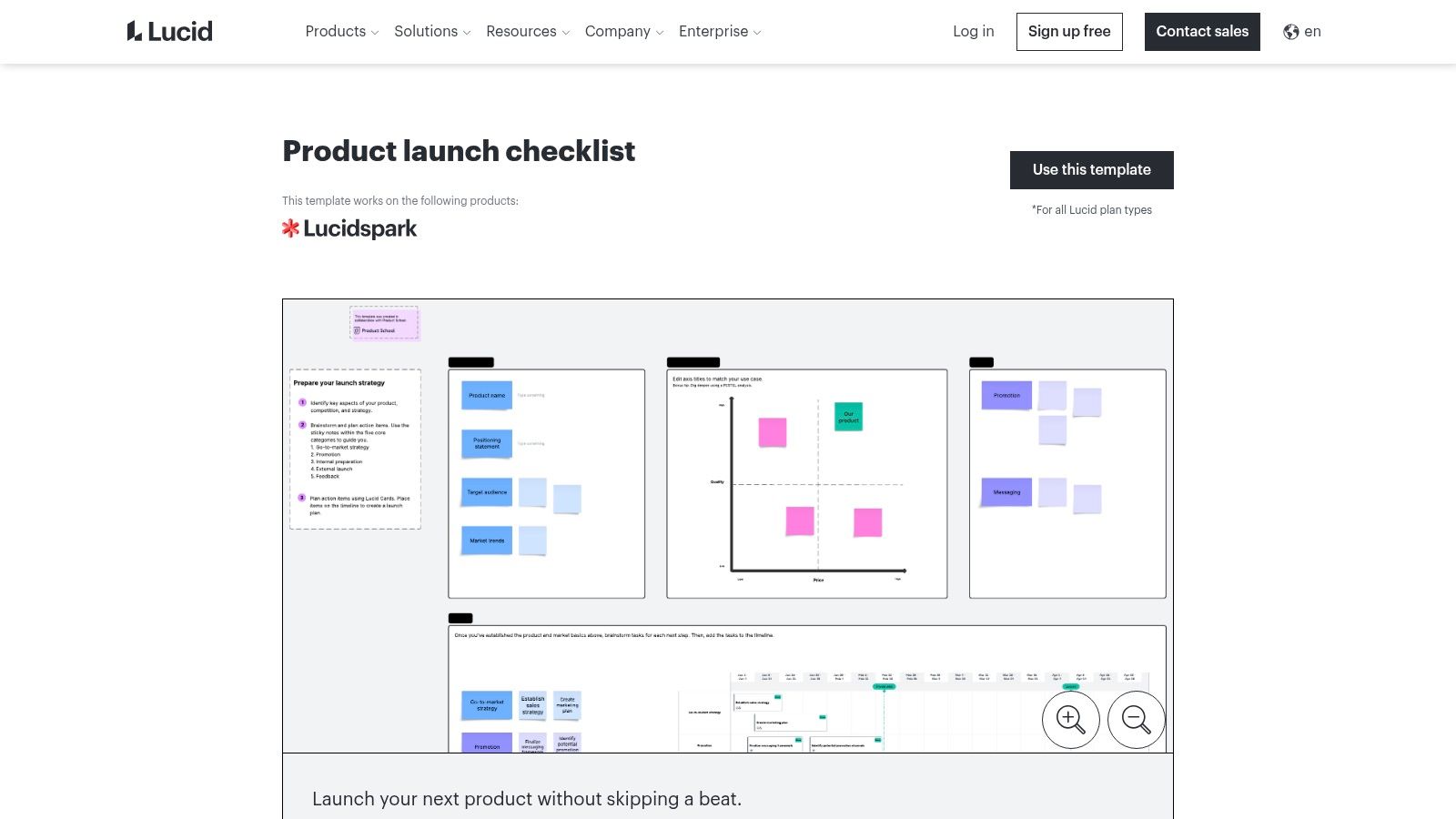
Lucid's key differentiator is its ability to bridge high-level strategy with actionable execution. The template organizes actions into clear phases like GTM Strategy, Internal Prep, and External Launch. Items on the visual board can be converted into actionable cards, assigned to team members, and even integrated with platforms like Jira or Asana. This transforms a visual brainstorming session into a structured, trackable project plan, ensuring that great ideas don't get lost in translation.
To start, you can access the template directly from the Lucid template gallery. The visual canvas lets you drag and drop elements, connect ideas with arrows, and color-code different workstreams. You can use it to build customer journey maps, define your go-to-market funnel, or create a visual timeline that everyone on the team can understand at a glance.
Link: Lucid Product Launch Checklist Template
For teams deeply embedded in the Atlassian ecosystem, Confluence offers a documentation-first approach to launch planning. Instead of a standalone task list, it provides a Product Launch page template that serves as the central source of truth for your entire strategy. This is less about day-to-day task management and more about creating a comprehensive, shareable plan that aligns stakeholders, from engineering to marketing.

Confluence's key differentiator is its seamless integration with Jira and Trello. While the Confluence page outlines the "what" and "why" of the launch (strategy, goals, messaging), the "how" (individual tasks) lives in Jira or Trello. This creates a powerful link between high-level documentation and granular execution, ensuring engineering and product artifacts are directly connected to the launch plan. It’s perfect for organizations that prioritize transparent, long-form documentation over simple checklists.
To use the template, create a new page in your Confluence space and search for the "Product Launch" template. The page comes pre-filled with sections for Goals, Status, Key Milestones, and a Launch Checklist. You can embed Jira issues directly into the checklist, linking documentation to actionable tickets. This product launch checklist template is ideal for ensuring all teams are working from the same strategic brief.
Link: Atlassian Confluence Product Launch Template
For product and marketing teams seeking to align their launch execution directly with strategic roadmaps, ProductPlan offers a powerful, integrated solution. It moves beyond standalone spreadsheets by connecting its Product Launch Plan template and reusable in-app checklists to the broader product lifecycle. This ensures that every launch task, from a marketing brief to a sales enablement session, is visibly tied to the high-level strategy and timeline.
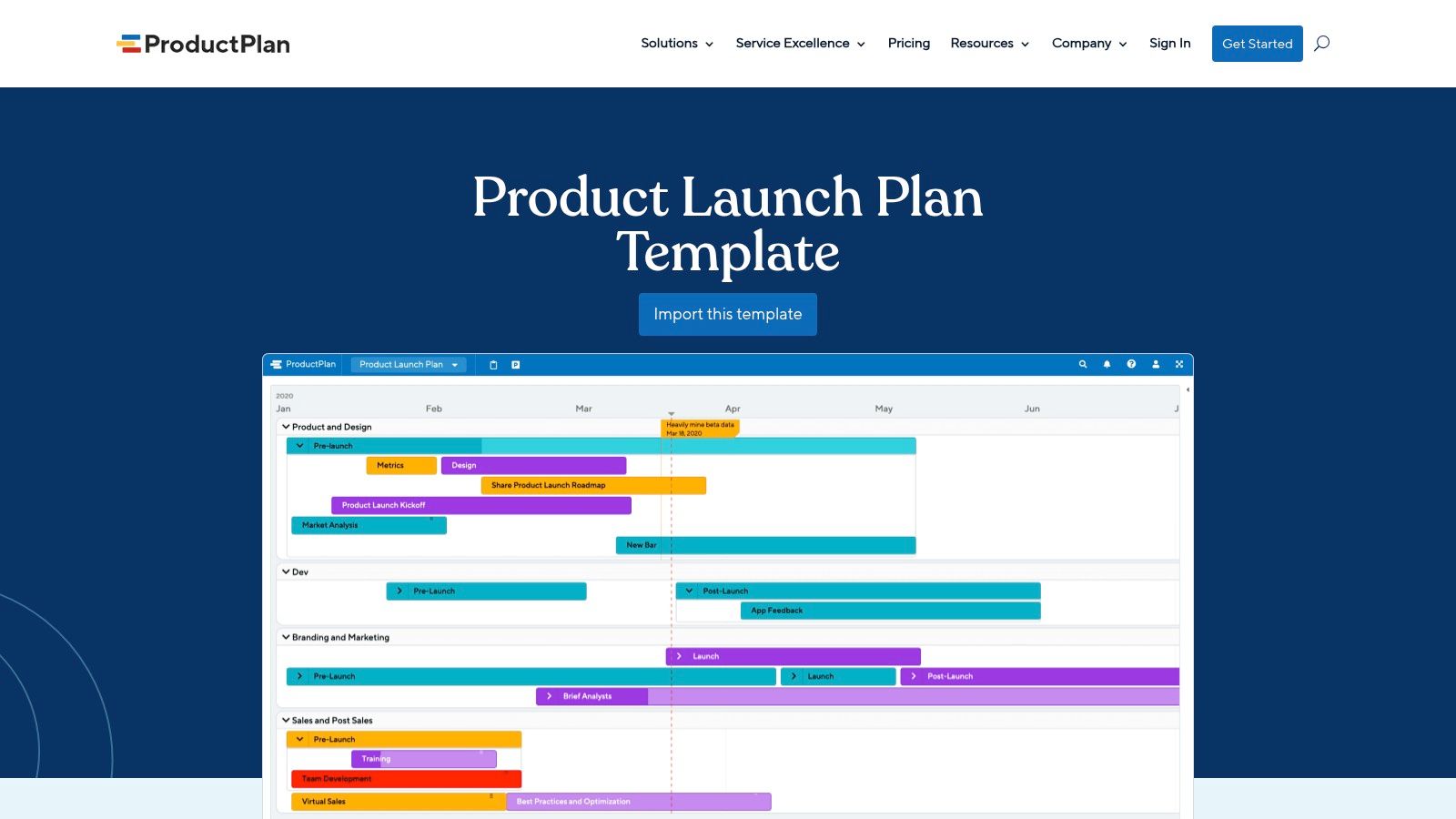
ProductPlan’s key differentiator is its roadmap-first approach. The launch plan is visualized as a swimlane on the master product roadmap, providing immediate, high-level context for executives and cross-functional partners. Its Launch Management checklists are reusable objects that can be copied between different launches, standardizing processes and dramatically speeding up planning for subsequent product releases. This structure is ideal for teams that manage a portfolio of products and need to maintain consistency and track progress at both a granular and dashboard level. For those looking to master the entire process, it's beneficial to learn more about how to launch a new product effectively.
To start, you can build your launch plan directly within a ProductPlan roadmap, creating distinct swimlanes for teams like marketing, sales, and product. From there, you can attach a detailed Launch Checklist, assigning owners, setting due dates, and tracking status for each item. This creates a single source of truth that cascades from strategic goals down to individual tasks.
Link: ProductPlan Launch Plan Template
For solopreneurs, indie hackers, and small teams who need a lean, actionable framework without the overhead of a full project management system, Gumroad is a goldmine. The platform hosts countless digital products created by experienced founders and marketers, including a wide variety of product launch checklist template downloads. These are typically one-off purchases that provide instant access to a PDF, Notion template, or spreadsheet, offering a direct, no-fuss solution.
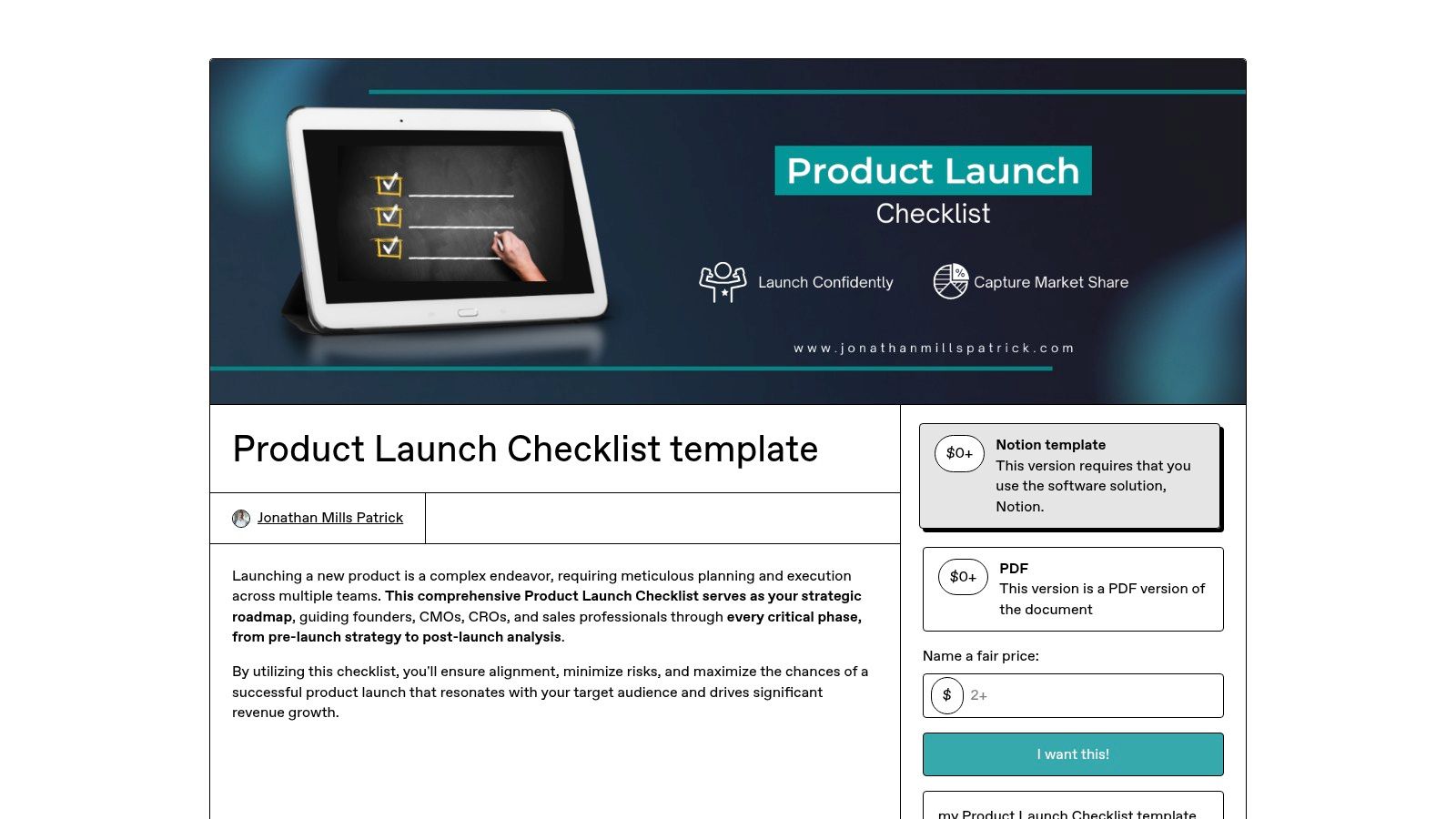
Unlike integrated platforms, Gumroad’s value lies in its simplicity and the expertise of individual creators. You aren’t adopting new software; you're buying a curated list of action items based on a specific creator's successful launches. These templates are often highly focused, stripping away complex features in favor of a straightforward, step-by-step guide covering pre-launch buzz, launch day execution, and post-launch engagement. It's an excellent way to get a proven plan without any platform commitment.
Using a Gumroad template is as simple as purchasing and downloading it. Most are designed to be printed or imported directly into your tool of choice, like Notion, Google Docs, or even a simple notes app. You can find templates tailored to specific niches, such as SaaS launches, digital products, or physical e-commerce goods. The key is to browse and find a creator whose experience aligns with your product type.
Link: Jonathan Mills Patrick’s Product Launch Checklist on Gumroad
ToolCore featuresUX/Quality (★)Value (💰)Target (👥)USP (✨/🏆)AsanaPrebuilt launch templates, Timeline/Gantt, dependencies★★★★💰 Paid tiers for full value👥 Cross‑functional product & ops teams✨ End‑to‑end launch coordination · 🏆 Timeline visibilityClickUpCustom statuses/fields, Gantt, automations, time tracking★★★★★💰 Free tier + affordable upgrades👥 Teams needing deep checklists & automations✨ Powerful checklist + automations · 🏆 Flexible viewsmonday.comVisual boards, Gantt, dashboards, workload tracking★★★★💰 Paid plans for advanced dashboards👥 PMs & leadership reporting needs✨ Highly visual boards · 🏆 Executive dashboardsNotion (Marketplace)Duplicable databases, customizable checklists, templates★★★★💰 Low‑cost / inexpensive👥 Solo founders & small teams✨ High customizability · 🏆 Centralized launch wikiAirtableRelational DB, timeline & kanban views, dashboards★★★★💰 Paid for advanced views👥 Complex, multi‑workstream launches✨ DB flexibility for dashboards · 🏆 Scalable data modelSmartsheetDownloadable templates (Excel/Sheets/PDF), Gantt checklists★★★💰 Free downloads; paid for Smartsheet features👥 Spreadsheet‑oriented orgs✨ Quick downloads · 🏆 Spreadsheet familiarityMiro (Miroverse)Collaborative canvases, timelines, sticky notes, real‑time edit★★★★💰 Paid for advanced collaboration👥 Workshop & cross‑functional kickoff teams✨ Visual workshop canvas · 🏆 Real‑time co‑creationHubSpotDownloadable GTM assets, marketing checklist, templates★★★💰 Free content (downloads gated)👥 Marketing & GTM teams✨ Marketing playbooks & GTM focus · 🏆 CRM alignment tipsLucid (Spark/Chart)Structured checklist + diagrams, shareable canvases★★★★💰 Paid plans for full features👥 Product teams needing visual plans✨ Diagram + checklist integration · 🏆 Product School structureAtlassian ConfluenceDocumented launch pages, PRD/roadmap alignment★★★★💰 Enterprise / paid for full stack👥 Engineering + PM orgs using Jira✨ Source‑of‑truth docs · 🏆 Integrates with JiraProductPlanRoadmap swimlanes, reusable launch checklists, dashboards★★★★💰 Enterprise / product teams👥 Product & product‑marketing teams✨ Roadmap + checklist integration · 🏆 Reusable launch objectsGumroad (templates)Instant downloadable checklists (PDF/Notion), creator updates★★★💰 Very low one‑time cost👥 Solopreneurs & small teams✨ Quick, no‑platform option · 🏆 Low cost & instant access
We've explored a comprehensive array of tools and templates, from the structured project management prowess of Asana and monday.com to the flexible, database-driven canvases of Notion and Airtable. Each platform offers a unique approach to managing the multifaceted chaos of a product launch. Your journey, however, doesn't end with downloading a file or duplicating a board. The most effective product launch checklist template is not one you simply find; it's one you build, refine, and internalize.
The true value of these resources is unlocked through customization. A pre-built template is a powerful starting point, providing the foundational structure and preventing critical oversights. But your specific product, target audience, and team dynamics require a tailored approach. The real work begins when you adapt these frameworks to fit your unique operational reality.
To move from planning to profitable execution, consider these crucial next steps:
For ambitious e-commerce entrepreneurs, particularly those scaling toward seven figures and beyond, operational discipline is non-negotiable. A meticulously crafted product launch process is not a one-time project; it is a core business asset. It’s the system that allows you to introduce new products predictably and profitably, minimizing costly mistakes and maximizing market impact.
By implementing a robust and customized product launch checklist template, you are doing more than just managing tasks. You are building a repeatable engine for sustainable growth. This systemization frees you from reinventing the wheel with every launch, allowing you to focus on strategy, innovation, and scaling your brand. Treat this checklist as a living document, a dynamic playbook that evolves with every product you bring to market, incorporating lessons learned and continuously improving your go-to-market machine.
Ready to learn from the playbooks of hundreds of 7, 8, and 9-figure e-commerce sellers? At Million Dollar Sellers, our members don't just use templates; they collaborate to refine and perfect them based on real-world launch data. Join a community where the most effective product launch strategies are shared, debated, and proven in the market.
Join the Ecom Entrepreneur Community for Vetted 7-9 Figure Ecommerce Founders
Learn MoreYou may also like:
Learn more about our special events!
Check Events


