Chilat Doina
January 17, 2026
Ever had a customer want to return something, only for you to tell them, "Just keep it, and here's your money back"? On Amazon, that's a real policy, and it's called a returnless refund.
This isn't just some random act of customer service kindness. It's a calculated, strategic move designed to solve one of the biggest headaches for sellers: the high cost of reverse logistics.
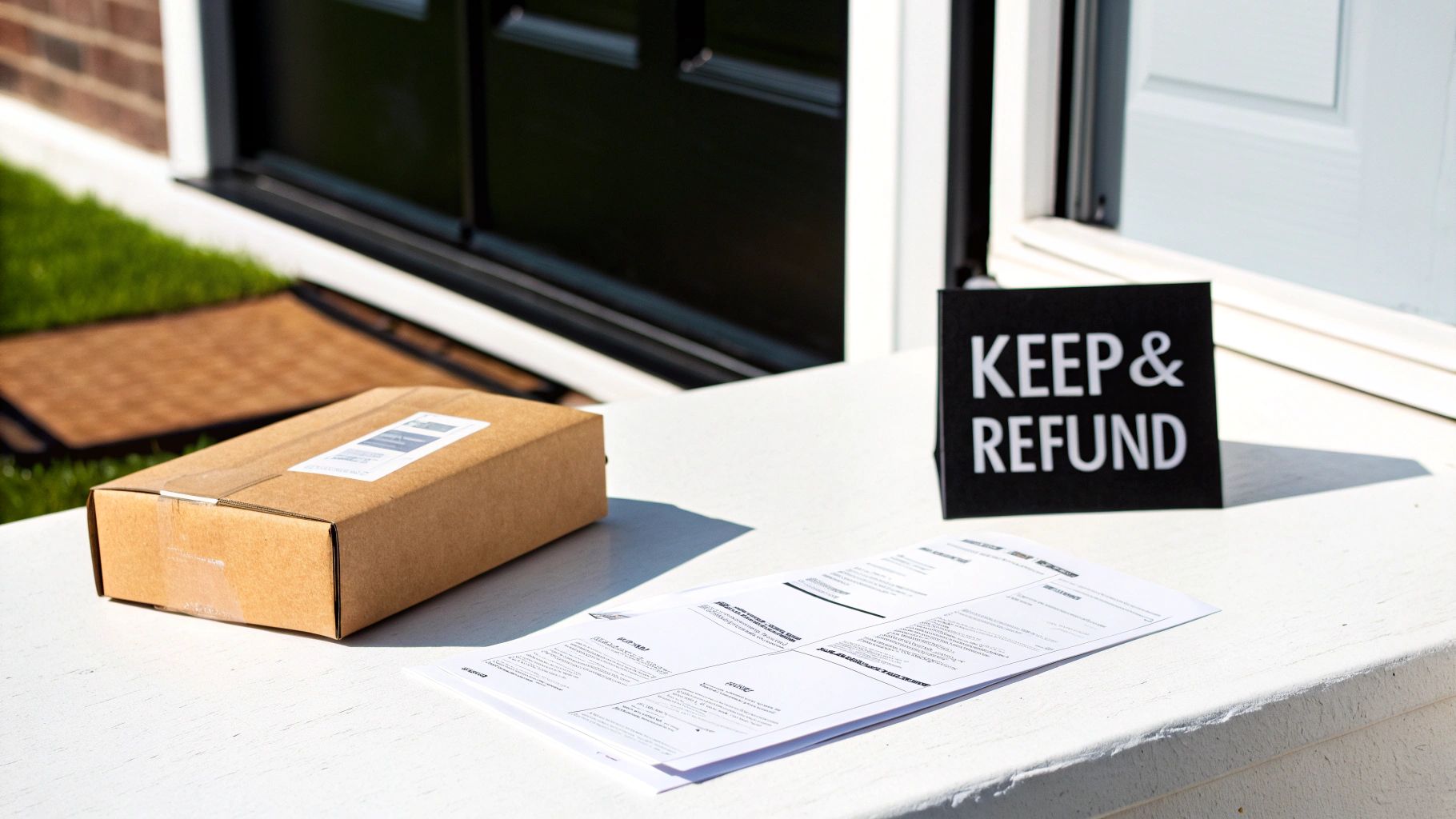
Think about it this way. A customer buys a $15 phone case, but it shows up with a small scuff. They start a return. For you, the seller, the costs start piling up immediately: paying for the return shipping label, having an employee inspect the damaged item, maybe repackaging it, and then likely writing it off as unsellable anyway.
Suddenly, the cost of handling that return has ballooned to more than the $15 you made in the first place. This is exactly where the returnless refund steps in.
Instead of losing money on the whole messy process, Amazon’s system can automatically issue a full refund and simply tell the customer to keep the item. It turns a guaranteed operational loss into a surprisingly positive experience for the buyer.
At its core, the logic behind returnless refunds is all about economics. Amazon's system does a quick, cold calculation: is the cost of processing a return higher than the item's value?
Several factors get thrown into that calculation:
A returnless refund is Amazon's way of cutting its losses on an expensive logistical problem. By ditching the physical return, it saves money for both Amazon and the seller, all while leaving the customer feeling taken care of.
To really get a handle on this, it helps to understand Amazon's general return policy first. That bigger picture helps explain why and when this specific exception gets made. For any high-volume seller, knowing how this works isn't just about saving a few bucks—it's about turning a potential negative into a chance to build loyalty and protect your bottom line.
To make things even clearer, I've put together a quick-reference table that breaks down the key components of this policy. It's a simple way to see the moving parts at a glance.
Ultimately, understanding this policy is a crucial piece of the puzzle for managing your profitability on the platform. It's less about losing a product and more about sidestepping a much larger financial drain.
To really get a handle on returnless refunds, you have to understand why Amazon even started this policy. This wasn't just a move to make customers happy; it’s a cold, hard business calculation designed to fix the expensive headache that is reverse logistics.
Think of Amazon's fulfillment network like a massive, two-way highway. Getting products to customers—the forward journey—is a finely tuned machine, optimized for speed and cost. But when a customer returns something, that product has to travel backward on the same highway, and that reverse trip is notoriously inefficient and expensive.
Processing a standard return involves a surprising number of steps, and every single one costs money. Each step chips away at your profit margin until, for many low-cost items, you end up losing money on the whole ordeal.
These operational expenses add up fast:
For many sellers, the hidden costs are a real shock. Imagine watching your profits vanish as processing fees, restocking labor, and inventory loss eat up 44% of a product's value on your low-priced items. The returnless refund, also known as a 'no return refund,' cuts out these operational nightmares by letting the customer keep the product while still getting their money back. If you want to dive deeper into how these costs add up, you can read a detailed breakdown on Titan Network.
This is where the business logic really clicks. Amazon’s system essentially acts like a logistics 'triage' unit, instantly weighing the costs against the benefits. It runs a quick, automated analysis to answer one simple question: Is it cheaper to let the customer keep this item than to pay for its return journey?
The algorithm considers a few key factors in this split-second decision:
By opting for what is a returnless refund on amazon, the platform effectively cuts its losses. It avoids paying for expensive logistical maneuvers on items that offer little to no recovery value, saving both Amazon and the seller from a guaranteed financial drain.
This strategic move does more than just save money, though. It also creates a surprisingly positive experience for the customer. Instead of going through the hassle of repackaging an item and shipping it back, they get an instant resolution. That powerful gesture can turn a moment of frustration into one of brand loyalty—a huge competitive advantage in the crowded ecommerce world.
Knowing what a returnless refund is on paper is one thing. Seeing how it actually hits your P&L statement is something else entirely.
When you get down to it, the financial math is surprisingly straightforward. It’s a simple trade-off: you absorb the cost of the product itself, but you completely sidestep all the other costs that come with a standard return.
Think about a typical return. Your business bleeds cash from a bunch of different places—you’re on the hook for return shipping, FBA processing fees, and the labor it takes to inspect, and maybe restock, the item. With a returnless refund, every single one of those operational expenses just disappears. Poof. Gone.
The only cost you eat is the Cost of Goods Sold (COGS), which is what you paid your supplier for the product in the first place. So, the big question becomes: is your COGS lower than the combined cost of handling a traditional return? For most low-cost items, the answer is a big, fat yes.
The difference really crystallizes when you put the numbers side-by-side. A normal return kicks off a cascade of little fees that add up fast, chipping away at whatever margin you made on the original sale. A returnless refund, on the other hand, quarantines the damage to a single, predictable number: your product cost.
This chart breaks down the typical costs of processing a return, showing how quickly shipping and handling fees can stack up.
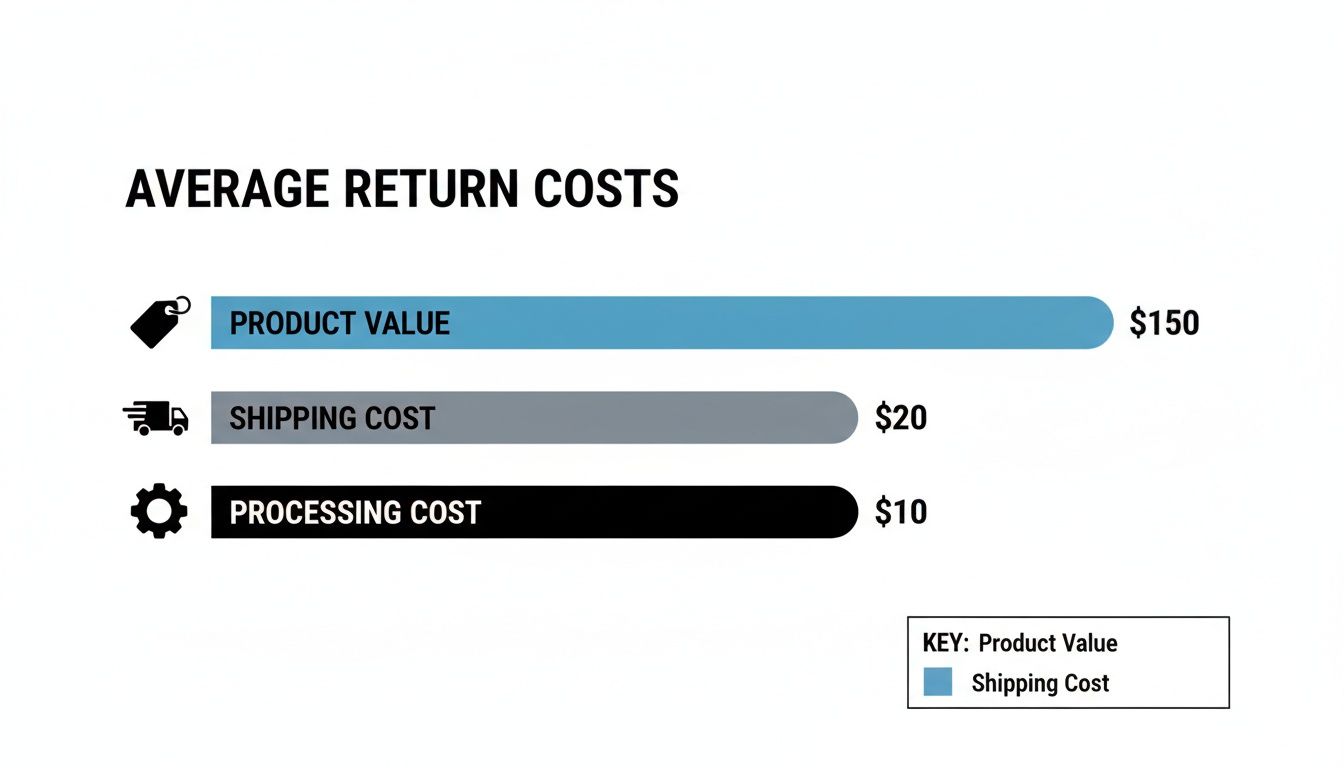
As you can see, for cheaper products, the costs to simply get the item back can easily be more than the item is even worth. At that point, a physical return just doesn't make financial sense.
Let’s run the numbers on a real-world FBA scenario to make this tangible. If you're an FBA seller, especially one juggling multiple Amazon FBA suppliers, understanding these numbers is absolutely critical to protecting your profitability.
Here's a cost-benefit analysis comparing the financial outcome of a traditional FBA return against a returnless refund for a sample product.
The table makes it crystal clear: the returnless refund policy puts $7.00 directly back into your pocket on this single transaction. Now, multiply that by hundreds—or even thousands—of returns over a year. The impact on your bottom line can be massive.
From a bookkeeping standpoint, you need to track these correctly. A returnless refund is essentially a complete inventory write-off. You’ll record the refunded amount against your sales revenue and then write off the product's COGS from your inventory asset account.
This cleans things up nicely. You avoid the "ghost inventory" problem that plagues standard returns—those items stuck in limbo while they're in transit or waiting for inspection. By writing off the asset immediately, you get a much cleaner and more accurate picture of your actual sellable stock.
If you want to model this for your own products, a good Amazon FBA profit calculator can help you play with the numbers and see the potential savings.
At the end of the day, a returnless refund isn't just a loss. It's a strategic tool for mitigating a bigger loss. When you frame it this way, you realize it’s a powerful lever for cutting out the hidden, parasitic costs that make the returns process so painful. It transforms an unpredictable expense into a fixed, manageable one.
Setting up returnless refunds isn’t something you just let happen to you; it’s a strategic lever you can pull right from your seller dashboard. By creating specific rules, you can turn what feels like random financial hits into a predictable, automated system that protects your margins, especially on those lower-cost items.
It all goes down in your Return Settings. Think of this as the central hub where you tell Amazon exactly how you want to handle customer returns. This is where you lay down the law on the precise conditions for giving a refund without needing the product sent back. Getting this right is as fundamental as learning the basics of what Amazon Seller Central is and finding your way around its core features.
Finding this crucial control panel is simple. Once you're logged into Seller Central, it's just a few quick clicks away.
This will drop you right into the interface where you can start building out your automation rules.
This screenshot shows the "Returnless Resolutions" section, which is exactly where you’ll add new rules for different scenarios.
This is basically your command center for putting the policy on autopilot, letting you set the exact financial and category triggers.
Once you're on the right page, you can start crafting rules that make sense for your business. Amazon gives you a few key criteria to work with, which provides a surprising amount of control over the whole process.
You can set up rules based on:
Pro Tip: Don't go all in at once. Start with a conservative price threshold, maybe $15, and just watch it for a few weeks. You can slowly bump up the amount as you get a better feel for the financial impact. The goal is to make sure the policy is saving you more on shipping and handling than it costs you in lost inventory.
Flipping the switch is just the first step. To really get a handle on this, you have to track how it's performing. The absolute best place to dig up this data is your FBA Customer Returns report.
Go to Reports > Fulfillment > FBA Customer Returns. In that report, you’re looking for a column usually called "Return Disposition" or something similar. When an item has been handled as a returnless refund, you'll see a specific code like "RETURNLESS_REFUND" or "NO_RETURN."
Filter your report for that code, and you'll immediately see:
This data is gold. It helps you spot products with quality control problems, listings with descriptions that might be misleading customers, or packaging that just isn't holding up in transit. By actively keeping an eye on these reports, you shift from just reacting to refunds to proactively fixing the real problems, which can save you a ton of money over time.
Look, returnless refunds are a fantastic tool for cutting costs and keeping customers happy. But let's be honest, it also swings the door wide open for people looking to game the system. Before you know it, you've got buyers claiming fake defects just to score free products. Protecting your bottom line means getting ahead of this.
The real key here is finding a balance. You need to shut down the scammers without making life difficult for the 99% of your customers who are perfectly honest. This isn't about a one-size-fits-all rule; it's about building a smarter, layered defense against the most common tricks.
A solid strategy comes down to three things: setting intelligent rules, keeping a close eye on customer behavior for any red flags, and knowing exactly when you need to step in. Do that, and you can keep all the financial perks of the policy while shielding your business from getting burned.
Your first line of defense is right inside Seller Central: building smart, specific rules for your catalog. The biggest mistake sellers make is applying one broad price threshold across everything they sell. You need to get more granular and tailor your rules to the unique costs and risks of each product line.
Start by digging into your own data. Pinpoint which products or categories get hit with the highest return rates for reasons like "defective" or "not as described." These are your hot spots.
Instead of a generic rule, try these more nuanced approaches:
This isn't about getting rid of returnless refunds altogether. It’s about applying them surgically. The goal is to automate the no-brainers that save you money while forcing a closer look at requests that just smell fishy.
By fine-tuning these settings, you’re essentially creating an automated filter that weeds out the most common abuse cases. It saves your team a ton of time and, more importantly, protects your inventory. Think of this as the foundation of your entire fraud prevention plan.
Fraudulent buyers are rarely one-and-done. They almost always leave a trail of breadcrumbs, and their behavior looks very different from that of a typical customer. You have to be regularly monitoring your return data to spot these patterns before they snowball into a major financial headache.
Make it a monthly habit to dive into your FBA Customer Returns report and hunt for suspicious trends. Don't just glance at individual returns; you're looking for repeat offenders operating across your entire catalog.
Here are the specific red flags you should be looking for:
Once you spot a potentially shady account, you can take action. While Amazon doesn't let you block a buyer directly, you can—and should—report them for policy abuse. This flags the account for Amazon's internal investigation teams, who can suspend them if they confirm a pattern of abuse. Documenting everything is crucial for building a strong case. This kind of proactive monitoring turns your return data from a boring spreadsheet into an active security tool.
Beyond the raw numbers and operational savings, returnless refunds have a powerful, often overlooked benefit: they're a killer tool for building your brand. It’s a way to take a negative customer experience and flip it into a moment of genuine delight, which is pure gold for long-term loyalty and repeat business.
Think about the usual process when a customer gets a damaged or wrong item. First comes the disappointment, then the sigh of frustration as they picture having to repack the box, print a label, and schlep to a drop-off point. That friction can easily sour them on your brand, even if you handle the return perfectly.

A returnless refund completely rewrites that script. The surprise of hearing, "We're sorry for the trouble—keep the item and here's a full refund," is a massive psychological win. It instantly erases the frustration and replaces it with a feeling of being valued and trusted.
This unexpected generosity does way more than just solve a problem; it builds serious goodwill. A customer who gets this kind of treatment is far more likely to leave a positive review, tell their friends about it, and, most importantly, buy from you again.
Think about the long-term math. You might take a $5 hit on the Cost of Goods Sold (COGS) for that one order. But the positive shockwave from that single gesture can easily lead to hundreds of dollars in future sales from that same customer.
This transforms the returnless refund from a simple operational cost into a strategic marketing investment. The marketing value you get from creating a loyal brand advocate can vastly exceed the cost of the refunded product, directly boosting customer lifetime value (CLV).
Research backs this up. A study from the University of Notre Dame found this approach skyrockets brand support, especially when customers feel like they're being treated like a person, not a number. When a buyer gets a refund and gets to keep the item, it shows your brand cares more about them than about pinching pennies.
The perks don't stop with just one happy customer. A fantastic post-purchase experience creates ripples that strengthen your brand's reputation across the entire marketplace.
Here’s how one good moment can pay off in multiple ways:
Ultimately, this single policy can become a cornerstone of your customer retention strategy. While many sellers get hung up on the immediate financial trade-off, the most successful brands play the long game. For a deeper dive into building this kind of connection, check out our guide on how to build brand loyalty. By strategically using what is a returnless refund on Amazon, you’re not just managing losses—you're actively investing in a more loyal, and profitable, customer base.
Even when you think you've got returnless refunds figured out, specific questions always seem to pop up. It's a tricky policy with a lot of little details that can mess with your inventory, your metrics, and your profits. Let's clear the air and tackle some of the most common questions sellers have.
Think of this as your practical, no-nonsense guide to the day-to-day headaches of managing returnless refunds on Amazon.
Yes and no. You have some control, but Amazon always has the final say.
Inside Seller Central's Return Settings, you can create automation rules. For instance, you can set a rule to automatically issue a returnless refund for any product under $20, or for specific return reasons like "damaged during transit." This gives you a baseline of control over low-cost items where a return just isn't worth the hassle.
But here's the catch: your rules are more like strong suggestions than hard-and-fast commands. Amazon’s own algorithms are constantly crunching the numbers on logistics. If their system decides it's cheaper to issue a returnless refund—even on a $50 item that's way outside your rules—they'll do it. Your settings guide the process, but Amazon's operational costs will always win out.
You bet it does. While you dodge the costs of a physical return, Amazon still logs the transaction as a return, and it can definitely ding your performance metrics.
The big one to watch is your Order Defect Rate (ODR). If the customer chooses a reason tied to a product flaw—think "Defective" or "Not as Described"—that return counts against your ODR, even if you never see the product again.
This is a critical detail that trips up a lot of sellers. Just because the item isn't coming back doesn't mean the reason for the return disappears. You absolutely have to monitor these return reasons to spot patterns with product quality or listing issues before they snowball into a serious account health problem.
Nope. When Amazon issues a returnless refund, you are not reimbursed for your Cost of Goods Sold (COGS). You're effectively writing that product off as a loss.
The entire financial upside here comes from avoiding all the other fees that come with a standard return. You're saving on:
So, you eat the product cost, but you sidestep all the operational costs and headaches. This is exactly why the policy makes the most sense for low-value products where the return fees would actually cost you more than the item itself. It's all about choosing the smaller of two losses.
At Million Dollar Sellers, we know that mastering the little details, like Amazon's returnless refund policy, is what separates the good sellers from the truly great ones. Our private community is for top-tier e-commerce entrepreneurs who are serious about sharing advanced strategies, protecting their margins, and scaling their brands the right way. If you're ready to learn from 7-, 8-, and 9-figure founders, find out if you qualify for MDS.
Join the Ecom Entrepreneur Community for Vetted 7-9 Figure Ecommerce Founders
Learn MoreYou may also like:
Learn more about our special events!
Check Events