Chilat Doina
September 29, 2026
The notice arrives while inventory is moving, customer messages are waiting, and your team is preparing the next replenishment. Amazon has removed a listing, restricted the account, or granted a customer claim, and the first instinct is to open a blank document and start pleading. That reaction is understandable, but it often sends sellers into the wrong workflow with the wrong evidence.
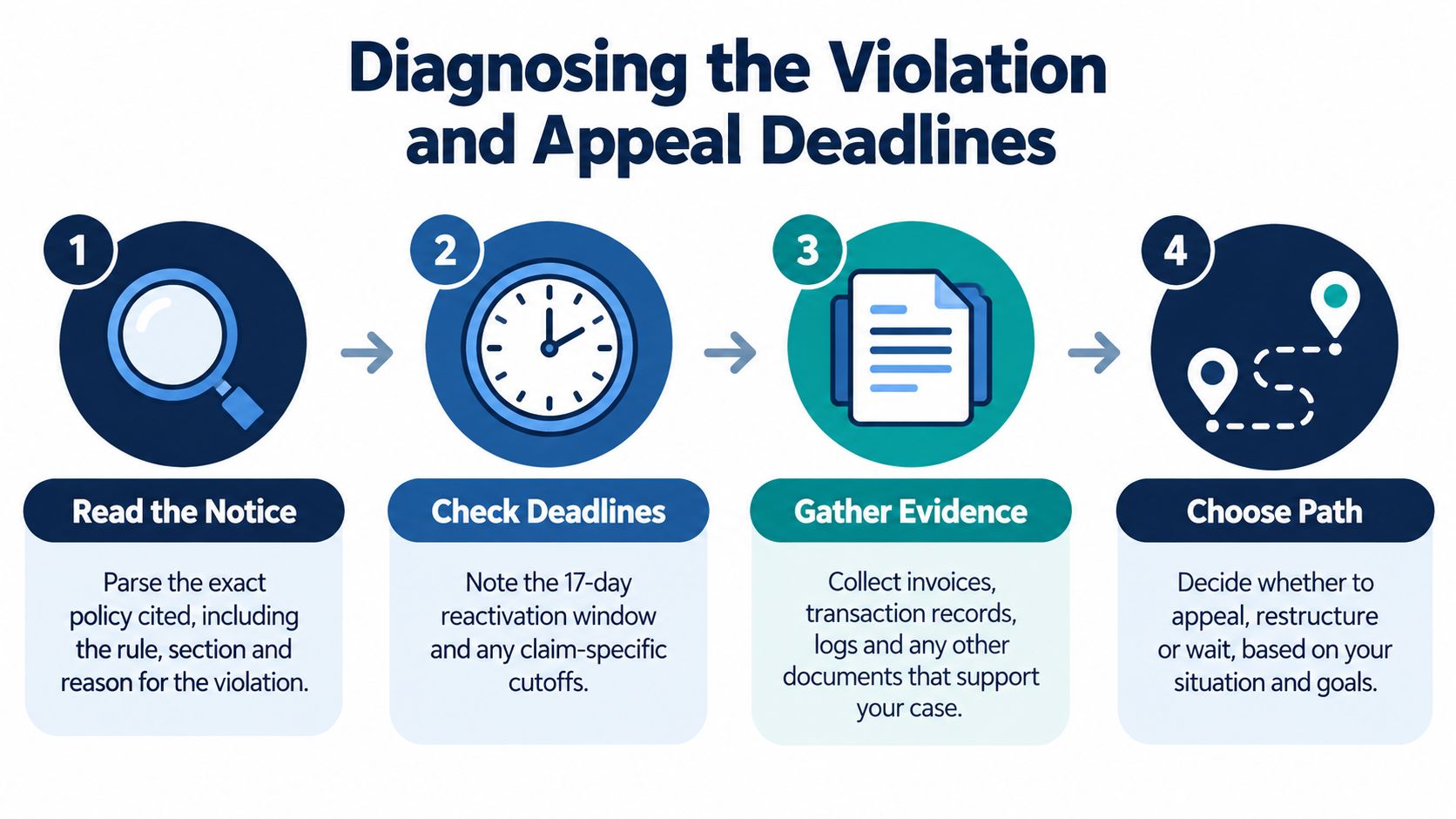
The modern Amazon appeal process rewards operational accuracy more than emotional urgency. You need to identify the exact enforcement action, confirm whether a deadline applies, preserve the relevant records, and then submit the response Amazon's interface requests. A strong appeal reads less like a complaint and more like a concise internal audit, with a documented cause, completed fixes, and controls that address recurrence.
Treat the notice as an operational record, not an invitation to plead. Identify the exact Performance Notification, Account Health alert, claim decision, or listing notice. Capture the policy language, affected ASINs or transactions, marketplace, submission button, requested documents, and stated response window. Save the original message, attachments, and linked instructions before anyone edits or closes the case.
The enforcement category determines the evidence path. An intellectual property complaint may require rights ownership records, authorization evidence, and a review of the listing and supplier chain. An inauthentic-item allegation calls for authenticity documents and traceable purchasing records. A broader policy violation may require a Plan of Action. A listing removal and full account deactivation can look related while Amazon routes them through separate Account Health workflows.
Amazon's help guidance asks sellers to identify the root cause, document completed corrections, and explain controls that prevent recurrence. For policy violations, the response may require an acknowledgment, compliance evidence, or both. Review Amazon's structured appeal guidance before selecting a submission format.
Build a case map before writing:
This triage prevents a common misroute. Sellers often prepare an account suspension Plan of Action for a claim-specific dispute or a listing-level document request. Guidance on the traditional account suspension Plan of Action can clarify structure, but it does not determine which Account Health workflow applies.
Amazon gives sellers 30 calendar days to appeal an A-to-z Guarantee claim after it is granted in the customer's favor, according to the appeal guidance referenced above. Missing that window closes the claim, and the negative Order Defect Rate impact cannot be reversed through that appeal.
Other disputes use different rules. FBA customer return claims may be submitted only within a specific 60-to-120-day window after a refund or replacement, as described in Amazon's FBA claim policy, see Section 5. Never transfer a deadline from one case type to another. Confirm the notice, applicable policy page, and submission screen before spending time on evidence or drafting.
Intellectual property cases also require operational controls. Review listing governance, supplier authorization, and rights monitoring, using practical guidance on protecting intellectual property while assembling the file. The immediate objective is a correctly classified response, supported by the records Amazon requests, submitted through the available channel before its review path closes.
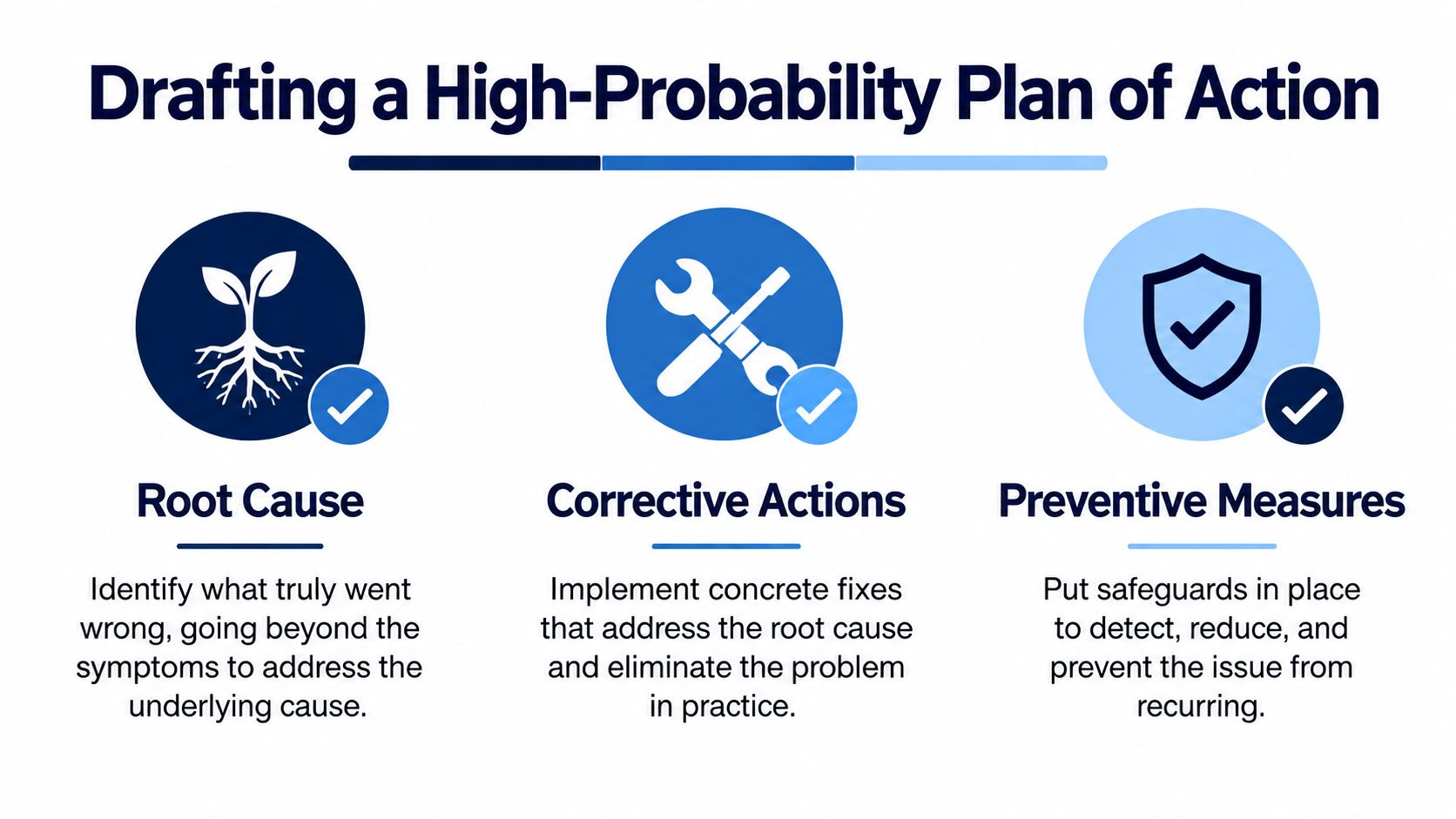
A Plan of Action succeeds when a reviewer can connect every sentence to a specific operational failure and a verifiable fix. Amazon's high-probability structure has three technical elements, precise root-cause analysis, completed corrective actions, and preventive controls. The practitioner guidance on Amazon suspension appeals also warns against vague blame, emotional language, and generic templates.
“An employee made a mistake” rarely explains enough. A useful root cause identifies the point where the process allowed the violation to reach Amazon, then explains why the existing control failed.
For example, an inauthentic-item response shouldn't stop at “the supplier sent the wrong products.” A stronger analysis identifies the purchasing channel, the missing verification step, the inventory affected, and the reason the business didn't detect the discrepancy before the units were listed or shipped. If the issue involved an intellectual property complaint, identify whether the problem arose from an unauthorized offer, an inaccurate product detail page, an incomplete authorization record, or a catalog contribution that your team failed to review.
Use direct language:
Don't claim a cause you can't support. If the notice is ambiguous, identify what the records establish and state what remains under review.
Corrective actions describe what you've done, not what you intend to do after reinstatement. Remove or quarantine affected inventory where appropriate, correct listing content, cancel problematic offers, contact relevant rights holders when justified, review orders, and preserve the records that demonstrate completion.
Tie each action to evidence. An invoice, authorization document, product photograph, supplier communication, receiving log, or listing change record can support a specific statement. Avoid uploading a disorganized file pile. Name each document and explain the point it proves.
Preventive controls make recurrence less likely. They can include supplier approval rules, invoice review, catalog change checks, product authentication procedures, staff training, escalation thresholds, and recurring audits. The control should have an owner and a record of completion.
Practical rule: A preventive measure is credible when another person can verify that it happened without asking the original writer to explain it.
A vague promise to “be more careful” isn't a control. A documented review before new offers go live is a control. So is a defined process for checking supplier records, escalating complaints, reviewing policy notifications, and removing affected listings when evidence is incomplete.
Keep the document narrow. Address the violation in the notice, avoid unrelated history, and don't blame buyers, competitors, Amazon, or suppliers for the outcome. The reviewer needs a coherent case, not an argument about fairness. If the interface asks for a quiz, acknowledgment, or documents instead of a conventional POA, follow that instruction rather than forcing your preferred format.
Use the video below as a supplementary planning aid, then write from your own records and facts.
The submission screen is part of the case. Amazon's current workflow can ask you to acknowledge a violation, complete a quiz, answer a questionnaire, upload supporting documents, or provide a Plan of Action. The route can differ between an account deactivation and a listing removal, so copying an older appeal process from a forum may send you looking for a button that no longer appears.

For an account deactivation or listing removal, Amazon's official flow starts in Seller Central under Account Health. Select the relevant action, choose Reactivate your account when that option is available, and complete the questionnaire, quiz, or document upload Amazon presents. Amazon's account reactivation instructions explain that sellers should monitor email and the View Appeal page for follow-up requests.
Before pressing submit, capture the screen and save the response in a case file. Include the notification, your answers, document filenames, upload dates, and confirmation message. Seller Central can change the visible path by marketplace, account status, and violation type, so your own record matters.
Sellers unfamiliar with the dashboard can use this practical overview of Amazon Seller Central to orient their team. The objective isn't to explore every menu. It's to locate the action attached to the exact notice and respond there.
An acknowledgment is different from an evidence submission. If Amazon asks you to acknowledge a policy violation, answer the required question directly and use any available field to describe the correction. If Amazon offers a quiz, treat it as a compliance requirement, not as a substitute for investigating the incident. If the interface requests invoices, authorization letters, or other supporting documents, upload readable, relevant files that directly address the notice.
For a listing removal, keep the response tied to the affected listing and catalog facts. Don't submit a full account-wide narrative unless Amazon asks for one. For an account deactivation, the reviewer may need a broader operational explanation, including how your systems allowed the issue and how the new controls apply across the business.
Use clear filenames, consistent supplier and product identifiers, and short explanations. If a document contains sensitive information, check Amazon's requirements before redacting anything, because an excessive or unexplained redaction can make the evidence difficult to verify. Don't upload documents that contradict the narrative, and don't alter records to make them appear cleaner.
Amazon's fragmented interface creates a practical rule: the screen defines the submission format. A well-written POA in the wrong field can fail just as easily as a weak POA in the right field. Read every prompt, answer each required component, and retain a complete copy of what you sent.
Submitting an appeal doesn't end the work. It starts a controlled monitoring period in which your team must watch for a response, preserve the record, and answer any new request without changing the facts or losing the thread.
Amazon says a reply is typically sent within two days for the official account deactivation or listing removal flow, as stated in its Seller Central appeal instructions. That isn't permission to stop monitoring after submission. Check the email account associated with Seller Central and the View Appeal page, because a follow-up request may appear in one location before the other.
Assign one person responsibility for the case, even if several departments supply documents. The log should record:
This prevents contradictory replies from different employees. It also makes escalation more useful because the next reviewer can see the original notice, your response, Amazon's requests, and the evidence trail in one place.
Rapidly sending the same appeal again feels active, but it rarely improves the case. Repeated submissions that don't materially change the explanation or evidence can trigger automated rejection patterns and make the record harder to review. A second submission should answer a specific deficiency, correct a factual error, or add meaningful evidence.
When Amazon asks for a document, answer that request directly. Don't bury the requested invoice in an unrelated narrative. If the document isn't available, say so accurately and provide the strongest alternative evidence you possess, while explaining the limitation. Amazon's guidance indicates that sellers should submit the evidence they have, even when documentation is incomplete.
Escalation works best when it adds clarity rather than pressure. Use the available Seller Central support route, reference the case and appeal records, summarize the unresolved question, and identify the evidence already supplied. Avoid threats, accusations, and multiple competing versions of the story.
A follow-up should make the reviewer's job easier, not force the reviewer to reconstruct the case.
If the interface shows no appeal or contact option, don't invent a new account or scatter messages across unrelated channels. Review the available Account Health support paths, preserve screenshots, and use the specific route Amazon makes available for that action. The process is rigid, but disciplined documentation gives you the clearest basis for the next review.
A customer claim can drain margin while a seller is preparing a general suspension appeal. These cases follow separate decisions, evidence requirements, and submission routes. Put the transaction queue first whenever a claim deadline is closer than the account-level response deadline.
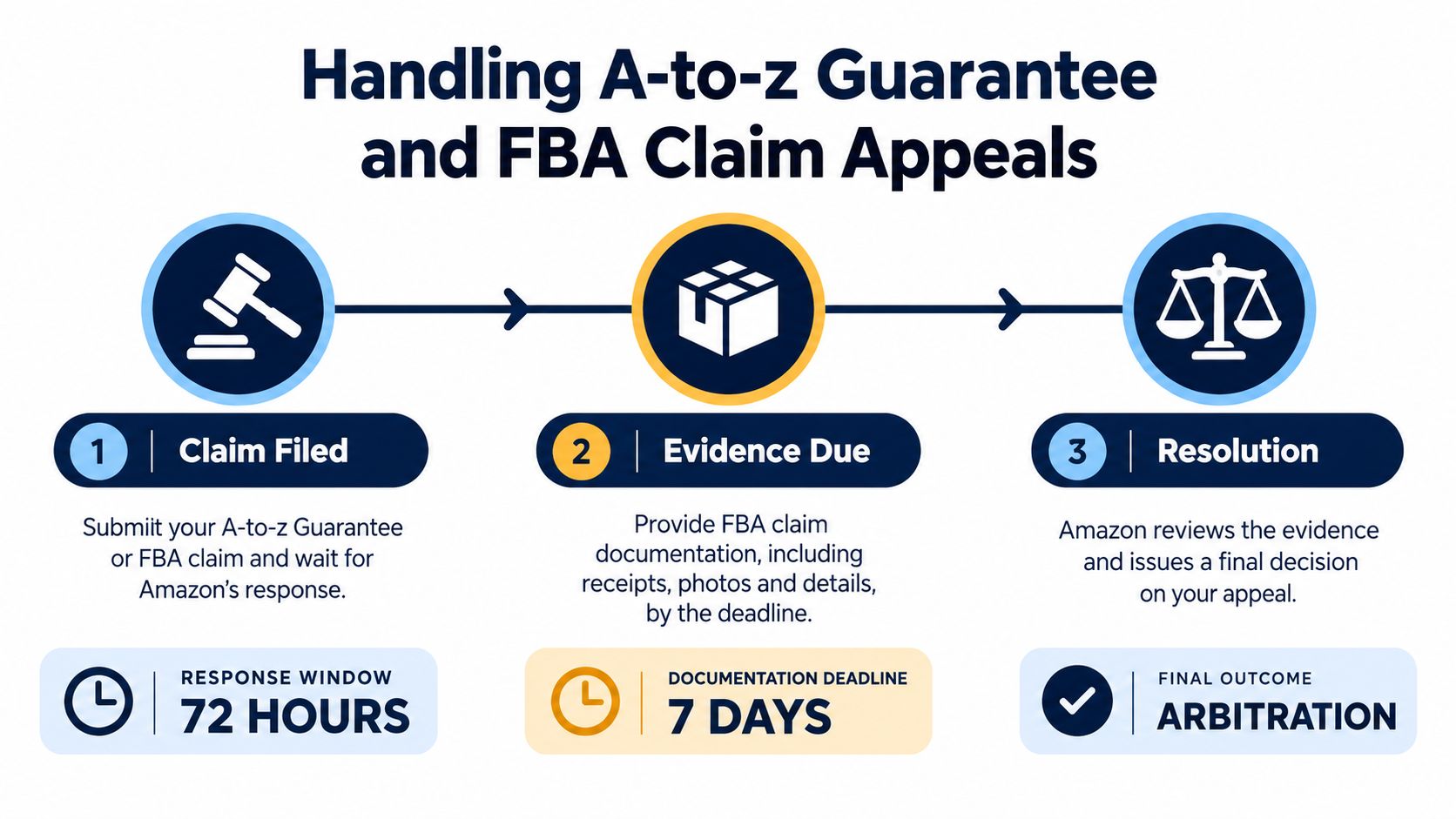
An A-to-z Guarantee claim may be appealed within 30 calendar days after Amazon grants it in the customer's favor, according to Amazon's claim appeal policy cited in Section 1. Submit the appeal through Seller Central and use the available transaction records, adding evidence that was not considered in the original decision.
The deadline leaves little room for narrative drafting. Pull the order record, shipment details, delivery status, customer messages, return history, and carrier documentation as soon as the claim appears. Match each item to the allegation.
Use a claim-specific evidence checklist:
A clear response answers three questions:
Keep the scope narrow. A broad account history makes the reviewer search for relevance instead of verifying the disputed order.
FBA customer return disputes use a separate process. Amazon's policy information allows submissions within a specific 60-to-120-day window after the refund or replacement, so verify the applicable window before filing through the available workflow.
The evidence must follow the unit through Amazon's network. Gather the order and refund or replacement record, return-center status, product identifier, inventory movement, disposition information, and any documentation showing what happened after the customer sent the item back. A supplier-control Plan of Action does not establish the condition or location of a particular FBA unit.
For teams refining fulfillment responsibilities, this guide to how FBA works on Amazon clarifies which events belong to Amazon's process and which records the seller must retain.
Route A-to-z claims to order management and customer experience. Route FBA return disputes to inventory and reimbursement teams. Compliance and catalog staff may support the evidence, but they should not replace the operators who own shipment, return, and customer records.
Assign one case owner, set the deadline, and preserve the submitted evidence and confirmation. Triage by case type first, then draft. A precise transaction record has more value here than polished language from a generic suspension letter.
Amazon's appeal framework has moved from a broad reinstatement model toward more granular, issue-specific workflows centered on Account Health and claim-specific review paths, according to Amazon's account health guidance. That change makes prevention a daily operating discipline rather than an occasional emergency exercise.
A resilient seller treats Account Health as an early-warning dashboard. Review policy notifications, listing actions, order-related concerns, and open claims on a recurring schedule. Assign ownership for each category so warnings don't sit between catalog, sourcing, fulfillment, and customer service teams.
Use a repeatable review that produces records, not just discussion:
The value comes from closing the loop. If a warning reveals a missing approval step, update the workflow and record who completed the change. If a claim exposes weak delivery documentation, improve the order-record process before another dispute arrives. Prevention should leave an audit trail that can later support a response.
Keep inventory, documentation, and marketplace access from depending on one person's memory. Store case files in a controlled location, use consistent naming, and make the escalation path clear. Train the team to distinguish a listing action from an account action and a financial claim from a policy violation.
The best Amazon appeal process strategy is operational triage before crisis. Read the notice precisely, verify the applicable deadline, choose the correct workflow, and maintain controls that make the next response faster and more credible.
Million Dollar Sellers offers an invite-only peer community for serious e-commerce founders, with practical strategy sharing, curated events, mastermind calls, and vetted service recommendations across Amazon, DTC, and omnichannel operations. If you're building stronger account-health systems and want access to experienced operators who understand complex enforcement and scale, visit Million Dollar Sellers.
Join the Ecom Entrepreneur Community for Vetted 7-9 Figure Ecommerce Founders
Learn MoreYou may also like:
Learn more about our special events!
Check Events


