Chilat Doina
December 1, 2025
Getting your brand onto Walmart Marketplace involves a few key steps: you'll need to meet their eligibility criteria, navigate a multi-step application, and then get your Seller Center account all set up.
The whole process is a lot smoother if you can show a solid business history, especially on other ecommerce platforms. Have your business documents, like a US Tax ID (EIN), ready to go.
Jumping into Walmart Marketplace is a big strategic decision. For a lot of brands, it’s not really a question of if anymore, but how they're going to make the leap. Walmart gives you access to a huge, loyal customer base that might not be hanging out on other online marketplaces.
The platform is a natural fit for established brands that already have a proven track record and competitive pricing. If you’ve already got your supply chain and fulfillment operations running like a well-oiled machine, you're in a great position to succeed. Nimble DTC companies looking for a new high-volume channel can also crush it, as long as they can play by Walmart's operational rules.

Ultimately, this comes down to taking a hard look at whether your products and your operational chops are a good match for the Walmart ecosystem.
The secret's out: Walmart Marketplace is a massive growth channel, and things are getting crowded. The platform has absolutely blown up, becoming a go-to for merchants all over the globe.
By mid-2025, it rocketed past 200,000 active sellers. Think about this: in the first five months of 2025 alone, 44,000 new sellers came on board. That nearly matches the entire number for 2024 and marks a 30% jump in just half a year. A huge chunk of that growth is international, with Chinese merchants now accounting for 34% of all active sellers.
Key Takeaway: With sellers flooding in, you can't just list your products and hope for the best. You need a rock-solid value proposition. Success demands sharp pricing, stellar fulfillment, and a clear brand identity that cuts through the noise.
Before you even start the application, you need to be honest about whether your brand vibes with Walmart's core "Everyday Low Price" promise. It’s not that premium products can't work, but for the typical Walmart shopper, value is king.
Ask yourself these questions—and be brutally honest:
Picking the right sales channel is one of the most important decisions you'll make. To help you think through all the options out there, check out our guide on the best ecommerce platforms for small business. It gives a wider view of where your brand might truly thrive.
Passing Walmart's application process is your first real test. Think of it less like filling out a form and more like a business pitch. Walmart wants to see established, professional sellers who can meet their customers' expectations from day one, so you need to come prepared to make a strong first impression.
The platform has become incredibly selective, and your application needs to be flawless. This isn't the time to wing it. Gather every required document beforehand so you can move through the process without hitting unnecessary roadblocks.
Before you even touch the application page, get your digital paperwork in order. Having these items ready will make everything go much smoother. Trying to hunt down this information mid-application is a surefire way to get frustrated or make mistakes.
Here’s your pre-application checklist:
Expert Tip: One of the biggest factors in getting approved is demonstrating a history of e-commerce success. Be ready with direct links to your company website and any storefronts on other major marketplaces like Amazon or eBay. A solid sales history and positive reviews elsewhere act as proof that you're a reliable operator.
Once Walmart gives you the green light, you’ll get access to the Walmart Seller Center. This is your mission control for everything from listing products to managing orders. The first few steps here are critical for getting your account fully operational.
You'll start with the Launch Checklist, which is basically a guided setup process to get you live. Your first priority is business verification. This involves confirming your company details and bank account. Walmart sends a small test deposit to your account, which you then have to verify in Seller Center. This can take a few days, so kick it off right away.
Next, you’ll connect your payment settings through a partner like Payoneer. This is how you’ll get paid for your Walmart sales.
Setting up shipping is one of the final hurdles before you can start selling. This is where a lot of new sellers get tripped up, but it's pretty straightforward if you take it one step at a time.
Inside the Seller Center, you'll create shipping templates. These templates define your shipping rates, transit times, and the regions you deliver to. You can create different templates for different product groups or fulfillment methods—for example, you might have one for standard ground and another for expedited two-day delivery.
My advice? Start simple. A single template for your most common shipping method is enough to get going. You can always add more complexity later on. The key is to make sure your settings are accurate right out of the gate to avoid disappointing customers and tanking your seller metrics before you even get started.
Getting approved to sell on Walmart Marketplace is one thing. Actually making sales? That's a whole different ball game. The real work begins now: creating product listings that don't just exist, but actually convince shoppers to hit that "Add to Cart" button.
A weak listing is like having a salesperson who stands silently in the corner—it gets completely ignored. But a powerful, well-crafted listing can quickly come to dominate its category. Your success on Walmart really boils down to how well you optimize every single piece of your product page. You have to think like a shopper, an SEO pro, and a brand manager, all at the same time.
Your product title is the most valuable piece of SEO real estate on the entire page. It's the first thing shoppers see in the search results, and it's what Walmart's A9 algorithm uses to figure out what you're selling.
Get it wrong, and you're invisible. A generic title gets lost in the noise, while a title stuffed with every keyword imaginable just looks spammy and can get you penalized. The sweet spot is a perfect blend of clarity, detail, and searchability.
We've found a formula that works consistently well:
Brand + Product Line + Key Feature/Benefit + Product Type + Size/Color
Let's see this in action for a simple coffee maker:
The second title is a world of difference. It instantly tells both the shopper and the algorithm exactly what the product is, what it does, and who it's for. It’s specific, naturally weaves in relevant keywords, and sets clear expectations from the get-go.
After the title and images, a shopper's eyes jump straight to your key features, or bullet points. This is your prime opportunity to sell the benefits, not just list the features. It's a classic sales mistake: don't just say what your product is; explain what it does for the customer.
Let's stick with that coffee maker. See the difference in how you frame the exact same information:
Feature-Focused (Weak)Benefit-Focused (Strong)• Has a 24-hour timer• Wake Up to Fresh Coffee with the 24-hour programmable brew timer.• Includes a thermal carafe• Enjoy Hot Coffee for Hours thanks to the double-walled thermal carafe.• Auto-shutoff feature• Never Worry Again with the automatic 2-hour safety shutoff.
See how the second column connects the product's specs directly to a customer's real-world needs and desires? It's a simple shift in perspective, but it's incredibly powerful. Mastering this is a foundational step in boosting your sales, and we cover these techniques in more detail in our guide on conversion rate optimization best practices.
You could write the most persuasive copy on the planet, but if your images are blurry, dark, or unappealing, your conversion rate will be dead in the water. Shoppers can't touch or hold your product online, so your photos and videos have to do all the heavy lifting.
Walmart has some strict requirements, like demanding high-resolution images—think at least 1000x1000 pixels—with a pure white background for your main "hero" image.
Your product images are your digital showroom. Don't skimp here. Invest in professional photography that shows your product from every angle, zooms in on key features, and includes lifestyle shots that help customers envision it in their own lives.
And don't forget the technical details. File formats matter. Using the right one ensures your images look crisp without slowing down your page load time. For example, JPGs are typically best for complex photographs, while PNGs are perfect when you need a transparent background. This is a small detail that makes a big difference. For a deeper dive, check out this great resource on Choosing the Right Image Format (JPG vs PNG).
Finally, let's talk about one of the most overlooked but critically important parts of your listing: the product attributes. These are all the specific details like color, material, dimensions, and compatibility that you fill out in the backend.
It's tempting to skip these or only fill out a few, but that's a huge mistake.
Why? These attributes are the engine behind Walmart's filtered search—all those little checkboxes you see on the left side of a search results page. If a customer is shopping for a coffee maker and they filter by the color "red," your listing will become completely invisible to them if you haven't tagged your product's color attribute as "red"—even if it's the perfect match otherwise.
Meticulously completing every single relevant attribute is a simple, no-cost way to make sure you appear in more targeted searches, putting your product directly in front of buyers with high intent.
How you get your products to customers is one of the most critical decisions you'll make on Walmart Marketplace. This isn't just about logistics; it directly impacts your shipping speed, customer satisfaction, and, most importantly, your ability to win the all-important Buy Box.
You’re looking at two main paths here: leveraging Walmart's own powerhouse logistics network or managing fulfillment yourself.
The decision really boils down to a trade-off between convenience and control. Do you want a hands-off solution that plugs you right into Walmart’s ecosystem? Or do you need the flexibility that comes from running your own warehouse or working with a trusted third-party logistics (3PL) partner? Each path has its own set of pros and cons, depending on your business model, product type, and where you are in your growth journey.
For a lot of sellers, jumping on board with Walmart Fulfillment Services (WFS) is a complete game-changer. Think of it as an end-to-end fulfillment machine: you ship your inventory to Walmart's fulfillment centers, and they take care of all the picking, packing, shipping, and customer service. The biggest draw? Instant credibility and a massive visibility boost.
Products fulfilled through WFS automatically get the coveted TwoDay delivery and Walmart Fulfilled tags. These aren't just little badges on your listing; they are powerful trust signals that can seriously juice your conversion rates. In fact, sellers using WFS often see a 50% lift in GMV on those items.
This performance boost is a huge incentive, and with fulfillment costs clocking in at about 15% cheaper per item than some competing providers, it’s a financially sound choice, too.
The workflow below gives you a clear picture of how factors like price, stock, and shipping speed come together to influence who wins the Buy Box.
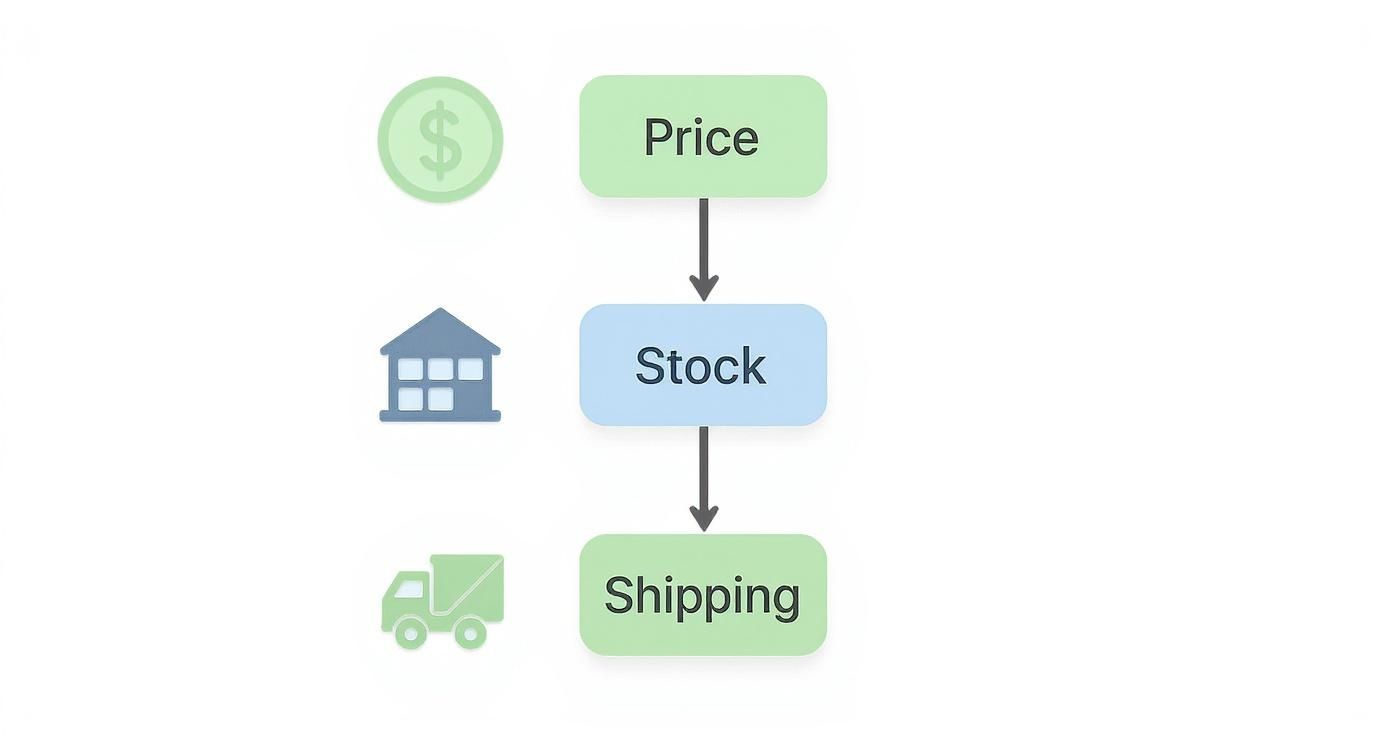
As you can see, fast and reliable shipping—a core benefit of WFS—is pretty much non-negotiable if you want to secure that top spot.
Going it alone and handling fulfillment yourself—either from your own warehouse or by partnering with a 3PL—offers a different kind of advantage: control. This approach might be the perfect fit if you sell oversized items, products that need special handling, or if you've already built a sophisticated logistics operation for your other channels.
Key Takeaway: Self-fulfillment gives you complete command over your inventory, packaging, and branding. You control the entire customer experience, from the moment they click "buy" to the unboxing, which can be a massive differentiator for brand-focused sellers.
But with great power comes great responsibility. You are solely accountable for meeting Walmart's strict Seller Performance Standards, which include:
Letting any of these metrics slip can lead to penalties or even account suspension. If you like the idea of control but don't want to get bogged down in the day-to-day grind, teaming up with a specialized e-commerce warehouse is a must. For more on that, check out our breakdown of how to find the best 3PL for ecommerce to make sure your operations can meet Walmart's high standards.
So, how do you actually decide? This table breaks down the key differences to help you match a fulfillment strategy to your business goals.
FeatureWalmart Fulfillment Services (WFS)Self-Fulfilled / 3PLBuy Box AdvantageHigh; automatic TwoDay & Fulfilled tags.Lower; dependent on your shipping speed and price.Operational SimplicityVery high; Walmart handles all logistics.Low; you manage everything or oversee a 3PL.Control & BrandingLow; standardized packaging and processes.High; full control over branding and unboxing.Best ForSellers prioritizing growth, visibility, and simplicity.Sellers with unique products or established operations.Cost StructurePay-as-you-go fees for storage and fulfillment.Fixed overhead or 3PL fees; potential for lower costs at scale.
Ultimately, there's no single "best" answer that fits everyone. Many high-volume sellers even use a hybrid model. They'll place their fastest-moving SKUs in WFS to maximize visibility and sales velocity, while self-fulfilling longer-tail or specialized inventory that WFS can't handle.
The key is to carefully weigh the benefits of WFS's turnkey solution against the control and flexibility offered by self-fulfillment. Find the right balance, and you’ll build a strategy that fuels your growth on the marketplace.
So, your products are live on Walmart Marketplace. Great! But getting listed is just the starting line. Now comes the real work: getting qualified traffic to those shiny new listings.
Just showing up on the platform won’t cut it. You need a solid game plan to grab shoppers' attention and pull them toward your products.
This is where Walmart Connect, the platform’s advertising engine, comes into play. It's the key to shifting from just being on Walmart to actively growing on Walmart. It lets you put your products right in front of motivated buyers the second they're ready to pull out their wallets.
Walmart Connect has a few different ad formats, but for most sellers, it really boils down to two main players: Sponsored Products and Sponsored Brands. They each have a different job, and knowing when to use which is the foundation of a profitable ad strategy.
Here’s a simple way to think about it: use Sponsored Products for a targeted, single-item sales push. Use Sponsored Brands when you want to establish broader, category-level dominance.
Diving into your first ad campaign is less scary than it seems. The trick is to start with a clear goal and a structured plan. In the beginning, your main objective is just to gather data. You need to find out what keywords actually convert, which products people are clicking on, and what you can afford to pay for a customer.
Your best bet for starting out is to focus on Automatic Campaigns for your Sponsored Products. In these campaigns, you let Walmart’s algorithm do the heavy lifting. It automatically matches your ads to relevant customer searches, which is an amazing way to uncover high-performing keywords you'd never have guessed on your own.
Let those automatic campaigns run for a couple of weeks to bake. Once you have some solid performance data, dig into the search term reports. Find the exact keywords that are driving actual sales, then pull those winners into a new Manual Campaign. This is where you get granular, with precise control over your bids and targeting.
Expert Tip: Don't try to advertise everything at once. You'll just spread your budget too thin and get murky data. Instead, focus your initial ad spend on your top 5-10 products—the ones with a proven sales history, plenty of inventory, and sharp pricing. This focused approach gives you cleaner data and gets you to profitability much faster.
While paid ads are a huge lever, don't sleep on the promotional tools built right into Seller Center. They're simple but incredibly effective for snagging bargain-hunters and clearing out old inventory without needing a complicated ad setup.
Remember, the platform is built for a massive audience—it now pulls in over 150 million monthly active online shoppers. This crowd loves a good deal. For a deeper dive, you can read more about Walmart's massive growth and what it means for sellers.
You can set up two types of promotions with just a few clicks:
Using these promotional tags strategically—especially around big shopping holidays or at the end of a season—can create some serious sales spikes and help you manage your inventory health. The most successful sellers strike a balance, combining the long-term visibility from Walmart Connect with the short-term punch of promotions to drive steady, consistent sales.
Long-term success on Walmart Marketplace isn't just about having a killer product or slick marketing. It really boils down to relentless operational excellence. How well you consistently meet customer expectations is tracked by Walmart's Seller Scorecard, a dashboard that has a direct say in your visibility, your odds of winning the Buy Box, and even whether you get to keep selling at all.
Think of your Seller Scorecard as your reputation on the platform. It's a live look at how reliable you are, and Walmart's algorithm absolutely gives preference to sellers who prove they can deliver a fantastic customer experience. Letting these metrics slide is the quickest way to see your listings get buried or, even worse, your account shut down.
Your Seller Scorecard is built around a few core metrics you need to know inside and out. These aren't just friendly suggestions; they're hard requirements with very specific performance targets. Miss the mark on any of them, and you can expect warnings and penalties to follow.
The three big ones you need to obsess over are:
If these numbers start to dip, it’s a massive red flag for Walmart. It tells them your operations can't keep up with demand, which puts their customer experience on the line.
My Two Cents: Don't wait for a warning email from Walmart. Make checking your Seller Scorecard a daily or weekly habit. If you spot a downward trend, you can jump on it and figure out the root cause—is it a lag at the warehouse? An inventory sync error?—before it snowballs into a real problem for your account.
Beyond the scorecard, two operational pillars will make or break your ability to scale: inventory management and customer service. They are completely intertwined with your performance metrics. For instance, bad inventory planning leads to stockouts, which forces you to cancel orders, which absolutely demolishes your ODR.
To get ahead of this, you need a proactive inventory strategy. Use forecasting tools to get a sense of demand spikes, especially around holidays. Set up low-stock alerts that give you plenty of runway to reorder without getting dangerously close to zero. If you're handling your own fulfillment, this is non-negotiable.
Just as critical is how you handle customer service. Walmart tracks your response time to customer messages. Make it a goal to answer every single one within 24 hours, even on weekends. A quick, helpful reply can defuse a potential problem before it becomes a nasty review or a formal complaint that dings your ODR. Building solid, scalable systems for inventory and service is the secret sauce to keeping your account in the green as you grow.
Diving into a new marketplace like Walmart can bring up a lot of questions. It's totally normal. Let's tackle some of the most common ones we hear from sellers, so you can get the straightforward answers you need and move forward with confidence.
Think of this as your quick-start guide to the big-picture stuff—from what it costs to how you actually make a sale.
This is one of the best parts about getting started on Walmart. Unlike other platforms that hit you with fees before you even make a sale, Walmart keeps it simple. There are no monthly subscription or setup fees. You only pay when your products actually sell.
The fee you pay is called a referral fee, which is just a percentage of your product's total sale price. This percentage changes depending on what you're selling.
A word of caution: These fees aren't set in stone and can be updated. Before you lock in your pricing, always—always—check the latest fee schedule in the Walmart Seller Help center. It’s a simple step that protects your margins and prevents any nasty surprises later.
Absolutely. Walmart has been actively recruiting international sellers, and they're a massive part of the marketplace's growth. But you can't just sign up with an overseas business and call it a day. There are a few specific hoops you'll need to jump through.
To get approved, you'll need to establish a legitimate US business presence. This means having things like:
The vetting process for international sellers is definitely more rigorous. Make sure you have all your paperwork perfectly organized before you even start the application. A little preparation here will save you a ton of headaches.
Ah, the Buy Box. This is the holy grail of selling on Walmart. It’s that all-important "Add to Cart" button on a product page. If you and a dozen other sellers are offering the same exact product, only one of you gets to "own" that button at any given time. And since the overwhelming majority of sales happen through that button, winning it is everything.
So, how do you claim that top spot? Walmart's algorithm makes the final call, but it's not a mystery. It boils down to excelling in two key areas:
Of course, other things matter. Fast shipping (especially through Walmart Fulfillment Services) and maintaining a high Seller Scorecard will give you a serious edge. Consistently nailing these fundamentals is the core strategy for not just winning the Buy Box, but for building a sustainable business on the platform.
Ready to join a community that lives and breathes this stuff? Million Dollar Sellers is an exclusive, invite-only mastermind for top e-commerce entrepreneurs who are scaling 7-, 8-, and 9-figure brands. Stop guessing and start growing with proven strategies from the best in the business. Learn more and see if you qualify.
Join the Ecom Entrepreneur Community for Vetted 7-9 Figure Ecommerce Founders
Learn MoreYou may also like:
Learn more about our special events!
Check Events