
Chilat Doina
May 16, 2026
Most advice on how to sell stuff on Facebook is written for garage-sale behavior, not for brands that need a channel they can forecast, staff, and scale. That approach breaks fast. A few casual listings turn into inconsistent demand, scattered buyer conversations, and fulfillment work that costs more than the sale is worth.
Operators who do this well treat Facebook as part of a wider commerce system. The job is not just to post products. The job is to match each Facebook sales path to the right inventory, control where conversion happens, keep the catalog clean, and set operating rules for messaging, shipping, pickup, and customer follow-up.
Facebook gives you several ways to sell, including Marketplace listings, direct conversations in Messenger, and flows that send buyers to your own checkout. The upside is flexibility. The downside is complexity, and that complexity is where margin gets lost.
The first mistake I see is treating every Facebook selling surface like the same channel. They produce different buyer behavior, different conversion friction, and different labor costs. A local pickup listing, a catalog-driven Shop, and a retargeting ad should not be measured by the same standards or run by the same playbook.
Brands that win on Facebook build for repeatability first. They decide what belongs on Marketplace, what belongs in a branded storefront, what should be pushed with paid traffic, and what should stay off the platform entirely. That is how Facebook stops being a side hustle channel and starts acting like a profitable part of an omnichannel sales stack.
Facebook becomes a serious sales channel when each selling surface has a defined job. The mistake is treating Marketplace, Shops, and ads like interchangeable ways to post the same product. They are different systems with different economics, different buyer behavior, and different operating costs.
At scale, that distinction matters. One pillar is built for capturing intent already in the market. One is built for controlling presentation and conversion flow. One is built for creating demand and buying reach. If you assign the wrong role to the wrong surface, margin disappears in message handling, weak conversion paths, or wasted ad spend.
Marketplace works best when speed and buyer intent matter more than brand storytelling. It is strong for local inventory, aging stock, fast offer testing, and categories where buyers expect to ask questions before they purchase.
Use Marketplace for jobs like these:
The upside is obvious. Demand is already there, and listings can go live fast.
The trade-off is labor. Marketplace creates more back-and-forth than a standard ecommerce checkout, so response time, message templates, pickup rules, and inventory status need tight control. Brands that ignore that usually mistake activity for profit.
Shops gives you a cleaner merchandising layer inside Meta. It works well for brands that need curated collections, stronger visual consistency, and a buying experience that feels closer to a storefront than a classified listing.
The main decision is checkout path. Sending shoppers to your own site gives you more control over bundles, post-purchase offers, retention capture, and customer data. Keeping checkout native to Facebook can reduce friction for buyers who want a fast transaction and already trust the platform.
That trade-off should be tied to unit economics, not preference.
If repeat purchase rate, email capture, subscription logic, or higher average order value drives your profit, route traffic to your site. If the category wins on convenience and low-friction conversion, native checkout is worth testing. Strong operators test both, then keep the version that produces better contribution margin after fees, support load, and downstream retention.
Ads turn Facebook from a passive selling surface into an acquisition engine. They let you control who sees the offer, how often they see it, and which products are pushed based on behavior, catalog data, or stage of intent.
That is a different job from Marketplace.
Marketplace captures existing demand. Ads let you prospect, retarget, relaunch stale SKUs, and recover shoppers who viewed products without buying. Once paid traffic enters the picture, the bottleneck usually shifts away from listing creation and toward feed quality, creative testing, landing page alignment, and budget discipline.
Here's the clean split:
| Channel | Ideal For | Key Advantage | Primary Effort |
|---|---|---|---|
| Marketplace | Local demand capture, testing, moving inventory | High-intent discovery inside Facebook | Listing quality and message handling |
| Shops | Branded storefront and curated product presentation | Better brand consistency inside Meta | Catalog structure and checkout decisions |
| Ads | Scalable customer acquisition and retargeting | Controlled reach and audience targeting | Creative, feed quality, and budget discipline |
Weak Facebook execution usually starts with a channel mismatch.
A brand wants polished customer journeys, then relies on Marketplace workflows that create too much manual conversation. Another wants fast local sell-through, then spends weeks polishing a Shop that does nothing to improve pickup speed. Another tries to scale with boosted posts while the catalog, tracking, and offer structure are still loose.
The fix is straightforward. Assign each SKU and offer to the Facebook surface that matches the buyer journey, margin profile, and operational burden. That is how Facebook commerce starts behaving like a real channel inside an omnichannel business, instead of a collection of disconnected listings.
Facebook commerce does not break at the listing level first. It usually breaks in the plumbing. I see the same pattern in underperforming accounts: disconnected assets, weak catalog governance, delayed inventory syncs, and a team covering backend mistakes with manual fixes in Messenger, spreadsheets, and one-off edits.
That setup burns margin fast.
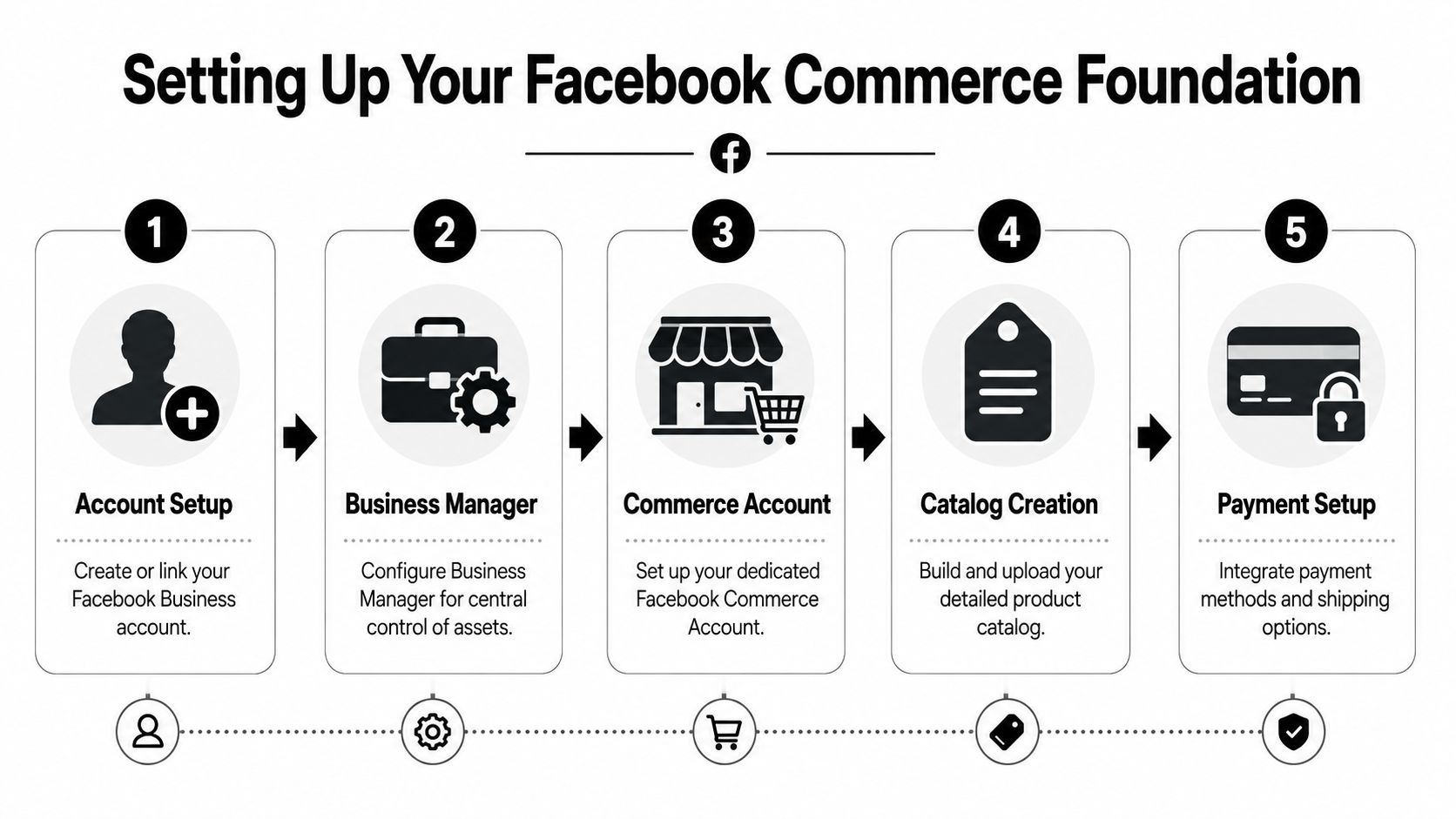
Strong Facebook sales operations start with control of the assets, not with uploading products.
Set up your Facebook Business account, Business Manager, commerce account, Page assets, pixel, ad account, and catalog under a structure your operators can efficiently govern. If ownership is split across former employees, agencies, or personal logins, routine work turns into access requests and support tickets. That slows launches, blocks troubleshooting, and creates risk every time someone changes roles.
The clean order looks like this:
For teams focused on local selling workflows, this guide to selling on FB Marketplace covers the front-end motion. Commerce Manager is the backend layer that keeps that motion from turning into chaos once SKU count, spend, and order volume rise.
The catalog is the operating layer for Shops, dynamic ads, product discovery, and merchandising. If product titles are inconsistent, variants are broken, pricing is stale, or inventory is wrong, Facebook distributes bad data everywhere.
Well-run brands fix this upstream. They standardize naming rules, image requirements, category mapping, condition fields, variant structure, and availability logic before they scale traffic. That discipline matters because every exception creates downstream work for support, media buyers, and ecommerce ops.
A strong catalog includes:
The hidden cost of a weak catalog is not just lower conversion. It is labor. Your team starts answering preventable questions, fixing merchandising issues by hand, and chasing feed errors that should never have reached the storefront.
Checkout choice changes more than conversion rate. It changes who owns the customer relationship, where attribution lives, what post-purchase flows you can run, and how much merchandising control your team keeps.
Use Facebook-native checkout if reducing friction is likely to improve close rate and your margin profile can support the trade-offs. Route traffic to your site if the sale depends on bundles, subscriptions, stronger PDP content, upsells, retention capture, or stricter brand control. For many larger operators, the right answer is not one or the other. It is channel-by-channel and SKU-by-SKU.
I treat this as a contribution-margin decision, not a convenience decision.
If your website converts well and your retention engine is strong, sending buyers off-platform often creates more long-term value. If your product is simple, impulse-friendly, and operationally clean, native checkout can work.
Marketplace volume rewards process discipline. Teams that win here do not rely on whoever has time to post that day. They batch creation, use templates, define title rules, and set response standards so listing output stays consistent even when the team changes.
The same principle applies to conversion work on owned storefronts. Product detail quality, image sequencing, pricing presentation, and friction in the buying path all affect output. If your team needs a sharper framework for that side of the equation, read SelfServe's guide for Shopify merchants.
For Marketplace operations, the practical baseline is simple:
A listing pipeline should behave like any other revenue system. Inputs are standardized. Exceptions are tracked. Response speed is managed.
Launching a store is straightforward. Keeping it accurate, approved, and profitable under real operating pressure is harder.
Set recurring checks for feed failures, out-of-stock items, broken variants, pricing mismatches, rejected products, and stale listing data. If prices change often, the feed needs to be the source of truth. If inventory moves quickly, manual updates will fail. If multiple teams touch the catalog, assign one owner for feed governance and one owner for merchandising decisions so accountability stays clear.
That is the difference between a Facebook store that looks live and one that performs like a real sales channel inside an omnichannel business.
Facebook buyers usually arrive with intent. They are searching, comparing, and filtering fast. Sellers who treat listings like social posts miss the channel entirely. Listing quality decides whether you get surfaced, clicked, and messaged in the first place, as explained in this Facebook Marketplace video guide.
For a serious brand, this work sits much closer to merchandising than content marketing. The goal is not to sound clever. The goal is to rank for the right queries, answer objections early, and move qualified buyers toward checkout or conversation with as little friction as possible.
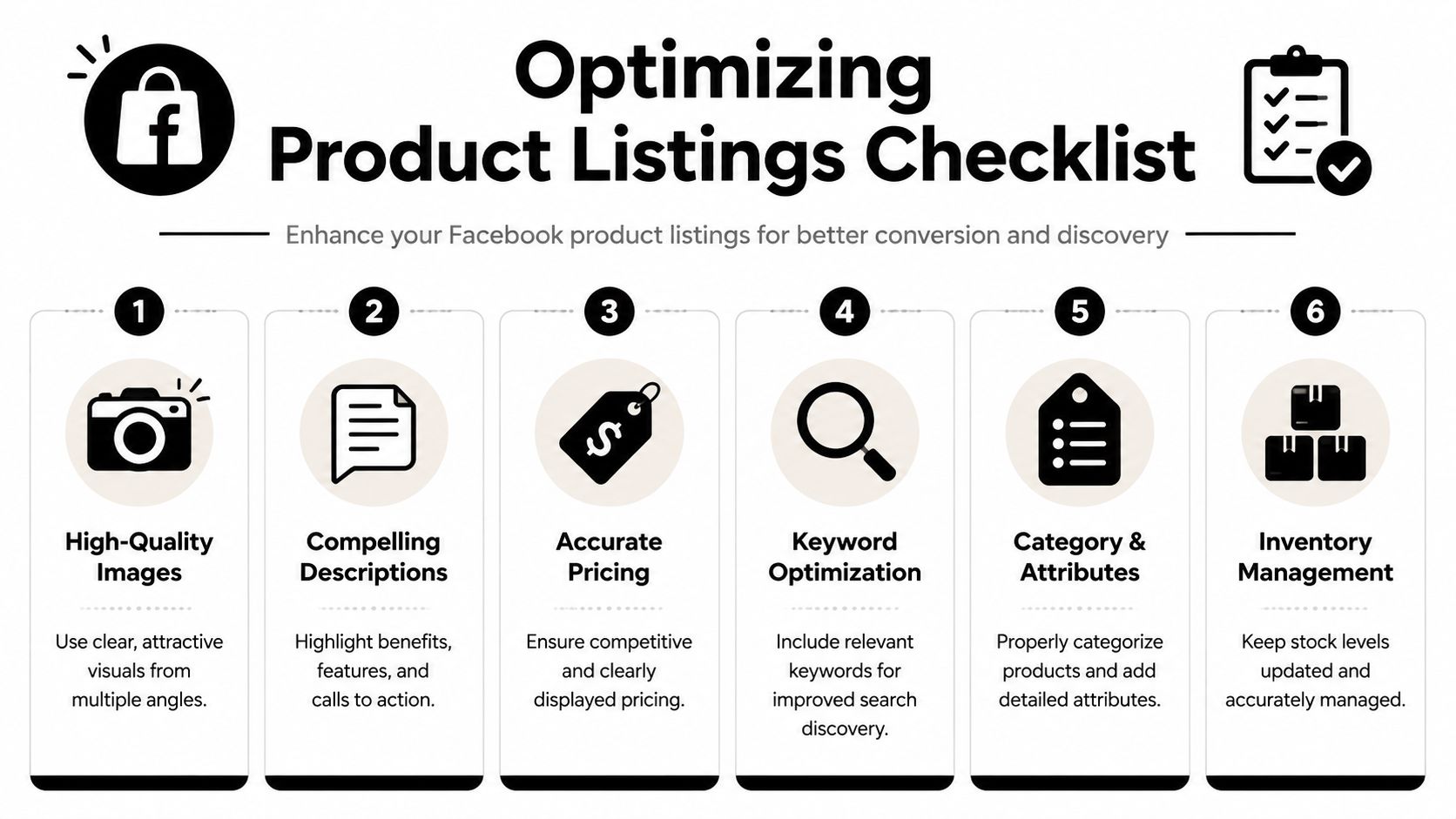
Discovery on Facebook depends on match quality. Your title, category, attributes, and images need to line up with how buyers search.
A weak title sounds like internal marketing. A strong title sounds like the query itself.
If the product is a walnut media console, lead with "walnut media console." Add the size, style, or condition if that helps narrow intent. Skip campaign names, internal product families, and branded phrasing that means nothing outside your company.
A title framework that scales well across large catalogs looks like this:
That structure is simple, but it matters. Search-driven channels reward clarity.
The first image earns the click. The rest of the stack reduces hesitation.
For Facebook Commerce, I want images doing specific jobs, not just filling slots. One hero shot should make the product obvious in under a second. Secondary shots should handle scale, material, finish, included accessories, packaging, and any flaw that would otherwise trigger a pre-sale message or a return.
Use this checklist:
Smaller operators lose margin here. They hide defects, overuse lifestyle shots, or crop too tightly. That gets more clicks from the wrong buyers and more support load from people who needed one more image to self-qualify.
Buyers will accept used condition, open-box packaging, or minor wear. They will not accept surprises.
A good Facebook description does not read like a landing page. It reads like a pre-sale filter.
The job is to remove avoidable questions before they hit Messenger. That matters even more for brands running Facebook as a repeatable sales channel, because every unnecessary message increases labor cost and slows response times for higher-intent buyers.
Strong descriptions usually cover five things:
For brands already merchandising at scale on Shopify, the overlap is obvious. Clear hierarchy, scannable copy, and objection handling improve conversion across channels. If you want a useful companion resource, read SelfServe's guide for Shopify merchants.
If your team also runs local or one-off inventory through Marketplace, this practical walkthrough on selling on FB Marketplace adds tactical context.
Pricing on Facebook is part economics, part channel strategy.
A seller clearing aged inventory can price aggressively and optimize for speed. A premium brand protecting channel integrity may hold price and compete on trust, fulfillment, and presentation instead. Used goods, local pickup inventory, and open-box units often need negotiation room because buyers expect to message before committing.
Use pricing based on the role of the listing:
| Listing type | Better pricing posture | Why it works |
|---|---|---|
| Commodity product | Competitive and easy to compare | Buyers scan options fast |
| Branded product | Hold price if brand demand supports it | Protects margin and positioning |
| Used or open-box item | Build in room for negotiation | Matches platform behavior |
| Oversized local pickup item | Price for speed and convenience | Cuts dead-end back-and-forth |
The mistake is copying your website price logic without adjusting for channel context. Facebook traffic is more conversational. Your pricing model should account for that.
Titles get attention. Metadata drives placement.
Category, condition, color, size, brand, and location fields all help Facebook classify the product and match it to relevant demand. If those fields are incomplete or inconsistent, discovery drops and conversion quality usually drops with it.
At scale, this should never depend on whoever uploads the item that day. Set listing rules by product type. Define approved category paths. Standardize attribute completion. Audit top sellers and low performers separately. The pattern usually shows up fast.
Pros treat listings as a system. Every field has a job. Every omission has a cost.
Once the organic side is working, paid acquisition becomes useful. Not before.
Too many brands jump into Facebook ads while the catalog is weak, the landing path is messy, and the listing experience is underbuilt. That usually creates expensive confusion. Paid traffic amplifies your system. If the system is sloppy, ads just help you fail faster.

A lot of operators still treat Facebook advertising like a boosted-post channel. That's fine for vanity visibility. It's weak as a commerce engine.
A serious setup uses your product data, audience behavior, and campaign structure together. That means building campaigns around catalog assets, customer intent, exclusions, and the specific role each campaign plays in the funnel.
A practical split looks like this:
When founders say Facebook ads “stopped working,” I usually look at the feed first. If the catalog is incomplete, mismatched, or stale, dynamic delivery gets weaker. Products that should be eligible aren't. Variants show poorly. Inventory confidence drops.
This is why Facebook commerce should be run as one connected system. Listing quality affects feed quality. Feed quality affects ad relevance. Ad relevance affects how much paid traffic your products can absorb profitably.
If you're trying to lower blended acquisition costs across channels, this guide on reducing customer acquisition cost is worth reading alongside your Facebook planning.
Most Facebook retargeting is lazy. It repeats the same creative to everyone who didn't buy. That's not retargeting. That's following people around.
Instead, build retargeting around why the buyer stalled.
Someone who viewed a product but didn't engage may need a stronger value proposition. Someone who messaged but didn't close may need urgency or simpler logistics. Someone who reached product pages on your site may need reassurance, offer framing, or product selection clarity.
The smartest retargeting doesn't ask, “How do I get back in front of them?” It asks, “What stopped them the first time?”
This is also where pricing psychology matters. On Facebook selling platforms, sellers often do better when pricing leaves room for negotiation and urgency. One expert approach is to list slightly above the target amount so there's room to haggle, and to use explicit collection deadlines such as 24 hours while marking sold items immediately to reduce duplicate inquiries, according to MoneySavingExpert's Facebook selling guidance.
That principle carries into ads. Your creative and landing path should reflect the decision environment buyers are in. If your audience expects flexibility, bake that into the offer structure rather than pretending every sale is a fixed-price premium purchase.
When ads scale, weak operations get exposed fast. Messenger volume goes up. Pickup coordination gets messy. Inventory mismatches create friction. That's why ad strategy can't be separated from service capacity.
If you want a stronger framework for optimizing your campaign ROI on Facebook, use it as a complement to your internal media-buying playbook, not a substitute for backend discipline.
A useful training resource for teams building that media muscle is below.
The biggest mistake in Facebook selling is thinking the hard part is getting the sale. For brands, the hard part is handling the sale repeatedly without turning every transaction into manual work.
That's why most casual Marketplace advice breaks down the minute volume increases. It tells you how to post. It doesn't tell you how to operate.
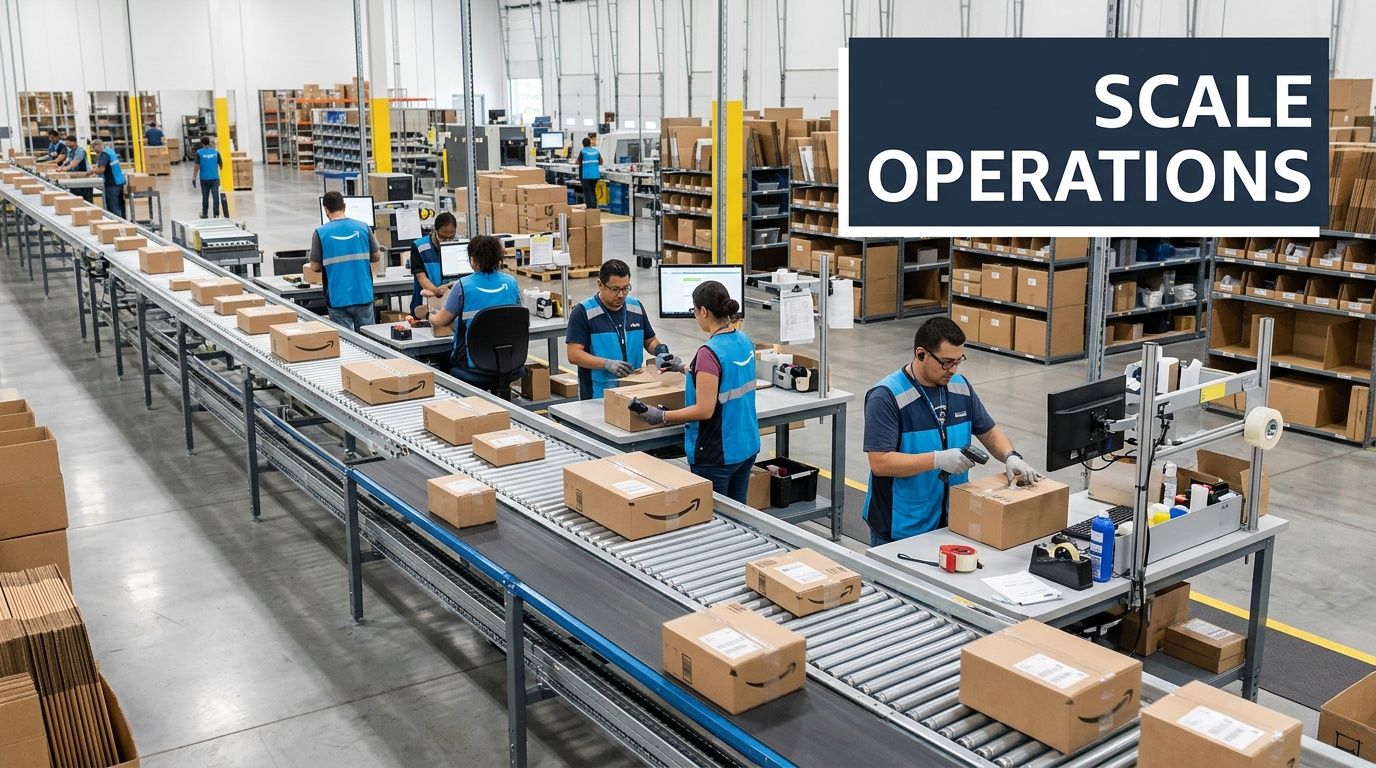
The inbox is where margin disappears. Every vague buyer message invites more labor. Every missing workflow creates another custom exception. Every address sent too early creates unnecessary risk.
One creator-focused Marketplace guide gets this right. It argues that scaling requires a narrow workflow built around quick reply templates, delayed address disclosure, porch or meetup handoff rules, and a simple status process, with the specific advice to keep descriptions short and honest, reply quickly, and only give your address once the buyer is on the way, as covered in this Marketplace operations video.
That's the right lens. The sale is not the unit of work. The workflow is.
A simple operational flow for Marketplace looks like this:
If you sell locally, handoff rules protect both time and safety. Teams should decide these before listings go live.
Use clear defaults for:
If your team handles multiple channels, connect these rules to your broader systems. A Marketplace sale shouldn't create its own separate process universe. It should map into the same inventory, support, and fulfillment logic you use elsewhere. For operators building a wider channel stack, this overview of multi-channel selling software is useful context.
A short honest listing often beats a polished vague one. That sounds obvious, but teams still overcomplicate product copy while leaving out the details buyers message about.
The best support reduction happens upstream:
That doesn't just save labor. It also attracts better buyers. Serious buyers want clarity. Time-wasters thrive in ambiguity.
Operating principle: Every repetitive buyer question is a process failure somewhere upstream.
Even small Facebook sales operations need statuses. Without them, your team duplicates replies, sells unavailable inventory, or keeps engaging buyers after the item is effectively gone.
Your status system can be simple:
| Status | Meaning | Team action |
|---|---|---|
| Live | Available and visible | Respond normally |
| Pending | Buyer in active coordination | Limit new holds |
| Confirmed | Pickup or payment committed | Prepare handoff |
| Sold | Transaction complete | Mark sold immediately |
| Archived | Removed or no longer available | Stop buyer outreach |
This matters more than most founders think. Once volume increases, the discipline of status management usually separates profitable Facebook selling from chaotic Facebook selling.
A lot of sellers assume offering shipping automatically expands the opportunity. Sometimes it does. Sometimes it just cuts margin and creates breakage risk.
For bulky, fragile, or low-ticket physical goods, local pickup is often the more defensible choice operationally. It simplifies the workflow, reduces exception handling, and lowers the chances that fulfillment costs erase the sale.
The right decision is rarely ideological. It depends on labor, product fragility, buyer geography, and whether your current systems can support a cleaner shipped experience without drowning support.
For most established brands, Facebook works best as a supporting but meaningful channel inside a broader omnichannel strategy. It's strong for demand capture, retargeting, liquidation, local movement, and customer reactivation. It's weaker when you expect it to replace the control and flexibility of your main ecommerce stack.
If a product line depends on rich merchandising, subscriptions, bundles, or deep lifecycle marketing, keep your owned site central.
Make the decision based on where your economics improve. If the sale benefits from a simpler path and native checkout reduces friction, test it. If your profitability depends on upsells, list-building, retention, post-purchase automation, or stronger merchandising control, route the buyer to your site.
This is less about ideology and more about where the customer relationship should live after the first transaction.
Don't improvise. Create a channel-specific policy and make sure your team uses the same language every time.
For Marketplace sales, clarity matters more than elegance. State condition accurately, document item handoff, keep communication inside Facebook where possible, and make sure the listing itself answers obvious disputes before they happen. For Shop or site-routed sales, sync the return policy to your main support workflow so Facebook buyers don't become a special-case queue.
Use Facebook as a fast signal source. Watch which titles attract messages, which images reduce objections, which products move fastest locally, and which items create excessive support load.
That data is useful beyond Facebook. It can improve product naming, creative selection, merchandising order, bundle logic, and even inventory planning on your owned channels and marketplaces.
Exclusions are one of the easiest ways to waste less spend. If someone recently bought, stop showing them the same conversion ad unless you have a clear cross-sell or replenishment reason. If someone already completed the high-intent action you wanted, move them into the next message track.
A mature setup treats exclusions as part of customer experience, not just media efficiency.
Saved replies, status discipline, and delayed address disclosure.
Those sound basic, but they compound. They reduce response time, cut support burden, improve safety, and keep your team from handling the same conversation manually over and over. On Facebook, that kind of process control usually matters more than another clever creative test.
If you're an established ecommerce operator who wants sharper, founder-level playbooks like this, Million Dollar Sellers is where high-performing brand owners compare notes on what's working across Amazon, DTC, and omnichannel growth.
Join the Ecom Entrepreneur Community for Vetted 7-9 Figure Ecommerce Founders
Learn MoreYou may also like:
Learn more about our special events!
Check Events