Chilat Doina
December 5, 2025
Alright, let's break down how to properly kick off a shipment to Amazon's fulfillment centers. Getting this first part right is everything—it's the foundation that prevents lost inventory, surprise fees, and frustrating delays down the line.
Sending your first box to Amazon can feel like you're trying to solve a puzzle in the dark. There are a ton of rules for packing, labeling, and shipping, and it’s easy to get overwhelmed. But here’s the secret: a perfect shipment isn’t about memorizing every single rule. It's about building a solid, repeatable process.
This all starts in Seller Central with the "Send to Amazon" workflow. Think of this as your mission control. It’s where you tell Amazon exactly what you’re sending, how much of it, and how it’s all packed. Nailing these details from the get-go is non-negotiable.
Before you even think about taping up a box, you have to make a crucial choice that impacts how Amazon’s warehouse team handles your inventory.
When you're trying to figure out which method fits your inventory best, it's helpful to weigh the pros and cons side-by-side.
ConsiderationIndividual UnitsCase-Packed ProductsBest ForMixed SKUs, small batches, online arbitrage, wholesale bundles.Single-SKU shipments, usually straight from the manufacturer.Receiving SpeedSlower. Amazon has to scan and count every single item.Faster. Amazon scans one unit and receives the whole case quantity at once.Prep WorkMore flexible. You can create unique bundles or assorted packs.Less flexible. All units in a case must be identical.Common PitfallsMiscounting units in a box can lead to inventory discrepancies.Incorrectly labeling a mixed-SKU box as case-packed causes major receiving delays and fees.
Ultimately, case-packed is faster and more efficient if your inventory model supports it. For everyone else, individual units offer the flexibility you need, but demand a bit more precision during prep.
Heads Up: One of the most common—and expensive—mistakes is telling Amazon a box is "Case-Packed" when it's really full of individual, mixed units. The receiving team is expecting every item to be identical. When they aren't, everything grinds to a halt. You'll face delays and likely get hit with unplanned prep fees while they manually sort out your stuff.
This simple diagram breaks down the core flow: plan, pack, then label.
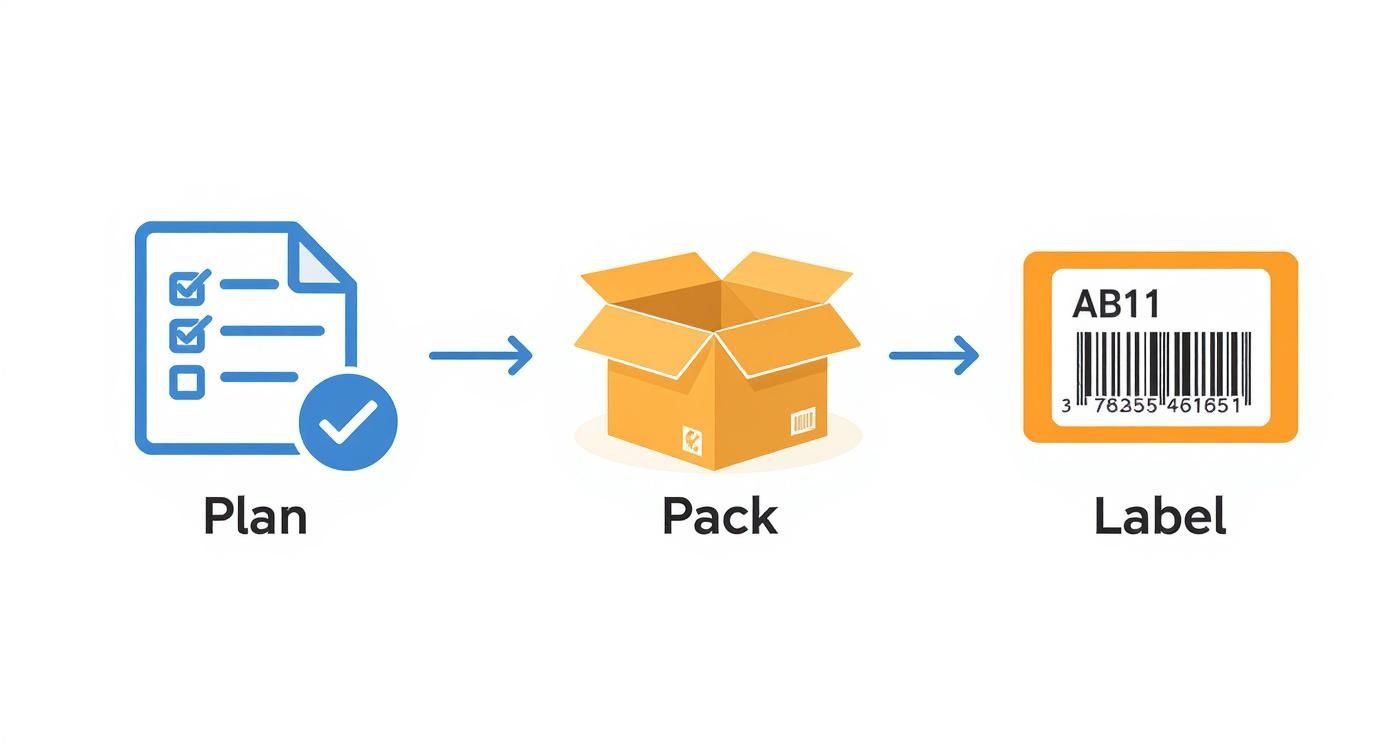
It all comes back to having a solid plan. A good plan leads to efficient packing, which makes accurate labeling a breeze. Get the plan wrong, and you're just creating problems for yourself later.
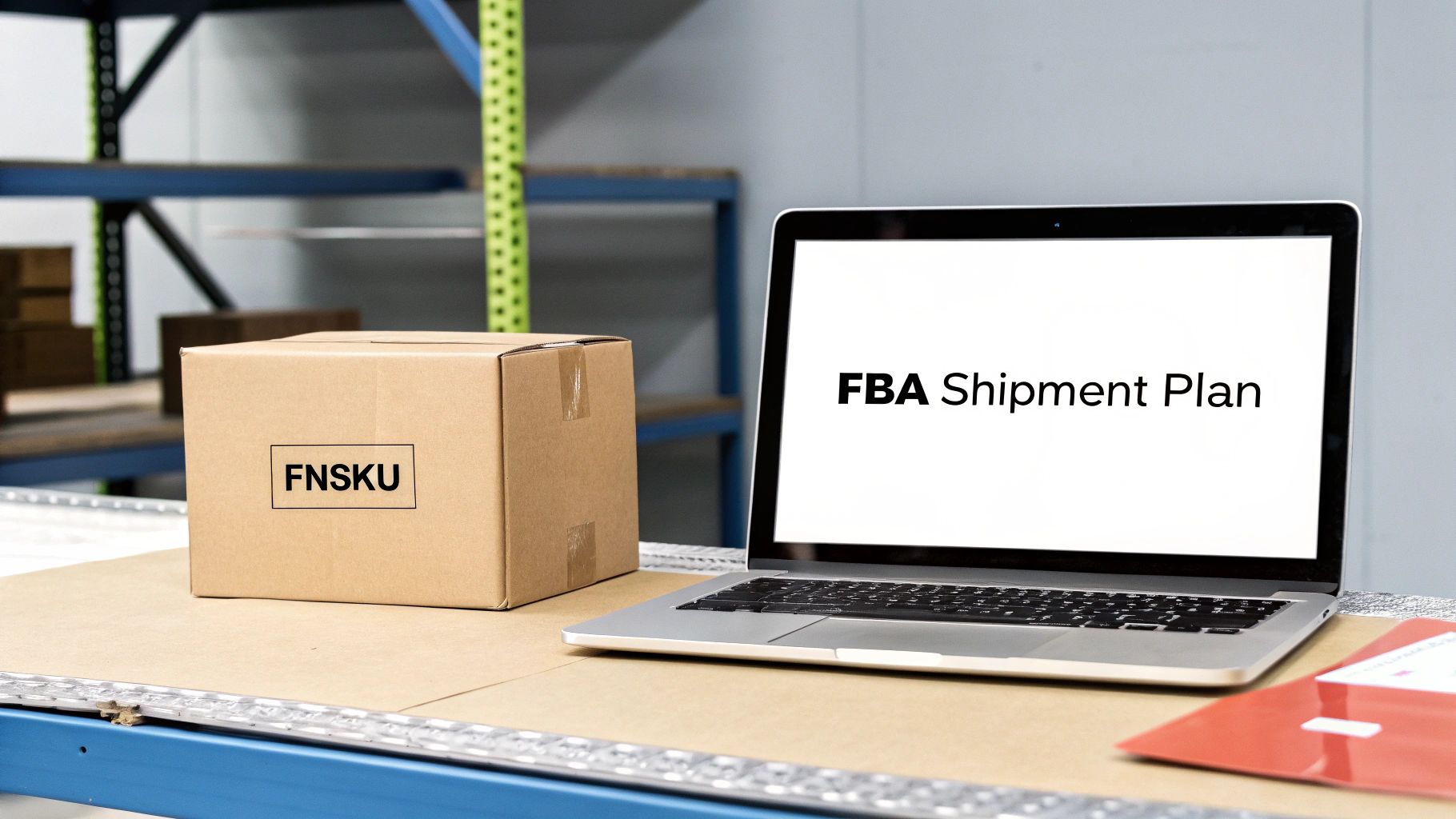
After you've sorted out your packing type, the next critical step is labeling. While some products can technically be sent using their existing manufacturer barcode (like a UPC or EAN), I almost always recommend using an Amazon-specific barcode called an FNSKU (Fulfillment Network Stock Keeping Unit).
This unique FNSKU code ties your product directly to your seller account. It’s your inventory’s fingerprint.
By using an FNSKU, you ensure your products are kept separate from other sellers' stock of the exact same item. This prevents something called commingled inventory, which is a disaster waiting to happen. If you commingle, your top-quality products get thrown into a shared bin with every other seller's. If another seller sent in damaged or counterfeit goods, your customer could be the one to receive it. And when they leave that one-star review, it lands right on your product listing.
There's a reason over 82% of active Amazon sellers use FBA—the access to Prime shipping is a massive advantage. And with about 65% of top-earning sellers relying on it, you can't afford inventory mishaps. Using FNSKUs is your first line of defense. If you want to dive deeper, it's worth checking out the latest statistics on Amazon seller trends to see how the pros operate.
Alright, once you've got your shipment plan sorted in Seller Central, it's time to get physical. We're talking about prepping and packing your products, and this is one area where you absolutely cannot cut corners.
Amazon's prep rules aren't just suggestions; they're strict, non-negotiable requirements. I've seen sellers get this wrong and end up with rejected inventory, surprise prep fees that eat into their margins, and even temporary suspensions of their shipping privileges. It's serious business.
The key is to remember what an FBA warehouse is: a high-speed, highly automated machine. Your products need to be tough enough to survive the journey and be processed instantly by scanners and people. Every minute a warehouse associate spends fixing your polybagging mistake is a minute your product isn't available for sale.
Amazon has a whole playbook of prep requirements, and they change depending on what you're sending. It's not a one-size-fits-all deal. A glass bottle needs different handling than a t-shirt.
Here are a few of the most common prep jobs you'll run into:
These steps are beyond critical. A simple oversight, like forgetting a suffocation warning, can get your entire shipment flagged. If you're shipping hundreds or thousands of units, managing this in-house becomes a huge time sink. This is exactly why many high-volume sellers offload this work to dedicated Amazon prep centers; they live and breathe these rules and can execute them flawlessly at scale.
Amazon is incredibly strict about the master cartons you use to ship your inventory into their warehouses. These rules exist for the safety of their employees, and they don't bend.
Key Takeaway: No single box can weigh more than 50 pounds unless it contains one single oversized item that is heavier than 50 pounds by itself. For any box with multiple standard-sized items, the 50-pound limit is absolute.
On top of that, no side of your box can be longer than 25 inches. Violating either of these rules is a fast track to having your shipment rejected at the dock or getting hit with hefty non-compliance fees. Don't eyeball it—use a good shipping scale before you seal every box.
Once your boxes are packed, you have to tell Amazon exactly what's inside each one. This isn't optional, and doing it right helps them check your stuff in way faster.
You’ve got a couple of ways to do this:
Skipping the box content step is a recipe for disaster. Amazon will be forced to open every single one of your boxes and scan each item manually, and you can bet they'll charge you a per-item fee for their trouble. Taking a few minutes to provide this info can be the difference between your inventory going live tomorrow versus two weeks from now.
Picking the right carrier to get your products to an Amazon FBA warehouse is one of those critical business decisions that directly hits your profit margins and determines how fast your inventory goes live. This isn't just about getting your stuff from point A to point B; it's a strategic move balancing cost, speed, and the sheer volume of your shipment.
The right choice really boils down to the size and weight of what you're sending.

For most sellers, especially when you're starting out or just topping up stock, Small Parcel Delivery (SPD) is the way to go. Think of it as sending standard shipping boxes, just like you would mail a package to a customer.
When you're creating your shipment plan in Seller Central, you'll see an option for Amazon's Partnered Carrier Program. Ticking this box is almost always a no-brainer. It gives you immediate access to Amazon's heavily discounted shipping rates with carriers like UPS. The savings are massive compared to walking into a UPS store and paying retail.
Why is this the best route for smaller shipments?
SPD is the perfect solution for shipments up to a few hundred pounds. But once your volume grows, sending dozens of individual boxes gets old—and expensive—fast. That’s your cue to graduate to freight shipping.
When your shipments are too big for parcel delivery, you’ll step up to Less Than Truckload (LTL) or Full Truckload (FTL) shipping. With LTL, your shipment shares truck space with other companies' goods. With FTL, you're booking the entire truck for yourself.
Be warned: this is a major leap in operational complexity. For LTL/FTL, your boxes must be stacked perfectly and secured on pallets that meet Amazon's notoriously strict requirements.
Pro Tip: Your pallets must be standard 40" x 48" four-way access wooden pallets, Grade B or higher. They can't be taller than 72 inches once loaded (that includes the pallet itself), and the total weight can't exceed 1,500 pounds. Don't even think about using plastic or cheap, flimsy pallets—they will be rejected at the fulfillment center, creating a massive headache.
When you set up an LTL shipment in Seller Central, you'll need to enter the pallet dimensions, weight, and freight class. Amazon then generates a Bill of Lading (BOL). This is a crucial legal document detailing what's being shipped, how much of it, and where it's going. You absolutely have to give this to the freight carrier when they show up for pickup.
If you're dealing with international shipments, the complexity ramps up even more, often requiring the help of specialized partners. To get a handle on this, check out our guide on how to choose the best freight forwarders for Amazon FBA.
For sellers sourcing products from overseas, your two main options are sea freight and air freight. Air freight is way faster—we're talking weeks instead of months—but it’s also dramatically more expensive. It’s really only practical for high-value, lightweight products or for those emergency restocks when you're about to run out of inventory.
Sea freight is the workhorse of international logistics. It offers the lowest cost per unit by a long shot. The catch? You have to plan for very long lead times, often 30-60 days or more, depending on your origin port and final destination. This demands meticulous inventory planning to avoid stocking out.
The sheer scale of Amazon's own logistics is hard to wrap your head around. In 2024, Amazon Logistics is expected to process around 6.3 billion delivery orders in the US alone. That breaks down to nearly 12,000 orders fulfilled every single minute. This is the incredibly efficient machine you're shipping into. Making the right carrier choice ensures your products flow into this system smoothly, helping you capitalize on its unparalleled reach.
Sourcing products from overseas can be a game-changer for your margins, but it throws a whole new level of complexity into your FBA shipping plan. Getting your goods from a factory in China to a fulfillment center in Ohio isn't just about booking a freighter. You're suddenly dealing with a tangled web of customs, duties, and international trade laws.
Get this part wrong, and you're in for a world of hurt. Your inventory could get stuck at a port for weeks, racking up insane storage fees and completely torching your cash flow. A smooth international shipment comes down to three things: understanding your responsibilities, having the right partners, and getting your paperwork perfect. This is where a good freight forwarder becomes your best friend.
When you get a quote from a supplier, you’ll see acronyms like EXW, FOB, or DDP. These are Incoterms—basically, the universal language of international trade. They spell out exactly who is responsible for the shipment (and the costs) at every single step of its journey. Choosing the wrong one can easily cost you thousands in unexpected fees.
Understanding Key Incoterms for FBA SellersIncotermWhat It Means For YouWhen to Use ItEXW (Ex Works)Your responsibility begins the second the goods leave the factory. You arrange and pay for everything: local trucking, export customs, ocean freight, import duties, and final delivery.Use this only if you have a rock-solid team on the ground in the origin country. It offers max control but also max liability.FOB (Free On Board)The supplier gets the goods loaded onto the cargo ship at the designated port. Once the cargo crosses the ship's rail, it's all on you. You handle ocean freight, insurance, and everything from the US port to Amazon's warehouse.This is the go-to for most experienced sellers. It's a fantastic balance of cost, control, and manageable responsibility, especially with a good freight forwarder.DDP (Delivered Duty Paid)Your supplier handles everything, right up to the final destination (like an FBA center). It sounds simple, but you give up all control over timing, carrier choice, and customs clearance.Risky. It seems easy, but delays or customs issues are out of your hands, which is a nightmare for inventory management.
Most seasoned sellers live by FOB. It strikes the perfect balance between cost and control, letting your freight forwarder handle the heavy lifting while you stay in the driver's seat. For a deeper dive into the specifics, check out our full guide on https://milliondollarsellers.com/blog/shipping-from-china-to-amazon-fba.
Crucial Insight: Amazon will never act as the Importer of Record (IOR) for your shipments. The IOR is the person or entity legally on the hook for ensuring the goods are imported correctly and that all duties and taxes are paid. This has to be you, your company, or a designated agent (like your customs broker). No exceptions.
Perfect documentation is your ticket to sailing through customs without a hitch. Your freight forwarder and customs broker will guide you, but the accuracy of the information is on you. Three documents are non-negotiable.
Any mismatch across these documents is a massive red flag for customs and the #1 reason shipments get delayed. Getting a handle on duties and taxes is also a must; it's worth exploring different strategies for navigating customs and VAT to make sure you're buttoned up.
Even the most seasoned FBA sellers have a horror story about a shipment that vanished into thin air. It’s a rite of passage, really. You do everything by the book—pack your boxes perfectly, watch the carrier mark it as delivered, and then… crickets.
Your inventory count in Seller Central doesn't budge. The "Delivered" status just sits there, mocking you, while your stock levels creep dangerously low. That initial feeling of confusion quickly turns into full-blown panic.
Learning how to troubleshoot these inevitable hiccups is just as critical as knowing how to create a shipment in the first place. The trick is to take a breath, understand how Amazon’s receiving pipeline actually works, and know exactly when—and how—to get someone’s attention. Nailing this process saves your sales and keeps you from stocking out.
Your first move should always be to decipher the shipment status in Seller Central. Each status tells a small part of the story about where your products are inside Amazon’s massive logistics network.
The gap between Delivered and Checked-In is where most of the anxiety lives. During Q4 or other peak times, this can easily stretch from a few days into a couple of agonizing weeks. More often than not, this is completely normal and just requires a bit of patience.
There's almost nothing more maddening for a seller than seeing your carrier's tracking confirm delivery while your FBA inventory remains at zero.
This isn't just you—it's a massive challenge for sellers everywhere. Global supply chains are still strained, and port congestion creates a domino effect. The average shipping delay has jumped by a staggering 37% from pre-pandemic days, tacking on an extra 23 days to the journey. The fallout is real: 78% of sellers say these shipping delays have directly hurt their profits in the last year. You can dig into more of the data on how shipping delays are impacting FBA sellers on amzprep.com.
The point is, the delays you're seeing often start long before your container ever hits Amazon's property.
Pro Tip: Whatever you do, don't open a case with Seller Support the second your shipment status flips to "Delivered." Amazon has a non-negotiable waiting period before they’ll even look at it. Opening a case too soon just gets you a canned response and clogs up the support queue for everyone else.
Okay, so what if your shipment finally gets "Closed," but the numbers are off? You sent 500 units, but Amazon only received 487. This is where you bring out the big guns: the Shipment Reconciliation tool.
Head over to your shipment summary page and click the "Contents" tab. If there's a discrepancy, a link will eventually appear that lets you request an investigation. You can't just click it right away; you have to wait for the eligibility date to arrive. This date is usually set several weeks after delivery to give Amazon’s internal systems time to track down lost units, which are frequently found being transferred between different warehouses.
To win a reconciliation case, you need to bring receipts. Literally. Amazon requires rock-solid proof to approve your claim and reimburse you.
Be obsessive about your documentation. A clean, legible invoice that clearly ties back to the missing items is your best shot. If your proof is sloppy or incomplete, expect a quick denial. When a shipment goes wrong, acting fast with the right evidence is the only way to get your money back.
Even the sharpest FBA shipping plan can leave you with a few questions. It’s a process with a ton of moving parts, and one small detail can throw a wrench in the whole operation. We get questions all the time from sellers—new and seasoned alike—so we’ve put together some straight answers to the most common ones.
Think of this as your go-to guide for those tricky spots and confusing terms that cause the biggest headaches. Getting these things right is what separates a smooth inbound process from a costly mess.
There’s no magic number here—the cost can swing wildly. The final price tag is a cocktail of your product's weight and dimensions, where you're shipping from, which fulfillment center Amazon assigns, and your chosen carrier.
For anything domestic, your best bet is almost always Amazon's Partnered Carrier Program for small parcels (SPD). You get access to Amazon’s deeply discounted rates with carriers like UPS, and the savings are significant compared to paying retail. For bigger loads, you're looking at:
Always, always run the numbers in the "Send to Amazon" workflow to get a hard quote before you commit. It’s the only way to avoid a nasty surprise when you get your disbursement report.
Getting this right is non-negotiable for an FBA seller. A UPC (Universal Product Code) is the standard retail barcode you see everywhere. An FNSKU (Fulfillment Network Stock Keeping Unit), however, is an Amazon-only barcode that ties a product directly to your seller account.
Here's why that matters: Using a UPC lets Amazon "commingle" your inventory with the same product from other sellers. If another seller sends in a batch of fakes or damaged goods, your customer could get their junk, but you'll get the 1-star review. Using an FNSKU keeps your units separate and protects your brand.
For almost everyone, slapping an FNSKU label over the UPC is the only way to go. It’s your best defense against inventory nightmares you have zero control over.
Don’t do it. Sending extra, unplanned units is a major compliance strike. At best, it's a huge pain for the receiving team. At worst, it puts your account health on the line. Amazon’s fulfillment centers are finely tuned machines that depend on the data in your shipping plan to function.
When there's a mismatch, a few things can happen:
On top of all that, the check-in process for your entire shipment will grind to a halt while they sort out the mess. Do a final headcount before you tape up those boxes. Make sure what’s inside matches your plan to the letter.
This is where you learn to be patient. When your tracking says "Delivered," the journey has just begun. The actual receiving process can take anywhere from a few days to a few weeks, especially during the chaos of Q4 (October-December).
Once your inventory is finally checked in, it often goes into a "transfer" status. Amazon is just shuffling your units between different warehouses to get them closer to customers. This can easily add another week or two before your products are fully available for sale. You have to bake this entire timeline—from carrier delivery to final availability—into your inventory planning to avoid stocking out.
At Million Dollar Sellers, we know that dialing in your logistics is what separates the top 1% from everyone else. Our members share battle-tested strategies for every piece of the supply chain puzzle, from sourcing to the final mile. If you're an established seller ready to connect with a network of high-caliber operators, see if you qualify to join us.
Learn more and apply at https://milliondollarsellers.com.
Join the Ecom Entrepreneur Community for Vetted 7-9 Figure Ecommerce Founders
Learn MoreYou may also like:
Learn more about our special events!
Check Events