Chilat Doina
July 9, 2026
You're probably feeling this already. Your competitors are showing products in motion on Amazon, running creator-style ads on Meta, posting founder clips on LinkedIn and TikTok, and answering objections with video before a buyer ever talks to support. Meanwhile, your team is still debating whether video is worth the lift.
That debate is over.
If you're running a 7, 8, or 9-figure ecommerce brand, video isn't a side project for the marketing team. It's a distribution asset, a conversion asset, and a trust asset. The useful question isn't “what is video content marketing.” The useful question is how to use it without wasting budget on the wrong formats, the wrong channels, or the wrong level of polish.
A few years ago, a brand could treat video like a nice upgrade. In 2026, that position is expensive. 91% of businesses use video as a primary marketing tool, up from 61% in 2016, and video accounts for 82% of all internet traffic, according to Digital Applied's 2026 video marketing data.
For founders, that changes the role of video completely. It's no longer the thing you add after product pages, paid media, and lifecycle email are already built. It sits inside all of them. Buyers expect to see the product in use, hear a real person explain it, and get a fast visual answer to “why this one?”
Text still matters. Great copy still sells. Strong photography still carries weight.
But the buyer's attention has moved toward motion, proof, and speed. Video compresses all three. A good clip can show texture, scale, setup, use case, and emotional tone in less time than a customer needs to scroll halfway down a listing.
That matters even more when your catalog gets broader and your acquisition costs get harder to control. Founders at scale don't need more content for the sake of it. They need assets that help a shopper decide faster.
Practical rule: If a buyer has a question that can be answered visually, your brand should answer it with video before support has to.
Many brands waste money. They hear “video matters” and assume that means expensive brand films, cinematic shoots, and a bloader content calendar. That's not the lesson.
The lesson is simpler:
A founder should think of video the same way they think about inventory accuracy or page speed. It's part of operating a serious commerce brand.
If you ignore video now, you're not choosing a leaner strategy. You're giving up attention in the format buyers already prefer. In ecommerce, attention isn't abstract. It turns into clicks, conversion opportunities, and branded search later.
That's why video has become table stakes. Not because marketers like talking about it, but because customers use it to decide what deserves their money.
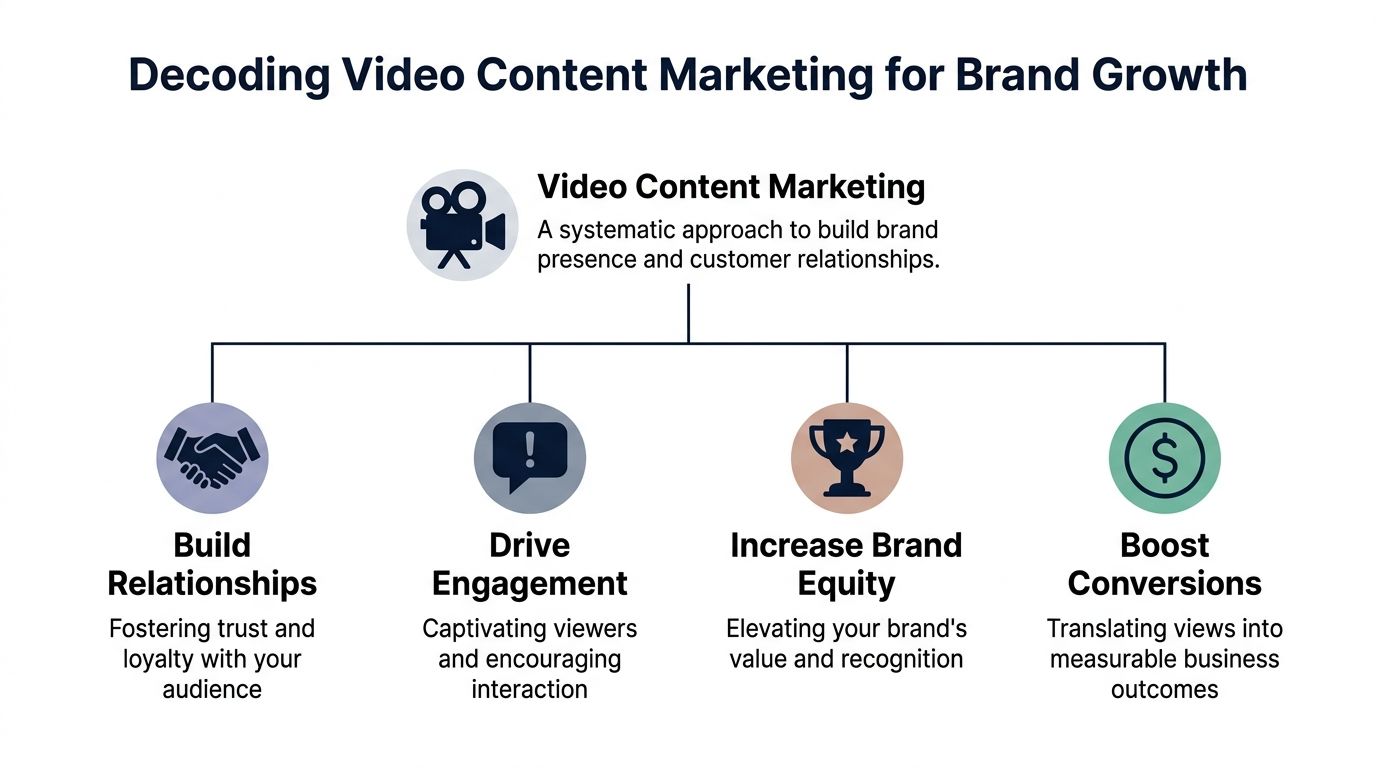
What is video content marketing? It's the system of using video assets across the customer journey to attract attention, build trust, answer objections, and drive purchases. Not one viral reel. Not one polished launch piece. A system.
The easiest way to understand it is by job-to-be-done. Every video should do one specific job for the brand.
Some formats earn attention. Others close sales. The strongest brands know the difference.
| Video type | Best use | What it should accomplish |
|---|---|---|
| UGC-style clips | Social proof and objection handling | Make the product feel credible and relatable |
| Product demos | Product pages, Amazon, retargeting | Show how it works and reduce hesitation |
| Paid social ads | Acquisition | Stop the scroll and create a first reason to care |
| Brand storytelling | Homepage, YouTube, investor or retail narrative | Build emotional context around the brand |
| Short-form social videos | Discovery and engagement | Keep the brand visible and culturally current |
UGC-style content works because it feels close to a recommendation. It's especially useful when the buyer needs reassurance that a product fits real life, not just a studio set.
Polished product demos earn their keep when your product has features, setup steps, comparisons, or premium details that need clarity. For physical products, this format often does the heavy lifting on conversion because it answers “what do I get?”
For brands developing motion-heavy product visuals, BEDHEAD's video animation guide is useful because it shows where animation can clarify a product story better than another static image ever will.
A quick walkthrough helps frame the difference between strategy and random posting.
Most brands get stuck because they produce video as isolated campaigns. One holiday ad. One launch shoot. One founder interview. Then they stop.
The better model is to build a repeatable asset stack:
A good video strategy doesn't ask one asset to do everything. It gives each asset one clear job and lets the channel do the rest.
That's the difference between content and video content marketing. Content fills space. Video content marketing helps a buyer move.
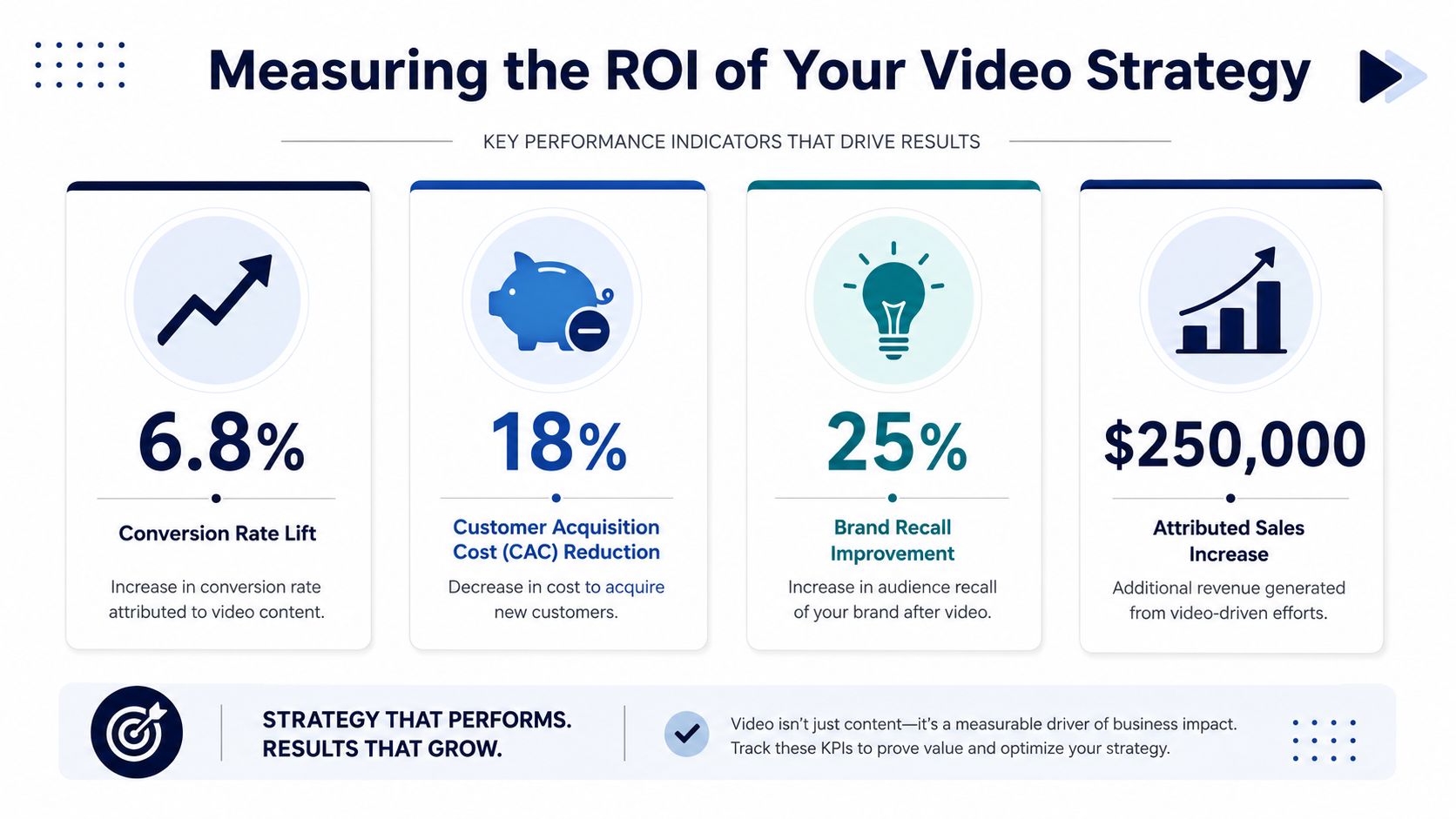
Founders don't need more vanity metrics. Views alone won't tell you whether video deserves more budget. The useful question is whether a video asset improves the economics of traffic, conversion, and retention.
A serious video strategy should be measured against revenue levers you already track.
Traffic quality. Video can improve the quality of visits, not just the volume. A shopper who watches a demo before landing on a product page is often more informed than a cold click from a static ad.
Conversion rate. Product videos, founder explanations, and objection-handling clips can shorten the path to purchase by reducing uncertainty.
Average order value. Video can help buyers understand bundles, accessories, premium tiers, or subscription logic in a way static layouts often fail to do.
Lifetime value. Post-purchase education and community-driven content can improve the customer experience after checkout, which matters if repeat purchase is part of your model.
Many brands make strategic errors. They celebrate strong watch time on a platform while the product page still underperforms. Or they pour money into editing while the video never gets tied to a business objective.
A better operating model is to ask:
According to Adobe's video marketing overview, a full-funnel video strategy where each video has a singular objective leads to 3.4x higher lead quality and 28% lower customer acquisition cost, and videos optimized for SEO can rank 53% higher on SERPs.
That's a strong argument for tying each asset to one business function instead of asking every video to entertain, educate, convert, and brand-build all at once.
Creative performance only matters if the unit economics still work. That's why video ROI should sit next to your blended acquisition numbers and contribution margin, not inside a separate “content” report.
If your team needs a clean way to pressure-test spend, Skup's guide to understand your true ad profitability is worth reviewing before you scale a creative budget that looks good on-platform but weak in the P&L.
The best-performing video isn't the one with the most reach. It's the one you can afford to run harder because the math still holds.
Distribution is where founders either multiply the return on a good asset or bury it. A strong video in the wrong place underperforms. A decent video placed correctly can print.
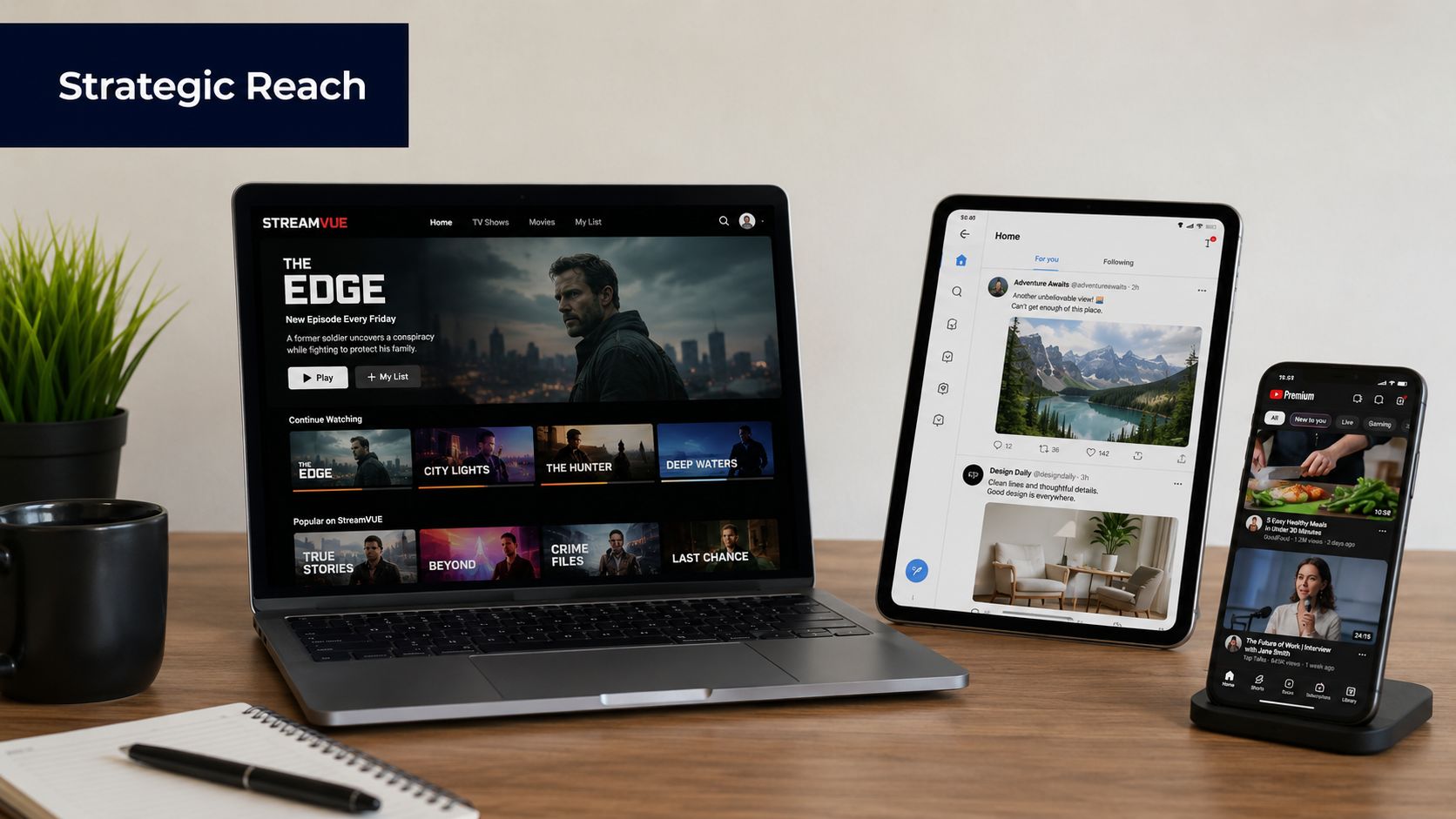
On Amazon, the best video assets usually do one of three things well: show product use, clarify what's included, or separate your offer from lookalike competitors. Buyers there are often comparing options side by side, so clarity beats cleverness.
On your DTC site, placement matters as much as production quality. A homepage hero can set brand tone, but product page videos usually do more direct commercial work. Founders should prioritize video where purchase intent is highest, not where the design team thinks it looks impressive.
A practical deployment order on DTC is often:
Paid social needs a different mindset. The job is interruption first, explanation second. Strong paid video creatives usually open with a problem, a visual pattern break, or an immediate product outcome.
Organic social has more room for founder voice, customer stories, product education, and behind-the-scenes clips. Here, brands can build familiarity without forcing every piece to convert on first touch.
If TikTok is part of your channel mix, this breakdown of how to sell on TikTok Shop is useful because it connects content decisions to actual commerce mechanics, not just audience growth.
Email often gets overlooked in video strategy, which is a mistake. Short clips can work well in launch flows, onboarding, replenishment reminders, and VIP sequences.
Use video in email when the message benefits from demonstration or tone. Don't force it into every campaign. A plain text founder note can outperform a designed send when the message is personal. A short product explainer can outperform both when the product needs context.
Here's a simple way to think about deployment:
| Channel | Best video role | Common mistake |
|---|---|---|
| Amazon | Clarify and differentiate | Over-branding instead of showing use |
| DTC product page | Remove objections | Hiding the video too low on the page |
| Paid social | Earn the click | Using slow intros |
| Organic social | Build familiarity | Posting polished ads as if they're native content |
| Educate and nurture | Embedding video without a clear purpose |
The winning move isn't posting everywhere. It's assigning the right asset to the right commercial moment.
A founder records five iPhone clips on Monday, sends a polished studio brief on Tuesday, and by Friday the team has nothing usable for the product page, ads, or email. That is the production bottleneck in ecommerce. The issue is rarely a lack of ideas. It is a lack of system.
The fix is a production model that matches asset value to business value. High-growth brands do not need every video to look expensive. They need the right videos produced at the right speed, with enough consistency to support paid media, launches, retention, and retail conversations without burning time or budget.
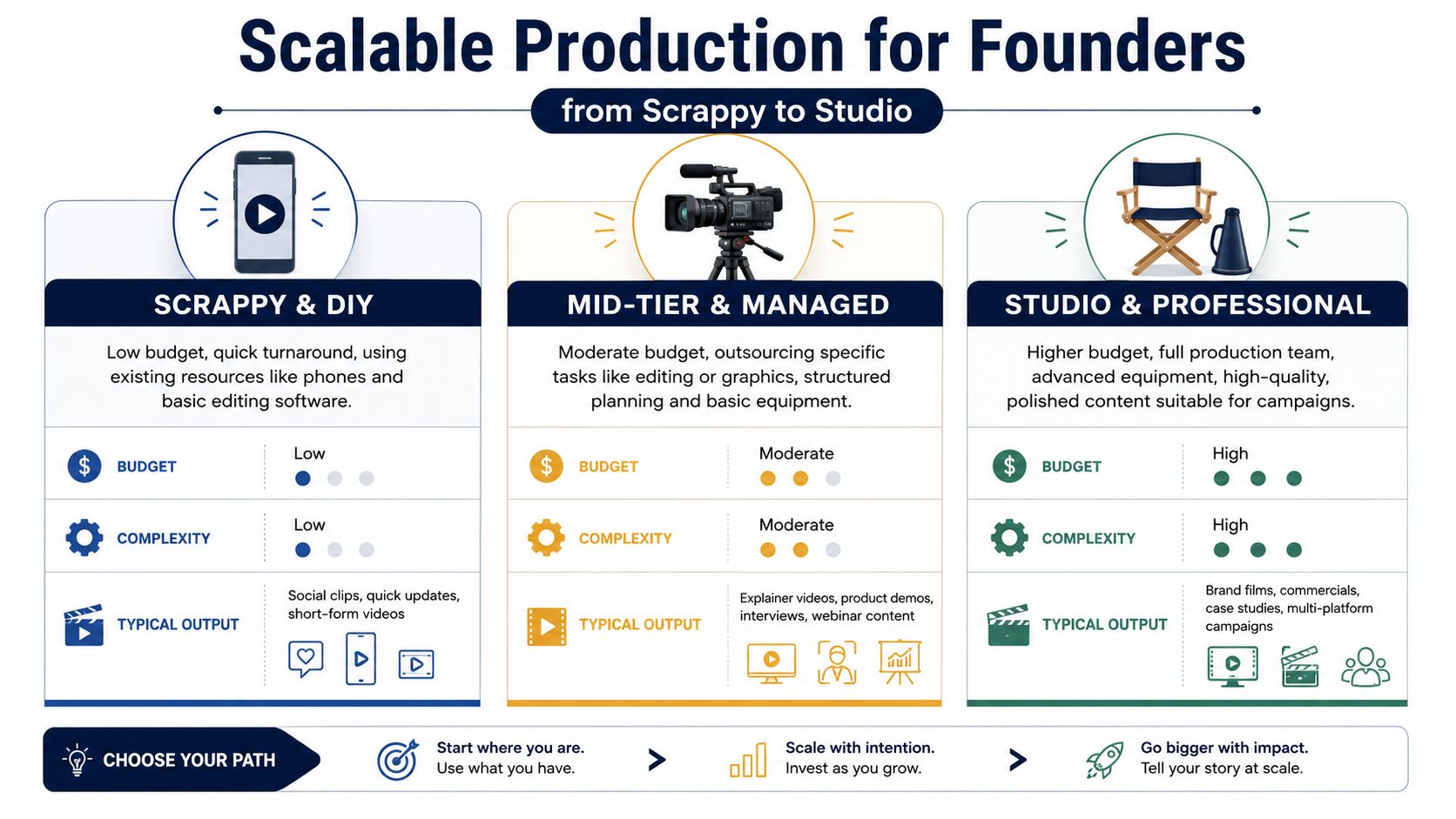
| Production tier | Best for | Trade-off |
|---|---|---|
| Scrappy and DIY | Founder clips, quick product explainers, behind-the-scenes | Fast and authentic, but less controlled |
| Mid-tier and managed | Product demos, ad variations, launch content | Better consistency with manageable cost |
| Studio and professional | Hero assets, retail presentations, flagship campaigns | High control, slower and more expensive |
Scrappy works best when speed matters more than polish. Founder POV, customer response videos, quick unboxings, and simple use-case clips often perform because they feel close to the truth. The bar is still competence. Clear audio, steady framing, and one sharp point per clip.
Mid-tier is where scaling brands usually get the best return. A small crew or reliable freelancer setup can batch multiple hooks, angles, and product demonstrations in one shoot day. That gives growth teams enough volume to test creative, refresh landing pages, and support ongoing campaigns without paying studio rates every time.
Studio should be reserved for assets with a long shelf life or a high distribution burden. Brand films, major launches, retailer presentations, and premium homepage visuals fit here. Studio work can strengthen perceived value, but only if the asset will be used widely enough to justify the slower turnaround and higher cost.
Polish is not the goal. Revenue is.
Low-fidelity content often wins trust because it feels immediate and believable. High-fidelity content often wins when the brand needs to signal quality, justify premium pricing, or support broader distribution. Founders who scale video well stop arguing about which style is better and start assigning each style a job.
I have seen expensive shoots produce beautiful assets that never helped conversion because they were built for approval, not performance. I have also seen rough founder clips drive strong response while making the brand look smaller than it wanted to be. Both mistakes come from using one production standard for every stage of growth.
A practical rule helps. If the asset needs speed, iteration, or directness, keep it light. If it needs longevity, brand control, or retail-ready presentation, invest more.
The brands that get real output from video usually standardize four things early: briefs, shot lists, file naming, and editing rules. That sounds boring, but it is what keeps content production from collapsing once the team starts creating at volume.
A simple production system can include:
That operating discipline matters more than gear at the start. A messy team with expensive cameras still produces bottlenecks. A focused team with a clear workflow usually ships more assets and learns faster.
If your visual foundation still needs work, this guide to affordable product photography for ecommerce brands can help tighten the static side of the system so your photos and videos feel consistent across channels.
Teams do not need Hollywood specs. They need files that look clean, sound clear, and work across ecommerce channels without creating avoidable editing or upload problems.
For most brands, that means shooting and exporting in standard high-definition or 4K when the asset has a long shelf life, using common .mp4 delivery, and keeping an eye on compression so the file stays usable without becoming bloated. Good lighting and clean audio still matter more than buying another camera body.
The best production setup gives founders enough volume to test, enough quality to protect the brand, and enough speed to keep up with the business.
A founder approves a new video, the team posts it everywhere, and then nobody can explain why it exists or what it was supposed to move. That is how brands end up with content volume and no system.
Video works best when it mirrors how customers buy. A first-time visitor needs a reason to care. A returning visitor needs proof. A customer who already bought needs help getting value fast so they come back and talk about it.
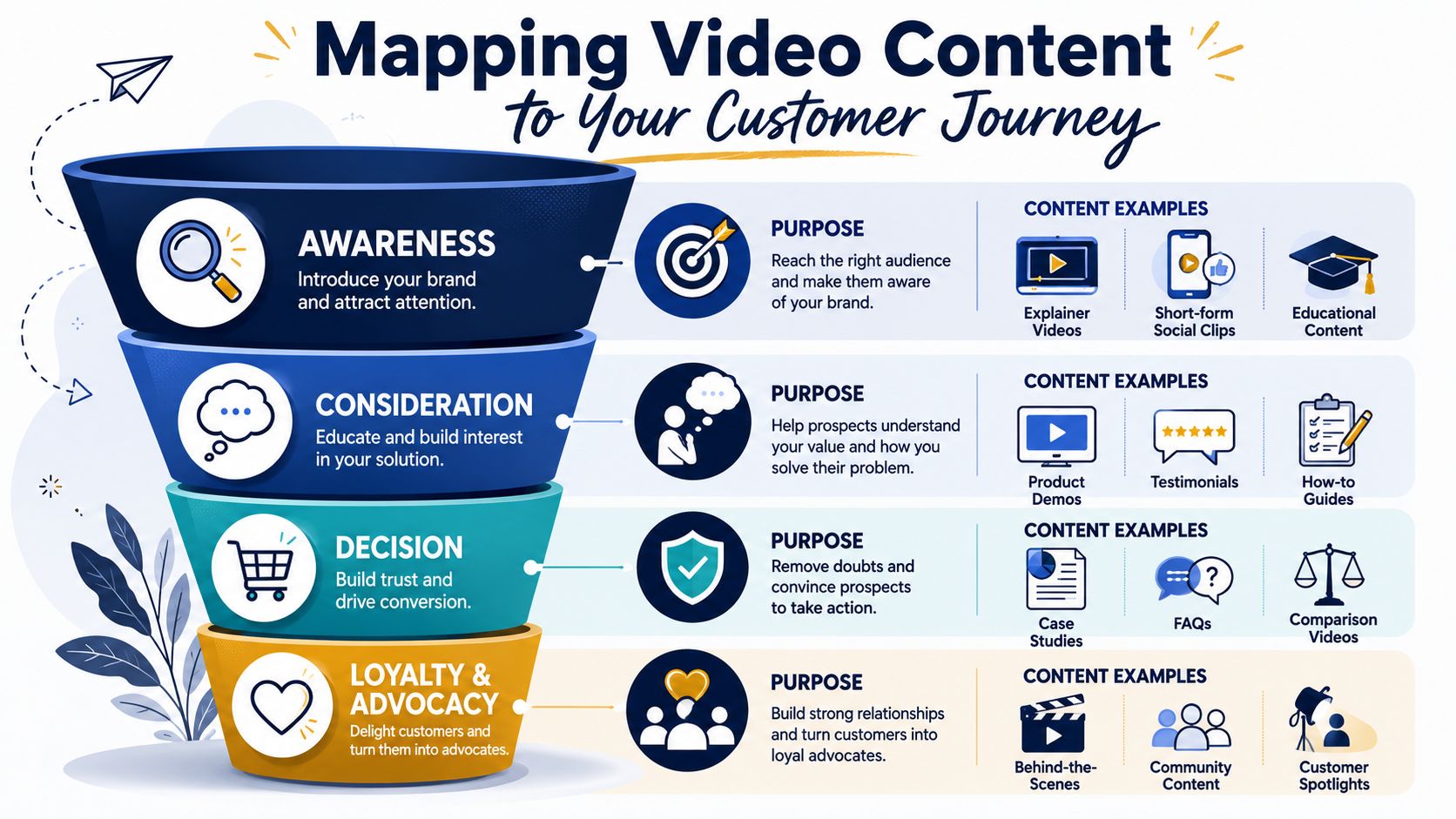
The job changes at each stage of the journey. Your video should change with it.
That structure matters more as you scale. A 7-figure brand can sometimes get away with one strong hero asset doing too much. An 8- or 9-figure brand cannot. Different channels, audiences, and buying stages need different cuts if you want clean reporting and better media efficiency.
Give each video one job.
If a paid social clip is built to stop the scroll, it does not also need to explain every feature, answer every objection, and push a subscription offer. If a product page video is built to improve conversion, it should focus on showing the product in use, clarifying fit, and reducing hesitation. Trying to cram every message into one asset usually creates slower pacing, weaker hooks, and muddy attribution.
A simple rule helps. Awareness videos create curiosity. Consideration videos build belief. Decision videos remove friction. Post-purchase videos increase retention.
Established brands usually do not have a content shortage. They have a coverage problem.
Review your library by SKU, funnel stage, and channel. Top sellers should have discovery assets for paid and organic social, conversion assets for product pages and retargeting, and post-purchase assets for email or support flows. If one product drives a large share of revenue and only has one polished brand video, that gap is costing you.
Ask:
For many ecommerce brands, the fastest win sits in the middle and bottom of the funnel. Social proof, creator-style demonstrations, and customer proof often close the gap between interest and purchase. If you need more of that layer, use this guide to user-generated content campaigns.
Treat the journey map like an operating tool, not a slide for a strategy deck. It tells your team what to film next, where to deploy it, and which stage of revenue it should improve.
A founder approves a polished brand video, the team posts it once, and then everyone wonders why revenue did not move. That pattern is common in ecommerce. The problem is rarely effort. It is weak creative strategy, no channel plan, and no system for turning one shoot into multiple selling assets.
Length is part of that problem, but it is not the whole problem. Shorter videos usually perform better when the goal is to stop the scroll, explain one point fast, or drive one action. Once a video runs long, every extra second has to earn its place. On product pages and paid social, that standard is strict.
Keep the first wave narrow. One SKU, one audience, one problem, one CTA.
Week 1
Choose one proven SKU, not a fringe product you hope will break out. Pick the item with enough traffic, enough margin, and clear objections in reviews, support tickets, or post-purchase surveys. Set one goal for the first month. For most established brands, that is either improving paid traffic quality or lifting product page conversion.
Week 2
Write three concepts. That is enough to test range without creating chaos. I would start with one direct demo, one founder or operator explanation, and one customer-style proof asset. Each script should answer one buyer question and ask for one action.
Week 3
Film in batches and capture more utility than you think you need. Get hooks, product-in-use shots, close-ups, setup moments, objection handling, social proof lines, and clean CTAs. Edit the short cuts first because they give you faster feedback and more placement options across paid and owned channels.
Week 4
Launch on one paid channel and one owned channel. Keep the test controlled enough that you can learn something useful. Review thumb-stop rate, watch time, click-through rate, on-page engagement, add-to-cart rate, and revenue contribution. Keep the angles that hold attention and drive qualified traffic. Cut the rest quickly and brief the next shoot while the learning is fresh.
This is how scaled brands build video without wasting quarters on vanity production. They treat creative like an operating system. Test, distribute, measure, repeat.
If you're already operating at scale and want to compare notes with founders who are testing creative, channels, and growth systems at a high level, Million Dollar Sellers is where serious ecommerce operators share what's working across Amazon, DTC, and omnichannel brands.
Join the Ecom Entrepreneur Community for Vetted 7-9 Figure Ecommerce Founders
Learn MoreYou may also like:
Learn more about our special events!
Check Events