Chilat Doina
October 2, 2026
You've got a catalog that looked manageable a year ago and now feels like a warehouse map. Several products sell steadily, a few launches haven't found traction, and one slow mover keeps consuming attention without earning its place in the ad account. You don't need another random ASIN. You need a controlled way to make proven products work harder together.
That's where Amazon virtual bundles can help, but only if you treat them as a governed Seller Central workflow. Amazon controls who can create them, which products qualify, how they're priced, how the listing is presented, and how much performance data you can retain natively. This isn't a free traffic trick. It's a constrained merchandising format that can improve convenience and basket composition when the underlying products already have demand.
A typical operator doesn't wake up wanting more catalog complexity. The pressure usually comes from three directions at once: cross-selling complementary products, increasing revenue per order, and finding a productive role for products that aren't earning enough individually.
Suppose your hero product is healthy, but shoppers routinely need a related accessory or companion item. Sending customers back into search creates friction. A virtual bundle puts the combination on a single detail page without requiring you to manufacture a new physical kit. Amazon introduced virtual bundles as a beta feature for select third-party sellers around January 2020, and its selling guidance later described bundles containing two to five complementary ASINs sold from one detail page. Amazon virtual bundle background and eligibility explains why that structure matters operationally.
The strategic mistake is bundling a weak product just because it needs help. A poor listing, weak reviews, unreliable inventory, or unclear use case doesn't become strong because you attach it to a winner. The customer still has to understand the combined value, and Amazon still applies rules around price, inventory, content, and eligibility.
Start with products that make sense together in the customer's actual use case. A coffee grinder and a cleaning brush may be logical. Two unrelated products from the same brand usually aren't. The bundle should remove a buying decision, not create another one.
The commercial case is straightforward. Customers can buy related products from one page, while you get another structured offer built from existing catalog assets. Sellers exploring bundling to lift average order value should focus on the word relevant, not merely on adding units to a cart. Amazon's own cross-selling guidance also distinguishes between adding a complementary product and pushing a more expensive version of the original item. That distinction helps keep your bundle logic clean.
Operator rule: A bundle should compound an existing buying pattern, not compensate for a broken product.
Before you build anything, audit the operational side using resources such as product bundling strategies. The key question isn't “What can I combine?” It's “Which combination can stay in stock, remain profitable under Amazon's pricing rules, and be explained clearly on one page?”
That question leads directly to eligibility. A compelling pairing is useless if Amazon won't let your account create it.
The first filter is brand access. Amazon's current help guidance limits virtual bundle creation to sellers with the required Brand Registry-linked role, such as a Brand Representative or Authorized Reseller with access to the brand. The products also need to belong to the eligible brand relationship, rather than being arbitrary products pulled from the wider catalog. Amazon's current virtual bundle eligibility guidance is the document to check before you plan a catalog-wide rollout.
The marketplace and fulfillment requirements are just as restrictive. Virtual bundles are limited to the US store, and each component must have active FBA inventory in new condition. The components must be physical products, and Amazon requires the products in a bundle to use the same fulfillment type. Gift cards aren't eligible.
Use this checklist before spending time on merchandising:
That final point changes the staffing model. If your catalog team expects to publish bundles through a feed, PIM, or automated marketplace connector, this feature won't behave like a normal catalog object. You'll need a deliberate Seller Central process, ownership for manual changes, and a record of which components belong to each bundle.
| Requirement | Rule |
|---|---|
| Brand relationship | Brand Registry-linked access is required |
| Components | Two to five eligible ASINs |
| Condition | New condition |
| Inventory | Active FBA inventory for each component |
| Fulfillment | Components must share the same fulfillment type |
| Marketplace | US store |
| Product format | Physical products only |
| Creation method | Seller Central only, no API or spreadsheet feed |
Amazon also says a virtual bundle is expected to have only a single offer at a time, which limits how freely you can structure competing offers inside the same bundle. If your account fails any of these checks, fix the eligibility problem first. Don't build a forecasting model around a bundle that cannot be published.
Treat the first bundle as a controlled Seller Central launch, not a quick merchandising experiment. Amazon creates virtual bundles inside Seller Central, and the interface can change, so use the labels shown in your account rather than an old screenshot or an automation script. The manual workflow affects who owns publication, edits, and quality checks. Amazon's product bundle guidance also sets the listing standards that determine whether customers understand the offer.
Open the virtual bundle creation workflow and select the approved component ASINs. Start with products that are complementary, independently purchasable, in new condition, and supported by FBA inventory. A simple two-product combination gives you fewer listing variables to troubleshoot and makes customer feedback easier to interpret.
Prepare each merchandising field with the live detail page in mind:

The bundle page must answer the buying question without sending shoppers through several child listings. Show what arrives, state the quantity, and connect the products to one clear customer task. Put that information in the title and bullets first. Use the description to resolve remaining ambiguity about the contents and intended use.
Amazon requires the bundle price to be equal to or lower than the combined individual prices of its components. Do not publish until you have checked the current child offers. A price change on one component can leave the bundle with an unattractive discount or an offer that needs immediate correction.
For a practical guide to what Amazon Seller Central is, review the terminology before assigning this workflow to a catalog operator. After publication, inspect the live page as a shopper would. Verify the image, title, components, price, and availability, then record the final configuration so future edits have a clear owner and reference.
The best bundle candidates usually come from three buckets. Hero products already convert and carry the customer's attention. Supporting products complete the use case. Tail products need a reason to be considered, but they shouldn't be forced into the offer merely to clear inventory.
My preference is to pair products with an obvious customer relationship, then test whether the second item increases the usefulness of the first. A hero plus a relevant supporting item is often cleaner than a hero plus an unrelated slow mover. If the weak product has poor availability or weak customer satisfaction, the bundle inherits that problem.
Amazon requires the bundle price to be equal to or lower than the combined individual prices. The discount is applied proportionally across the component products, so you should model the economics at the component level rather than treating the bundle as a completely separate margin pool. Amazon's bundle policy also emphasizes clear disclosure, complete imagery, and pricing compliance.
The practical formula is simple:
Bundle discount = combined individual prices minus bundle price
Then check the impact on each component's contribution margin. Don't approve a discount that makes the higher-cost or higher-margin child carry an unfair share of the reduction unless that is an intentional acquisition decision.
| Scenario | Component A | Component B | Bundle Price | Discount | Margin Impact |
|---|---|---|---|---|---|
| Penetration | High-demand hero | Relevant accessory | Below combined price | Deliberate opening discount | Lower initial contribution, stronger value proposition |
| Parity | Established hero | Established companion | Slightly below combined price | Modest discount | Balanced margin and convenience |
| Controlled test | Stable core item | New supporting item | At the lowest compliant level | Limited discount | Protects economics while testing attachment |
A penetration price makes sense when you need customers to understand the value of a new combination and you can afford to learn at a lower contribution. A parity price is more appropriate when convenience, not savings, is the primary benefit. A controlled test protects the economics while you validate whether the pair deserves continued placement.
Avoid components that can destabilize the offer. Out-of-stock products, products with inconsistent pricing, and products that create compliance or fulfillment complications are poor candidates. The bundle should be built from the most dependable part of your catalog, not the part you're desperate to rescue.
Amazon's policy direction also matters. For some categories, Amazon says configurations packaged by the original manufacturer or brand may be required, and enforcement changes for existing bundles began on January 1, 2025. That's another reason to build virtual bundles around convenience and coherent use cases rather than aggressive discounting.
Virtual bundles remove the need to physically package the components together, but they don't remove the need to manage the components. Amazon's official policy says virtual bundles aren't physically packaged together and don't have a unique identifier. Each child product still has to be available in the required FBA condition for the offer to function.
That creates a dependency most casual guides understate. If one component goes unavailable, the bundle can't behave like an independent piece of inventory. Your operational risk is therefore determined by the weakest component, even when the other products have abundant stock.
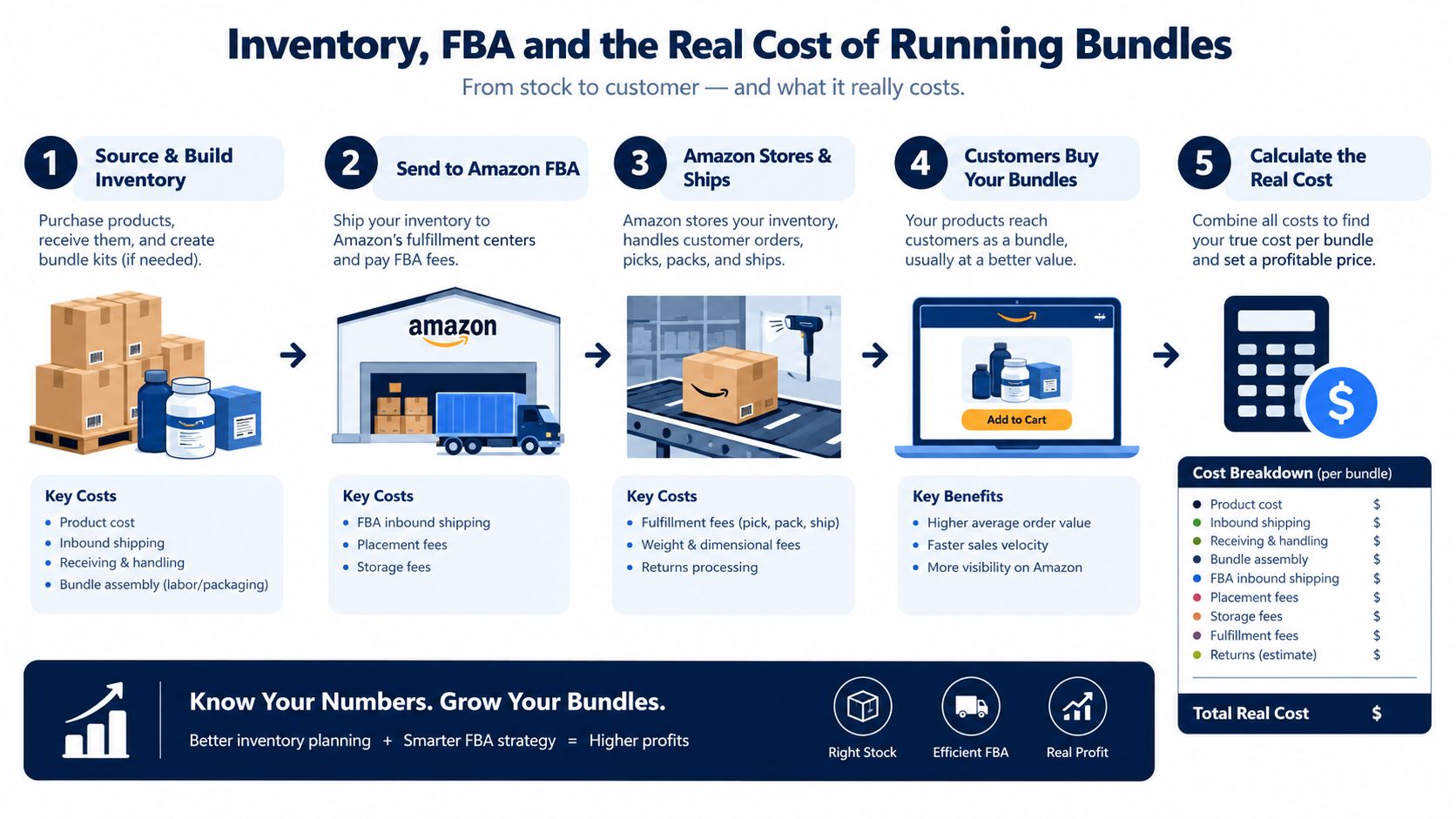
Before launch, check the following:
The contrarian recommendation is simple: don't use virtual bundles as a dumping ground for slow movers. If the slow mover is unavailable, poorly reviewed, or hard to explain, it weakens the entire offer. Use a healthy hero and a healthy companion product first. The bundle should increase convenience and basket depth without making the core catalog less reliable.
Physical inventory planning still matters around fulfillment centers and replenishment windows. Keep enough coverage for the component with the least dependable supply, and review the pair whenever one child's availability changes. A bundle can look profitable in a spreadsheet and still become a liability if the customer repeatedly encounters an unavailable offer.
Seller Central gives you enough data to judge a virtual bundle, but not in one place. The Product Bundles Sales report covers only the past 90 days. The Detail Page Sales and Traffic by Child Item report adds traffic and child-level sales context, yet it does not show bundle sales or bundle units. Treat reporting as a workflow you manage, not a dashboard you glance at.
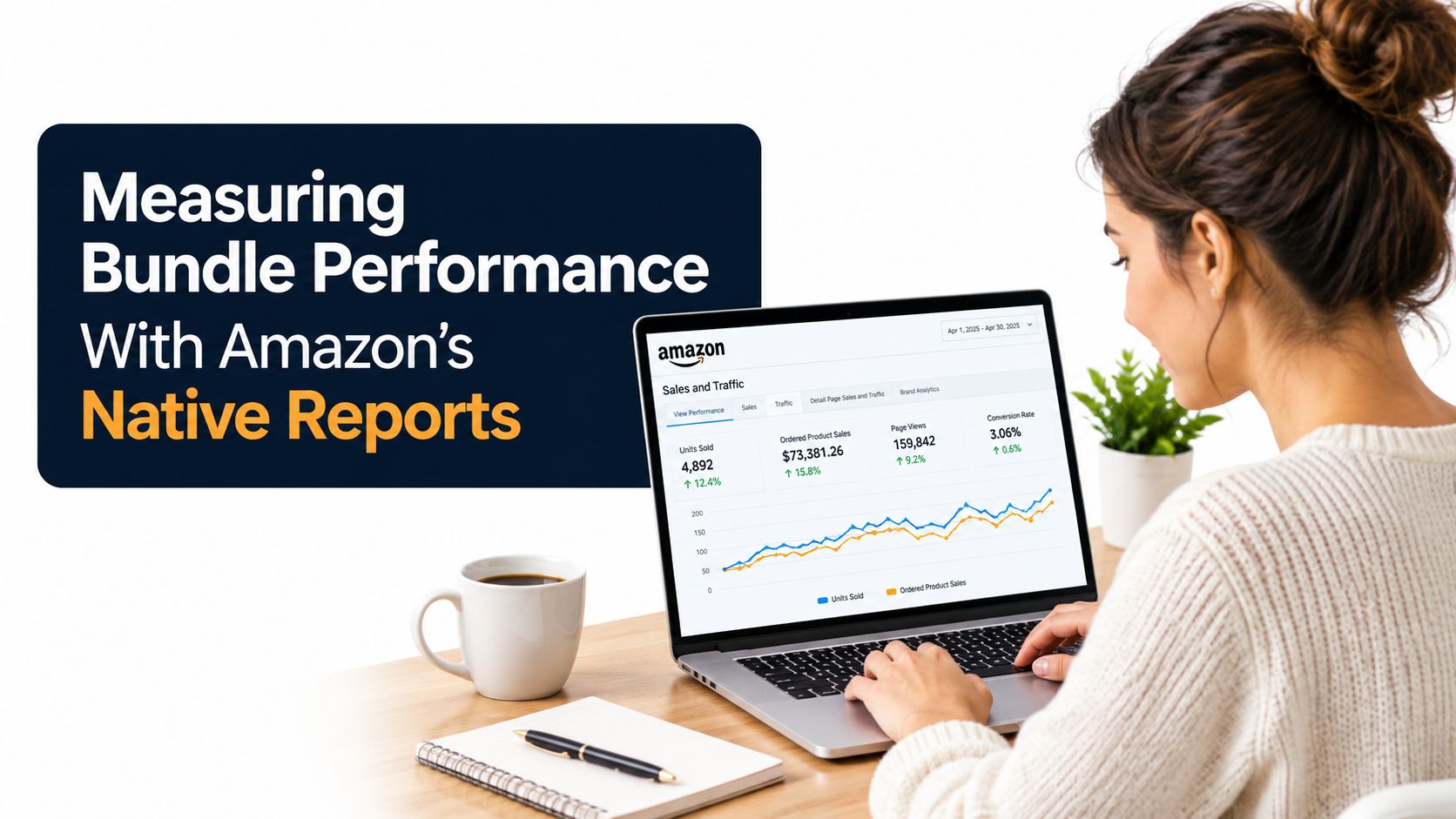
Export the Product Bundles Sales report on a regular schedule and store each file outside Seller Central. That preserves history beyond the available reporting window. Match those exports with child-item traffic and sales data so you can distinguish direct bundle demand from shifts on the underlying listings.
Track three operating questions:
Use the same inputs at every review. Record bundle price, component prices, availability, revenue, units, and child-item performance. Broader frameworks for selecting metrics that matter for passive income can help organize the review, but bundle-specific evidence should drive the decision.
Keep the bundle when it solves a clear customer need and maintains acceptable economics. Change the image or copy when shoppers cannot understand the contents. Adjust the price when the discount is hard to see or unnecessarily damages margin. Pause the offer when a component repeatedly creates availability or profitability problems.
Set the review cadence around category velocity and inventory position, then apply it consistently. A virtual bundle can look promising while merely shifting sales between ASINs. Without saved exports and child-level comparisons, you cannot tell whether it is building demand, changing order composition, or creating another Seller Central record to maintain.
Virtual bundles and physical multi-packs solve different operational problems. A virtual bundle lets you test a combination without changing inbound packaging or manufacturing a new kit. A physical bundle gives you control over the packaged configuration, which can matter when shipping efficiency, branded presentation, or a durable multi-product offer is central to the strategy.
The choice should follow catalog maturity. Use a virtual bundle when you have complementary products, healthy child listings, and a need to test the customer relationship quickly. Consider a physical bundle when the combination has proven demand and the economics justify packaging, preparation, labeling, and inventory planning.
| Factor | Virtual Bundle | Physical Multi-Pack |
|---|---|---|
| Inventory format | Components remain separate | Products are packaged as one physical configuration |
| Testing | Fast way to test a combination | More commitment before launch |
| Packaging control | Limited to listing presentation | Direct control over physical presentation |
| Fulfillment dependency | Each component must remain eligible and available | One packaged inventory unit supports the offer |
| Pricing flexibility | Must follow Amazon's virtual bundle pricing rules | Depends on the physical product and applicable policy |
| Catalog administration | Created and edited in Seller Central | Requires product, packaging, and inventory coordination |
| Best use | Cross-selling proven complementary products | Scaling a validated combination or creating a durable kit |
A virtual bundle is usually the better first move for a brand that wants to validate a pairing without committing to new packaging. It's also useful when the customer benefits from receiving existing products together but doesn't need them physically assembled.
A physical bundle becomes more compelling when packaging improves the customer experience, reduces handling complexity, or supports a product configuration that should remain stable. Amazon's evolving bundle policy means you should confirm the current requirements before committing to manufacturing or packaging changes.
Take these actions this week:
The strongest virtual bundle is rarely the most complicated one. It's the offer that makes an existing purchase easier while keeping your inventory, pricing, and reporting under control.
Million Dollar Sellers gives qualified ecommerce founders a private peer network, strategy discussions, events, and practical access to operators running Amazon, DTC, and omnichannel brands. If you're testing bundles or rebuilding catalog economics, visit Million Dollar Sellers to learn whether the community fits your stage.
Join the Ecom Entrepreneur Community for Vetted 7-9 Figure Ecommerce Founders
Learn MoreYou may also like:
Learn more about our special events!
Check Events