
Chilat Doina
February 22, 2026
Before you can even think about designing an Amazon Storefront, you need to be enrolled in Amazon Brand Registry. This is non-negotiable and requires an active, registered trademark. Once you're in, you get free access to the Store Builder tool right inside Seller Central, which is your key to creating a multi-page, branded shopping experience that showcases your products and tells your brand's story.
Let's quickly check if you've got all your ducks in a row.
This table is a simple gut-check to make sure you have everything you need before diving into the creative process. It saves a ton of headaches down the road.
.tbl-scroll{contain:inline-size;overflow-x:auto;-webkit-overflow-scrolling:touch}.tbl-scroll table{min-width:600px;width:100%;border-collapse:collapse;margin-bottom:20px}.tbl-scroll th{border:1px solid #ddd;padding:8px;text-align:left;background-color:#f2f2f2;white-space:nowrap}.tbl-scroll td{border:1px solid #ddd;padding:8px;text-align:left}RequirementStatusKey Action/NoteActive Professional Seller Account☐Must be a Pro account; Individual accounts are not eligible.Amazon Brand Registry Enrollment☐Requires a registered and active text- or image-based trademark.Brand Representative☐You must be the rights owner or an authorized agent of the brand.Products Listed on Amazon☐Have ASINs ready to link to your Store.
If you can tick all those boxes, you're ready to get started.
Jumping straight into the Amazon Store Builder without a plan is like building a house without a blueprint. Sure, the tool itself is pretty intuitive, but the strategy behind a high-converting storefront is what really separates the top 1% of sellers from the rest. Before you drag and drop a single module, you need to figure out your storefront's core mission.
What's the primary goal here? This isn't a trick question. Your answer will shape every single design and layout choice you make.
Defining this purpose upfront ensures your storefront isn't just another digital catalog but a powerful sales and branding tool.
Once you know your mission, you can start mapping out the pages. Think of your store's navigation like the floor plan of a physical retail store. You want to guide shoppers logically from the entrance (homepage) to the aisles (category pages) and finally to the exact products they want. A messy, confusing structure just creates friction and leads to people leaving.
A simple, effective structure usually looks something like this:
Seriously, take a few minutes to sketch this out on paper first. This initial planning can save you hours of frustration and redesigns later.
How you organize your products is critical. A lean, focused catalog almost always outperforms a bloated one. In fact, 26% of Amazon sellers list just one product, a figure that has shot up by 300% since 2022. On top of that, 77% of sellers offer fewer than 10 products, with the average seller listing only 8.3 products. The data is clear: depth, not breadth, is what wins on Amazon today.
Your storefront is the perfect tool to merchandise a smaller catalog effectively. Instead of overwhelming shoppers with dozens of options, you guide them toward the right product for their needs, boosting both conversion rates and brand loyalty.
This focused approach is a core part of building a strong brand. For more on this, our guide on how to build a powerful brand identity walks you through the whole framework. A well-defined brand and a strategically curated storefront work hand-in-hand to turn casual browsers into loyal customers who come back again and again.
Alright, you’ve done the hard work of planning and strategizing. Now for the fun part: actually building your Storefront. This is where your blueprint turns into a real, shoppable experience for your customers. Getting comfortable inside the Amazon Store Builder is what separates a generic, cookie-cutter page from a truly immersive brand destination.
The good news? The Store Builder is a drag-and-drop tool, so you don't need to be a web designer to create something amazing. The first thing it'll ask you to do is pick a template.
Don't sweat this decision too much—it's just a starting point, and you can change everything later. Think of it as choosing a basic layout for your homepage.
Just pick the one that feels closest to your main goal for the homepage. You're about to customize it anyway.
The real magic of the Store Builder is its modular setup. Every page you create is essentially a blank canvas, and you get to fill it by adding and arranging different content "modules" or tiles. These are the building blocks you'll use to tell your brand story, one piece at a time.
You'll start from the Store Manager dashboard. This is your command center, giving you a bird's-eye view of all your Stores, their current status (draft, in review, or live), and eventually, their performance data. It's from here that you'll either create a new Amazon Storefront or jump back into an existing one to make edits.
Remember the strategy we talked about earlier? It all comes together here.
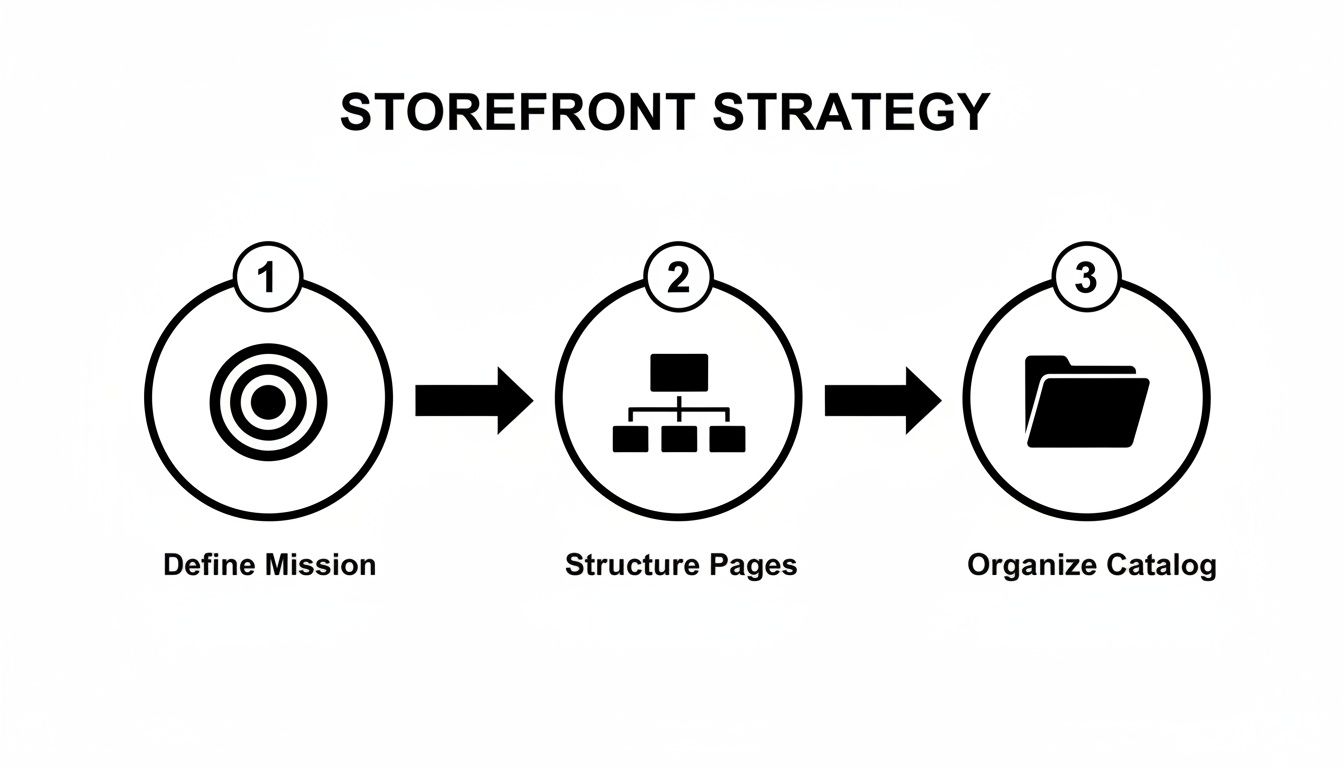
Having this flow in mind ensures that every module you place on the page has a clear purpose and helps guide your customer where you want them to go.
Let’s talk about the most useful modules and how to make them work for you.
Pro Tip: The Store Builder doesn't exist in a vacuum; it’s part of the much larger Seller Central platform. To really get good at this, it helps to understand the whole ecosystem. If you’re still new to selling on Amazon, taking a moment to learn what Amazon Seller Central is will give you a ton of valuable context.
A visually stunning Store builds credibility in a split second. A pixelated, sloppy one does the opposite. Amazon has specific guidelines for all your creative assets, and sticking to them is non-negotiable if you want your Store to get approved and actually perform well.
Here are the key specs you need to know:
.tbl-scroll{contain:inline-size;overflow-x:auto;-webkit-overflow-scrolling:touch}.tbl-scroll table{min-width:600px;width:100%;border-collapse:collapse;margin-bottom:20px}.tbl-scroll th{border:1px solid #ddd;padding:8px;text-align:left;background-color:#f2f2f2;white-space:nowrap}.tbl-scroll td{border:1px solid #ddd;padding:8px;text-align:left}Asset TypeMinimum DimensionsMy RecommendationHero Image3000 x 600 pixelsGo big. This is your first impression, so use a high-res, captivating image that screams what your brand is all about.Image Tile1500 x 1500 pixelsFor any standard square images, just make sure they're crisp, clean, and look professional. No phone pics from a dark room.Video File1280 x 720 pixelsExport as an .MP4 or .MOV and keep the file size under 500 MB. Always add captions—many people shop with the sound off.
Beyond the technical stuff, think about consistency. Your Storefront shouldn't feel like a random collection of listings. It should feel like a cohesive world your customer is stepping into. Use the same color palette, fonts (within your images), and tone of voice on every single page.
For instance, a natural skincare brand might use soft lighting and earthy colors, while a gaming accessory brand would probably lean into dark backgrounds and bold, neon highlights. That consistent visual identity is what makes your brand stick in a customer's mind. Master these modules and design principles, and you'll build a Storefront that doesn't just look good—it sells.
A beautifully designed storefront is only half the battle. Let's be honest, if shoppers can't find it, all that creative energy and hard work doesn't count for much.
Real growth comes from mastering the two engines that drive traffic and sales: smart Amazon SEO and strategic merchandising. It’s time to turn your storefront from a passive gallery into an active, high-visibility sales machine.

This means we need to think beyond just the visuals and get into how Amazon—and just as importantly, Google—actually see and rank your store pages. So many sellers miss this crucial step, leaving a huge amount of traffic and revenue on the table.
Here's something many sellers don't realize: your Amazon Storefront isn't an island. It’s indexed by both Amazon's A9 algorithm and external search engines like Google. If you optimize it correctly, you can open up powerful new streams of traffic you weren't getting before.
The most overlooked SEO real estate is tucked away in your page settings. For every single page you create in the Store Builder, you have the ability to edit its metadata.
These simple tweaks are signals to search algorithms, telling them exactly what your pages are about. This dramatically increases your chances of showing up in relevant search results, both on and off Amazon.
Think of each storefront page as a mini-website with its own SEO. By doing this, you're creating multiple entry points for customers, multiplying your visibility far beyond what a single product detail page can achieve alone.
Okay, so you've got traffic coming in. Now what? Your job is to guide shoppers toward a purchase. This is where strategic merchandising comes into play. You can't just dump your entire catalog onto a single grid and hope for the best. You need to curate it.
Start thinking like a merchandiser for a high-end retail store. Your storefront is your digital showroom, allowing you to create dedicated experiences that cater to specific shopper needs and seasonal trends.
A key part of all this is mastering effective Conversion Rate Optimization practices. This is what ensures the traffic you're working so hard to drive actually turns into revenue.
Don't forget about the traffic you already have! One of the most powerful—and completely free—ways to get eyes on your new storefront is by linking to it directly from your product detail pages.
Look at any of your listings. Right under the product title, there’s a byline that says "Visit the [Your Brand Name] Store." That's a clickable link that takes shoppers directly to your storefront's homepage. This is high-intent traffic from customers who are already interested in your brand. Making sure all your listings are properly linked is a foundational step you can't skip.
Of course, this is just one piece of a much larger strategy. For a deeper dive into optimizing every element of your product pages, check out our guide on comprehensive listing optimization on Amazon.
The potential here is immense. Nearly 30,000 FBA sellers earned over $1M in annual sales, while over 200,000 surpassed the $100K mark. With over 60% of Amazon's sales coming from third-party sellers, a highly optimized storefront is one of the primary engines for scaling into that top echelon.
For established sellers, an Amazon Storefront is more than just a product gallery—it's the heart of your entire brand ecosystem. This is where 8- and 9-figure brands really pull away from the pack. They stop treating their store like a static page and start using it as a dynamic, performance-driven asset that fuels growth both on and off Amazon.
It all starts with activating your store’s most powerful, yet strangely underused, feature: its unique vanity URL. Amazon gives every storefront a clean, memorable link (like amazon.com/yourbrand). This URL is pure gold. It’s your bridge for driving high-intent external traffic directly to a branded, curated experience, not just a single, lonely product listing.
Think about what that unlocks. Instead of sending your social media ad traffic to a standard product detail page, you can land them on a custom-built page within your store that tells a story, shows off a full collection, and actually encourages them to browse. That one shift can make a huge difference in your average order value.
Your vanity URL is the linchpin for all your off-Amazon marketing. It creates a smooth, consistent journey for customers that reinforces your brand identity every step of the way.
Here’s how top sellers are putting this into practice:
As you build out these tactics, it's smart to think about how they fit into a broader ecommerce growth strategy. This ensures your Amazon efforts aren't just siloed but are fully integrated with everything else you're doing online.
The best brands I've worked with never consider their storefront "finished." They treat it like a living asset that can always be improved, and they use data—not guesswork—to make every decision. The Store Builder actually makes it surprisingly simple to run effective A/B tests to squeeze more conversions out of your traffic.
You don't need any complex software. Just duplicate an existing page, change one key element, and watch the performance in your Store Insights dashboard.
Key Takeaway: A/B testing isn't just for DTC websites. By methodically testing headlines, hero images, and product layouts on your Amazon Storefront, you can lock in small wins that compound into serious revenue growth over time.
Focus your tests on the big stuff. For example, pit a lifestyle hero image against a product-focused one. Or, try reordering your collections on the homepage to see if putting "New Arrivals" above "Best Sellers" gets more clicks. Run each version for a set period, like two weeks, analyze the sales and traffic data, and roll out the winner. Simple as that.
Now for one of the most powerful advanced features: Store Versions. This tool lets you build and schedule different versions of your storefront to go live on specific dates. It's an absolute game-changer for big sales events and seasonal campaigns.
Instead of scrambling to update your store at midnight when a sale starts, you can get your event-specific storefront planned, built, and submitted weeks in advance. This is absolutely essential for:
This feature transforms your storefront from a reactive page into a proactive marketing tool. You're guaranteeing that you always show the most relevant content to shoppers at the most crucial times, which is key to maximizing sales when traffic is at its peak.
A slick, well-designed storefront is a fantastic start, but it's only half the battle. The real difference between a store that just sits there and one that actively drives sales comes down to how well you understand—and act on—your performance data. Hitting "publish" on your store isn't the finish line; it’s the starting gun for a continuous cycle of testing and tweaking.

This is where the Amazon Store Insights dashboard becomes your best friend. Think of it less like a spreadsheet and more like a direct feedback loop from your customers. It tells you exactly what’s resonating and what’s falling flat. Making a habit of diving into these analytics is what separates the pros from the hobbyists.
When you first pop open the Insights dashboard, it's easy to get overwhelmed. My advice? Zero in on the metrics that tell the clearest story about your storefront's health. Don't get distracted by vanity metrics; track the numbers that directly impact your bottom line.
The Store Insights dashboard provides a wealth of information. The table below breaks down the most critical KPIs and what they really mean for your business.
.tbl-scroll{contain:inline-size;overflow-x:auto;-webkit-overflow-scrolling:touch}.tbl-scroll table{min-width:600px;width:100%;border-collapse:collapse;margin-bottom:20px}.tbl-scroll th{border:1px solid #ddd;padding:8px;text-align:left;background-color:#f2f2f2;white-space:nowrap}.tbl-scroll td{border:1px solid #ddd;padding:8px;text-align:left}MetricWhat It MeasuresActionable InsightDaily VisitorsThe total number of unique shoppers visiting your store each day.A steady climb tells you your traffic-driving efforts (like social media or PPC) are paying off. Sudden dips can signal an issue.Page ViewsThe total number of pages viewed across your entire storefront.If this is much higher than your visitor count, it’s a great sign! It means shoppers are engaged and exploring multiple categories.SalesThe total revenue generated from attributed sales within 14 days of a store visit.This is your ultimate report card. It directly measures how well your store converts browsers into buyers.Units SoldThe total number of individual products sold through your store.Helps you pinpoint which products are the heroes of your storefront and which might need a better merchandising strategy.Sales per VisitorThe average revenue generated by each unique visitor.A rising sales per visitor metric indicates your store is becoming more efficient at converting traffic into revenue.
By keeping a close eye on these numbers, you can start drawing direct lines between your actions and the results.
Data is totally useless if you don't use it to make decisions. The goal is to move beyond just reading the numbers and start asking, "Why?" Why is one page getting all the traffic? Why is a different page converting so much better? The answers will light the way for your next optimization moves.
The most successful sellers treat their storefront as a living asset, not a static brochure. They are constantly testing, learning, and iterating based on real customer behavior, which creates a powerful competitive advantage over time.
Let's say you look at your Traffic Sources. If you see a ton of traffic coming from "Product Detail Pages," you know your strategy of linking from your listings to your store is working like a charm. On the flip side, if you notice a huge drop-off rate on your "Best Sellers" page, that's a red flag. Maybe the product layout is confusing, or the main images aren't compelling enough. That’s your cue to test a new layout or swap in some fresh creative.
The opportunity here is massive. As of late 2023, there are over 9.7 million Amazon sellers worldwide, but only about 2 million are actively selling. That gap shows just how crucial commitment and data-driven optimization are. With nearly 60% of Amazon's total sales coming from third-party sellers, a well-built and constantly refined storefront is your ticket to grabbing a piece of that pie. You can learn more about the landscape of Amazon sellers on Sumtracker.com.
You don't need a complicated process to stay on top of this. A simple monthly check-in is all it takes. Just pull up your dashboard and ask three questions:
This simple habit ensures you're always making decisions based on facts, not guesswork, as you continue to create an Amazon storefront that truly performs.
Even with a perfect plan in hand, building your first Amazon Storefront will probably spark a few questions. Getting those sorted out quickly is the key to keeping your project moving and avoiding any frustrating snags.
Think of this as your go-to FAQ for the most common "what-ifs" and "how-to's" that trip sellers up. We'll cut right to the chase and give you the practical answers you need.
This is always the first question, and the answer is one of the best parts about the program. Creating an Amazon Storefront is completely free for any seller enrolled in Amazon Brand Registry. You won't see any fees for using the Store Builder, hosting the store, or even for accessing the Store Insights analytics dashboard.
The real investment isn't in the tool, but in the content you put into it. While you can certainly start with existing brand assets, the storefronts that truly perform almost always feature custom creative. These are the costs you should actually budget for:
So, while Amazon gives you the platform for free, investing in top-notch creative is what will ultimately drive your success.
Yes, you absolutely can—and you should be. This is one of the most powerful and surprisingly underused strategies for growing your brand on and off Amazon. When you launch a Storefront, Amazon gives you a clean, memorable URL (like amazon.com/yourbrand). That link is pure gold.
You should be plugging that URL into all of your off-Amazon marketing channels:
Sending traffic to your Storefront instead of a single product page immerses customers in your brand. It lets you tell your story, showcase your entire catalog, and significantly increases the odds of a bigger shopping cart. Even better, sales generated from this external traffic can earn you a commission back through the Brand Referral Bonus program, a fantastic incentive to make this a core part of your strategy.
Once you’ve put the finishing touches on your store and hit "Submit for publication," it goes into a moderation queue. A real person at Amazon manually reviews your store to make sure it follows all of their creative acceptance policies.
Typically, you can expect this review process to take somewhere between 24 and 72 hours.
Keep in mind, this timeline isn't set in stone. During the mad rush of Q4 leading into Black Friday and the holidays, review times can stretch a bit longer because of the sheer volume of submissions. To fly through approval, read up on the policies before you build. The most common red flags are unsupported marketing claims (e.g., "guaranteed to work") and low-resolution images. As soon as it's approved, your store goes live automatically.
Over the years, I've seen countless sellers make the same handful of avoidable mistakes that kneecap their store's potential right out of the gate. Sidestepping these common blunders is the easiest way to make sure your Storefront is a real asset from day one.
The single biggest mistake is having a "set it and forget it" mentality. Your Storefront is not a static digital brochure. It needs to be a living, breathing extension of your brand that you update regularly with new products, seasonal campaigns, and fresh content.
Here are the top mistakes I see time and time again:
At Million Dollar Sellers, we see top entrepreneurs turn their storefronts into powerful growth engines. They aren't just building pages; they're building strategic brand destinations. If you're a 7-figure+ seller looking to connect with a community that operates at the highest level, see if MDS is the right fit for you. Learn more at https://milliondollarsellers.com.
Join the Ecom Entrepreneur Community for Vetted 7-9 Figure Ecommerce Founders
Learn MoreYou may also like:
Learn more about our special events!
Check Events