Chilat Doina
February 21, 2026
Your actual Amazon advertising cost isn't some fixed number you can just look up on a price list. It's a living, breathing auction where you're constantly bidding against other sellers for a shopper's attention. The final bill depends entirely on what you sell, who you're up against, and how smart your ad strategy is.
Think of it as a fluid marketplace—prime visibility costs a premium.

To get a handle on your Amazon advertising costs, you have to stop looking for a single price tag and start understanding the variables at play.
Picture the Amazon marketplace as a gigantic digital shopping mall. The best spots—like the very top of the search results or a competitor’s product page—are the most valuable real estate. You aren't just paying a flat rent for these spots; you're jumping into a real-time auction to win them.
Every single time a shopper types in a search, a lightning-fast auction happens behind the scenes. Sellers who want to show an ad for that search term all place their bids. The winner gets the coveted ad placement, and the cost is set by that bidding war.
Several key elements directly pull the levers on what you pay. Getting good at managing these is what separates a profitable ad campaign from a money pit.
Here’s a quick breakdown of what’s at the heart of your ad spend.
.tbl-scroll{contain:inline-size;overflow-x:auto;-webkit-overflow-scrolling:touch}.tbl-scroll table{min-width:600px;width:100%;border-collapse:collapse;margin-bottom:20px}.tbl-scroll th{border:1px solid #ddd;padding:8px;text-align:left;background-color:#f2f2f2;white-space:nowrap}.tbl-scroll td{border:1px solid #ddd;padding:8px;text-align:left}Cost FactorWhat It MeansHow It Impacts Your BudgetCompetition & BidsThe number of other sellers bidding on the same keywords or products.More bidders means a more crowded auction, which drives up the cost-per-click (CPC) you have to pay to be seen.Ad Quality & RelevanceHow well your ad and product listing match what the customer is looking for.Amazon rewards relevance. A great listing with strong reviews and sales history often wins better placements for less money.Targeting StrategyThe keywords, products, and audiences you choose to show your ads to.Broad, generic targeting can waste money on clicks that don't convert. Niche, specific targeting usually delivers a better return.
These factors work together, and mastering them is the key to running efficient, cost-effective campaigns.
At its core, your ad cost is a direct reflection of marketplace dynamics. If you're selling a popular product during a peak season like Q4, expect to pay a premium for visibility.
And make no mistake, the marketplace is more crowded than ever. The average cost per click (CPC) on Amazon Ads has jumped to $1.12, a massive increase from the pre-2020 average of $0.71.
For top-tier Amazon sellers, including members of exclusive communities like Million Dollar Sellers—who collectively pull in over $8 billion in revenue—tracking and adapting to these rising CPCs is non-negotiable for staying profitable. You can dig deeper into these kinds of advertising trends over on AdBadger's blog.
Before you can get a handle on your Amazon advertising cost, you need to know exactly when and why Amazon dips into your account. There’s no single, flat fee for advertising. Instead, Amazon uses a few different pricing models, each tied to a specific action a shopper takes or where your ad appears.
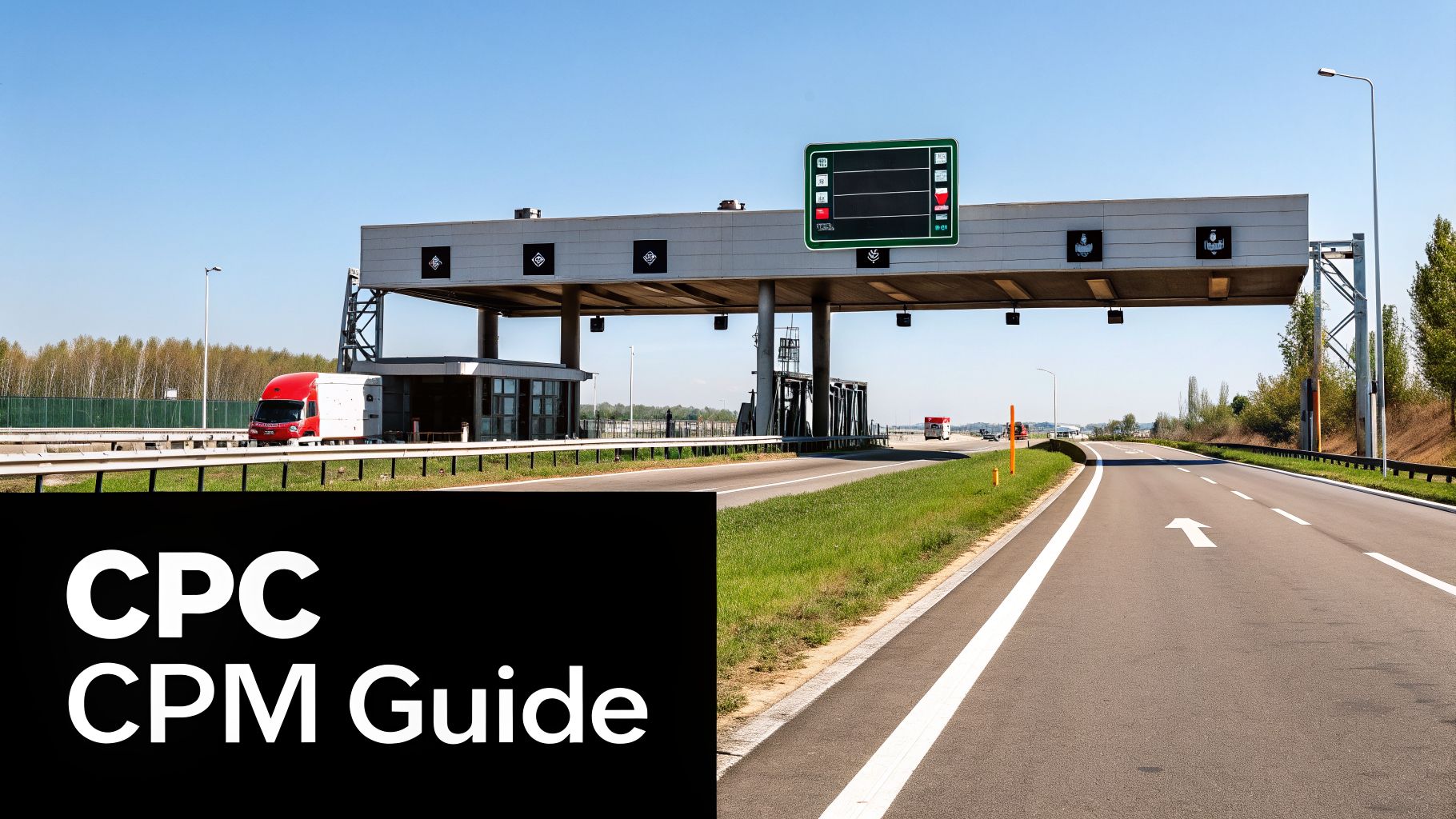
The most common model by a long shot is Cost-Per-Click (CPC). It's simple: you only get charged when a shopper actually clicks on your ad. To really get it, you have to understand the basics of the pay-per-click (PPC) advertising model.
Think of it like a tollbooth on a highway that leads straight to your product page. You only pay the toll when a car—a potential customer—chooses to take your exit. If they just drive by and see your sign (an impression), it costs you nothing. This makes CPC perfect for campaigns where the main goal is to drive sales, like with Sponsored Products, because you're only paying for shoppers who show real interest.
With CPC, every ad spot is decided by a lightning-fast, real-time auction. You tell Amazon the absolute most you’re willing to pay for a click—that’s your maximum bid. The good news is, you'll rarely pay that full amount.
Amazon uses a "second-price" auction. This means if you win, you only have to pay $0.01 more than whatever the next-highest bidder offered. So, if your max bid is $2.00 and the next person in line bid $1.50, you win the spot but only pay $1.51 for the click. This setup encourages you to bid what a click is genuinely worth to your business, not just what you think will win.
The CPC model directly links your ad spend to customer engagement. You're not paying for passive views; you're paying for active interest, which is a much more efficient way to find new customers.
This structure puts you in the driver’s seat, letting you set bids that make sense for your product’s price and profit margins.
While CPC is king for performance-based ads, you’ll also run into another model: Cost-Per-Mille (CPM). "Mille" is Latin for thousand, so you’re paying a set price for every 1,000 times your ad is shown. Unlike CPC, clicks don't matter here—you pay for the eyeballs.
A good analogy is renting a billboard on a busy highway. You're paying for the prime real estate and the thousands of people who might see it, not for how many of them actually pull over and visit your store.
This model is the go-to for brand awareness campaigns where the goal is just to get your name out there. You’ll see two main flavors of it:
These impression-based models are typical for Sponsored Display ads and are a core part of the programmatic advertising available through the https://www.mds.co/blog/amazon-dsp-advertising. By knowing the difference between paying for clicks versus paying for views, you can choose the right campaign and pricing model to hit your goals, whether that's boosting today's sales or building your brand for tomorrow.
Okay, so you know how Amazon charges you for ads. But clicks and impressions don't pay the bills. The real question is, are your ads actually making you money?
To figure that out, you need to get comfortable with two key metrics. They’re the compass you'll use to navigate your Amazon advertising cost and find your way to profitability.
These are your Advertising Cost of Sale (ACoS) and Return on Ad Spend (ROAS). Don't let the acronyms scare you; they're simply the language of profit on Amazon.
Think of ACoS as your campaign's efficiency score. It answers one simple question: "For every dollar I made from ads, how much did I have to spend to get it?"
The formula is easy:
ACoS = (Total Ad Spend / Total Ad Sales) x 100
So, if you spent $20 on ads and that brought in $100 in sales, your ACoS is 20%. It means you spent 20 cents for every dollar you earned. A lower ACoS is generally better, but it's not always that simple. For a deeper look at this crucial metric, check out our guide on what ACoS stands for and how to put it to work.
What’s a "good" ACoS? It completely depends on your strategy. A high ACoS can be a smart move when you're launching a new product and need to grab market share fast. On the flip side, for a well-established product, you’ll want a much lower ACoS to protect your profit margins.
While ACoS looks at efficiency from a cost perspective, ROAS flips it around to measure your return. It answers the question: "For every dollar I put into ads, how many dollars did I get back?"
The formula is just as simple:
ROAS = Total Ad Sales / Total Ad Spend
Using our same example, $100 in sales from a $20 spend gives you a ROAS of 5. That means you made $5 for every $1 you invested. Here, a higher number is what you're chasing.
Key Takeaway: ACoS tells you what you spent to get a sale (as a percentage). ROAS tells you what you earned from that spend (as a multiplier). They're two sides of the same profitability coin.
Grasping this relationship is what separates amateur sellers from the pros. It allows you to set clear goals that go way beyond just getting clicks. Your advertising transforms from a necessary evil into a precision tool, shaped for whatever your business needs—whether that's explosive growth or steady, reliable profit.
And this kind of strategic thinking is non-negotiable on Amazon. The platform's ad revenue just hit an incredible $56.22 billion, a 20% jump in just one year. That explosion tells sharp sellers that mastering ads is the primary engine for scaling a business to 7- or 8-figures today.
These numbers aren't just for your dashboard; they're the bridge between your daily campaign tweaks and your big-picture business strategy. Your target ACoS or ROAS should be welded to your product's profit margin and your current goals.
Beyond ACoS and ROAS, if you can also master Cost Per Acquisition for higher ROI, you'll have another powerful lever to pull for optimizing your campaigns. In the end, your ability to read and react to these metrics is what turns ad spend from a simple expense into your most powerful growth investment.
"Am I paying too much for my ads?" It's the million-dollar question every seller asks. Without some context, your ACoS or CPC is just a number floating in space. To set goals that actually make sense, you need to understand where you stand in the market, and that starts with knowing the benchmarks for your category.
Let’s be clear: a "good" Amazon advertising cost for one product could spell disaster for another. A high-ticket item like an electric scooter can easily absorb a $3.00 cost-per-click because the profit margin on a single sale is huge. But for a simple kitchen spatula? That same CPC would bleed your budget dry.
This is exactly why benchmarks are so powerful. They’re your reality check. They help you gauge your performance, spot where you might be overspending, and set targets that are grounded in data, not just wishful thinking.
The cost of advertising on Amazon isn't a flat rate—it’s a living, breathing reflection of the supply and demand within each product category. Think of it like real estate. Renting a storefront on Fifth Avenue is going to cost a whole lot more than one on a quiet suburban street.
Several key factors drive these cost differences:
Grasping these forces is the first step to making smarter, more informed decisions with your ad budget.
The chart below gives you a simple visual of ACoS and ROAS. These are the two most important metrics you'll use to figure out if your ads are actually making you money.
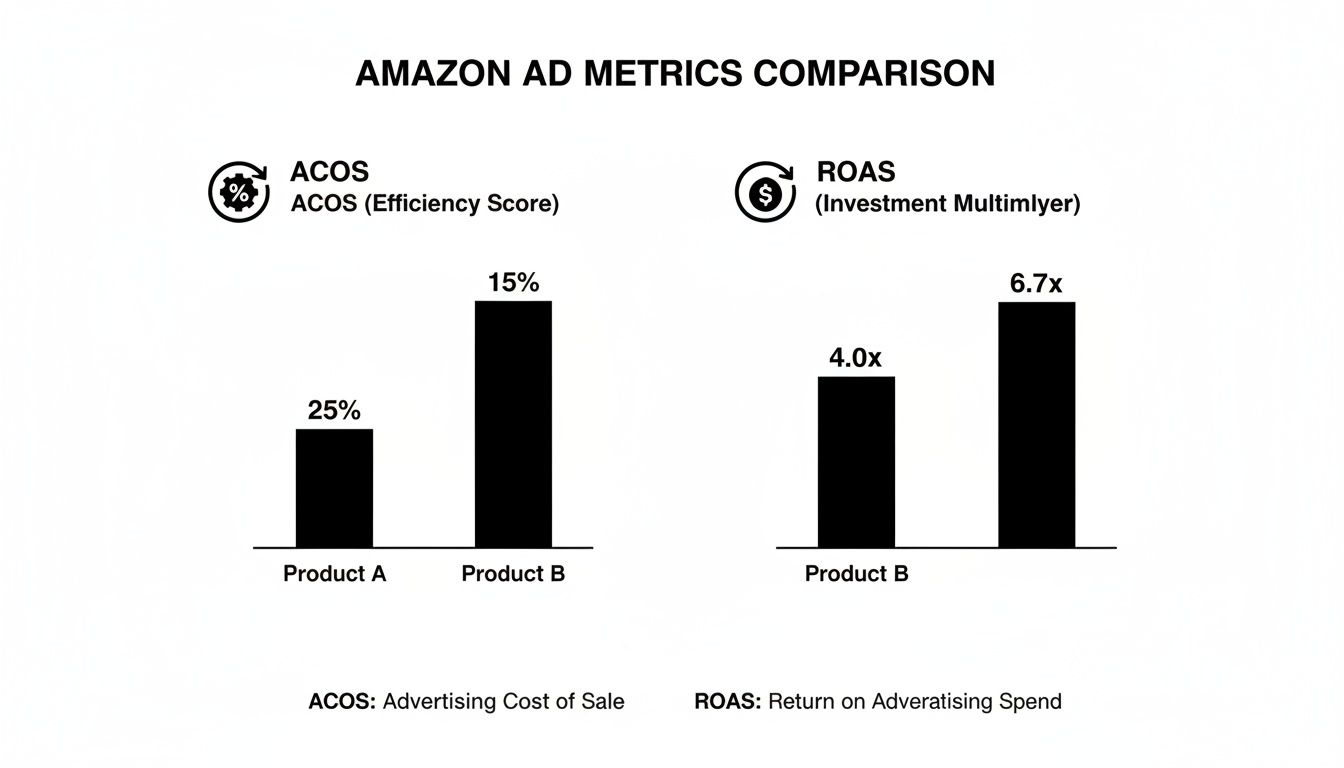
As you can see, they're two sides of the same coin. ACoS measures efficiency (lower is better), while ROAS shows you the direct return you're getting for your spend (higher is better).
Alright, let's get into the hard numbers. The data below is a great starting point for seeing how your campaigns are performing. Just remember that these figures can shift with seasonality and market trends, so think of them as a compass, not a GPS.
Use this table to see how your metrics compare to the averages in some of Amazon's biggest categories.
.tbl-scroll{contain:inline-size;overflow-x:auto;-webkit-overflow-scrolling:touch}.tbl-scroll table{min-width:600px;width:100%;border-collapse:collapse;margin-bottom:20px}.tbl-scroll th{border:1px solid #ddd;padding:8px;text-align:left;background-color:#f2f2f2;white-space:nowrap}.tbl-scroll td{border:1px solid #ddd;padding:8px;text-align:left}Product CategoryAverage CPCAverage CVRAverage ACoSHome & Kitchen$0.9511.2%31.5%Electronics$1.556.8%24.1%Apparel, Shoes & Jewelry$0.859.5%35.8%Health & Household$1.2012.1%29.3%Toys & Games$0.7013.5%22.5%Beauty & Personal Care$1.158.9%33.7%
Data represents generalized industry averages and may vary.
Here's the key takeaway: these are averages, not hard-and-fast rules. Your job isn't just to meet the average; it's to understand why your numbers are what they are. If your ACoS is way higher than the benchmark, it's a huge red flag. Something in your strategy—your bids, your keywords, or even your product detail page—needs a closer look.
For serious sellers, especially those in competitive circles like the Million Dollar Sellers community, these benchmarks aren't just interesting data—they're the starting line. Knowing the average gives you a baseline to obliterate. If the average ACoS in your category is 30%, a top-tier seller is aiming for 25% or less by relentlessly optimizing every single part of their campaigns.
Figuring out how much to spend on Amazon ads can feel like a guessing game. But moving from just reacting to your monthly ad bill to actually planning for it is a game-changer. This is how you build a real financial roadmap for growth, one that fuels your business instead of just burning through cash.
So, where do you start? There are really two ways to think about this. You can go "top-down," treating your ad spend as a slice of your overall revenue pie. Or, you can build your budget from the ground up based on what you want to achieve—the "bottom-up" method.
The top-down approach is the simplest way to keep your spending in check and protect your profits. You just set aside a fixed percentage of your total monthly revenue for advertising.
A good rule of thumb for many brands is to allocate 10% to 15% of total sales to your ad budget.
For instance, if your store is pulling in $20,000 a month in revenue, you'd earmark somewhere between $2,000 and $3,000 for ads. This keeps your ad spend directly tied to your store's performance. You won't overspend during a slow month, making it a safe and stable way to operate. It treats advertising as a predictable cost, just like your inventory or rent.
The bottom-up method is more strategic and perfect when you have a specific goal in mind. Instead of starting with what you've already earned, you start with what you want to earn and work backward to figure out the ad spend needed to get there. This is your go-to for product launches, aggressive growth phases, or when you’re ready to really scale your campaigns.
Let's say you want to generate 50 sales for a new product this month. The math is actually pretty straightforward.
The Formula: (Target Sales / Conversion Rate) x Average CPC = Required Budget
This approach is powerful because it directly ties every dollar you spend to a specific business outcome. The conversation shifts from "How much did we spend?" to "What do we need to invest to hit our goal?" This kind of thinking is at the core of smart business, and you can see how it connects to your overall profitability by exploring the idea of what is unit economics for your brand.
A "set it and forget it" budget just won't work on Amazon. Your advertising plan needs to be flexible, ready to pounce on the biggest sales opportunities of the year. During these key moments, you absolutely have to plan on increasing your budget to capture the massive influx of shoppers.
Think about these key events:
By planning for these moments and building a budget that can adapt, you turn advertising from a simple expense into a powerful tool for growth.
Knowing your numbers is one thing, but actually improving them is where the real work begins. Getting a handle on your Amazon advertising cost isn't about finding some secret hack; it's about consistently pulling the right levers to trim the fat and double down on what’s already working.
Think of it as building an efficient machine. These aren't one-off tricks. They are the core components that turn your ad spend from a simple expense into a powerful, profit-generating engine for your business.
Picture your ad budget as a bucket of water. Every time you pay for a click from someone who was never going to buy your product, that’s a small hole in your bucket. A rock-solid negative keyword strategy is how you patch those holes for good. Honestly, it’s one of the fastest ways to see an immediate drop in your ACoS.
When you run automatic campaigns or use broad match keywords, Amazon's algorithm takes some creative liberties, showing your ads for all sorts of related search terms. Your job is to be the quality control manager. Regularly jump into your Search Term Report and hunt down the queries that are just burning through your cash.
Let's say you sell premium leather boots. You absolutely do not want to be paying for clicks from shoppers looking for "cheap vegan boots" or "rubber rain boots." By adding words like "cheap," "vegan," and "rubber" as negative keywords, you’re telling Amazon to stop wasting your money on that traffic.
A disciplined negative keyword routine is non-negotiable. It ensures your budget is spent only on shoppers who are genuinely looking for what you sell, dramatically improving your conversion rate and ROAS.
This simple act of "keyword pruning" stops the budget leaks and forces your ad spend toward the clicks that count.
Tossing all your keywords—Broad, Phrase, and Exact—into one big campaign is a recipe for chaos. It’s like trying to drive a car with no steering wheel; you have almost no control over where your budget is going or how your bids are performing. The pros structure their campaigns for maximum control.
A common and highly effective method is to create separate campaigns for each match type.
This tiered structure lets you funnel the bulk of your budget toward your most profitable keywords while using the broader match types as a low-cost research lab.
This might sound counterintuitive, but one of the most powerful levers for lowering ACoS isn't even inside the ad console—it's your product detail page. Your ad's only job is to get the click. After that, your listing has to do the heavy lifting and secure the sale. If your conversion rate is poor, you're just paying for clicks that go nowhere.
Think about the math. A single percentage point increase in your conversion rate can have a massive impact on your ACoS.
Let's say you get 100 clicks at $1 each, for a total ad spend of $100. If 10% of those people buy your $50 product, you’ve made $500 in sales. Your ACoS is 20%.
Now, what if you improve your listing and bump that conversion rate to just 11%? That same $100 in ad spend now generates $550 in sales, dropping your ACoS to just over 18%. You didn't touch a single campaign setting!
Focus on the fundamentals: high-quality images, copy that sells the benefits, A+ Content, and a steady stream of good reviews. A better listing makes every single ad dollar you spend work that much harder.
As you get deeper into Amazon advertising, you're bound to run into a few head-scratchers. This is where theory meets reality. Let's tackle some of the most common questions and concerns sellers have about their ad spend, so you can make smarter decisions from day one.
For sellers just dipping their toes in the water, a good starting point is to budget around 10% of your total revenue for advertising. It's a safe, scalable baseline. But here's the key: for the first one to three months, your goal isn't immediate profit. It's aggressive data collection.
Most new sellers should expect to spend somewhere between $1,000 and $5,000 per month, though this really depends on your product's price and how crowded your niche is. The mission in this early phase is to quickly figure out which keywords actually lead to sales and to build up a sales history. That initial velocity gives your organic ranking a nice little nudge. Only after you have solid performance data should you start tightening the screws and optimizing for a specific ACoS target.
Think of your first ad budget as an investment in market research. You're essentially paying to learn exactly how real customers search for your product—and that's priceless information for your ads and your entire business.
A high Advertising Cost of Sale (ACoS) can be alarming, but it’s usually a symptom of a few common problems. If you see your ACoS starting to climb, it's time to put on your detective hat and check for these culprits.
The first place to look is your Search Term Report. Find any irrelevant search queries that are eating your budget and immediately add them as negative keywords. Next, do a brutally honest audit of your product listing. Is it truly set up to turn a curious clicker into a happy customer?
You’ll see initial data like impressions and clicks pop up within a few hours of launching a campaign, but don't mistake that for meaningful results. The real work of optimization can only start once you have enough data to tell a story.
You need to let your campaigns run for at least two to four weeks before you start making any major tweaks. This gives the algorithm time to work and gives you enough performance data to spot real patterns, not just random noise.
Consider the first month your discovery phase. You're learning, not earning. Getting to a stable, profitable ACoS typically takes three months or more as you constantly refine keywords, adjust bids, and sharpen your targeting based on what the data is telling you. Rushing this process is probably the most common—and most expensive—mistake a seller can make.
Not necessarily. While a low ACoS feels great and is the goal for maximizing profit on your proven winners, it’s not the right target for every single situation. In fact, being obsessed with a low ACoS can sometimes hold your brand back.
When you're launching a new product, for instance, a higher ACoS is practically a requirement. You have to spend more aggressively to get noticed, generate those first critical sales and reviews, and build the ranking momentum that the Amazon algorithm loves.
The "right" ACoS is all about your current business goal.
Let your strategy define your ACoS target, not the other way around.
Navigating the wild world of Amazon advertising takes more than just data—it requires insights from people who have already scaled the mountain. In the Million Dollar Sellers community, top e-commerce founders share the exact playbooks they use to optimize their ad spend, dominate their categories, and build 8- and 9-figure brands.
Join the Ecom Entrepreneur Community for Vetted 7-9 Figure Ecommerce Founders
Learn MoreYou may also like:
Learn more about our special events!
Check Events